Type the name of something (e.g. “beautiful flowers”), then use a brush to specify where you want it applied. Here, just watch this demo:
The project is open source, complements of the creators of ArtBreeder.

Type the name of something (e.g. “beautiful flowers”), then use a brush to specify where you want it applied. Here, just watch this demo:
The project is open source, complements of the creators of ArtBreeder.
Today we are introducing Pet Portraits, a way for your dog, cat, fish, bird, reptile, horse, or rabbit to discover their very own art doubles among tens of thousands of works from partner institutions around the world. Your animal companion could be matched with ancient Egyptian figurines, vibrant Mexican street art, serene Chinese watercolors, and more. Just open the rainbow camera tab in the free Google Arts & Culture app for Android and iOS to get started and find out if your pet’s look-alikes are as fun as some of our favorite animal companions and their matches.

Check out my man Seamus:

Sure, face swapping and pose manipulation on humans is cool and all, but our industry’s next challenge must be beak swapping and wing manipulation. 😅🐦
[Via]
By analyzing various artists’ distinctive treatment of facial geometry, researchers in Israel devised a way to render images with both their painterly styles (brush strokes, texture, palette, etc.) and shape. Here’s a great six-minute overview:


10 years ago we put a totally gratuitous (but fun!) 3D view of the layers stack into Photoshop Touch. You couldn’t actually edit in that mode, but people loved seeing their 2D layers with 3D parallax.
More recently apps are endeavoring to turn 2D photos into 3D canvases via depth analysis (see recent Adobe research), object segmentation, etc. That is, of course, an extension of what we had in mind when adding 3D to Photoshop back in 2007 (!)—but depth capture & extrapolation weren’t widely available, and it proved too difficult to shoehorn everything into the PS editing model.
Now Mental Canvas promises to enable some truly deep expressivity:
I do wonder how many people could put it to good use. (Drawing well is hard; drawing well in 3D…?) I Want To Believe… It’ll be cool to see where this goes.
I plan to highlight several of the individual technologies & try to add whatever interesting context I can. In the meantime, if you want the whole shebang, have at it!
I kinda can’t believe it, but the team has gotten the old gal (plus Illustrator) running right in Web browsers!

VP of design Eric Snowden writes,
Extending Illustrator and Photoshop to the web (beta) will help you share creative work from the Illustrator and Photoshop desktop and iPad apps for commenting. Your collaborators can open and view your work in the browser and provide feedback. You’ll also be able to make basic edits without having to download or launch the apps.
Creative Cloud Spaces (beta) are a shared place that brings content and context together, where everyone on your team can access and organize files, libraries, and links in a centralized location.
Creative Cloud Canvas (beta) is a new surface where you and your team can display and visualize creative work to review with collaborators and explore ideas together, all in real-time and in the browser.

From the FAQ:
Adobe extends Photoshop to the web for sharing, reviewing, and light editing of Photoshop cloud documents (.psdc). Collaborators can open and view your work in the browser, provide feedback, and make basic edits without downloading the app.
Photoshop on the web beta features are now available for testing and feedback. For help, please visit the Adobe Photoshop beta community.
So, what do you think?
Things the internet loves:
Nicolas Cage
Cats
Mashups
Let’s do this:
Elsewhere, I told my son that I finally agree with his strong view that the live-action Lion King (which I haven’t seen) does look pretty effed up. 🙃
Let’s say you dig AR but want to, y’know, actually create instead of just painting by numbers (just yielding whatever some filter maker deigns to provide). In that case, my friend, you’ll want to check out this guidance from animator/designer/musician/Renaissance man Dave Werner.
0:00 Intro
1:27 Character Animator Setup
7:38 After Effects Motion Tracking
14:14 After Effects Color Matching
17:35 Outro (w/ surprise cameo)
Hard to believe that it’s been almost seven years since my team shipped Halloweenify face painting at Google, and hard to believe how far things have come since then. For this Halloween you can use GANs to apply & animate all kinds of fun style transfers, like this:
I dunno, but it’s got me feeling kinda Zucked up…


Literally! I love this kind of minimal yet visually rich work.
Okay, I still don’t understand the math here—but I feel closer now! Freya Holmér has done a beautiful job of visualizing the core workings of what’s a core ingredient in myriad creative applications:
FaceMix offers a rather cool way to create a face by mixing together up to four individually editable images, which you can upload or select from a set of presets. The 30-second tour:
Here’s a more detailed look into how it works:
The New York Public Library has shared some astronomical drawings by E.L. Trouvelot done in the 1870s, comparing them to contemporary NASA images. They write,
Trouvelot was a French immigrant to the US in the 1800s, and his job was to create sketches of astronomical observations at Harvard College’s observatory. Building off of this sketch work, Trouvelot decided to do large pastel drawings of “the celestial phenomena as they appear…through the great modern telescopes.”


[Via]
Going back seven years or so, when we were working on a Halloween face painting feature for Google Photos (sort of ur-AR), I’ve been occasionally updating a Pinterest board full of interesting augmentations done to human faces. I’ve particularly admired the work of Yulia Brodskaya, a master of paper quilling. Here’s a quick look into her world:
Heh—my Adobe video eng teammate Eric Sanders passed along this fun poster (artist unknown):

It reminds me of a silly thing I made years ago when our then-little kids had a weird fixation on light fixtures. Oddly enough, this remains the one & presumably only piece of art I’ll ever get to show Matt Groening, as I got to meet him at dinner with Lynda Weinman back then. (Forgive the name drop; I have so few!)

I’m a huge & longtime fan of Chop Shop’s beautiful space-tech illustrations, so I’m excited to see them kicking off a new Kickstarter campaign:
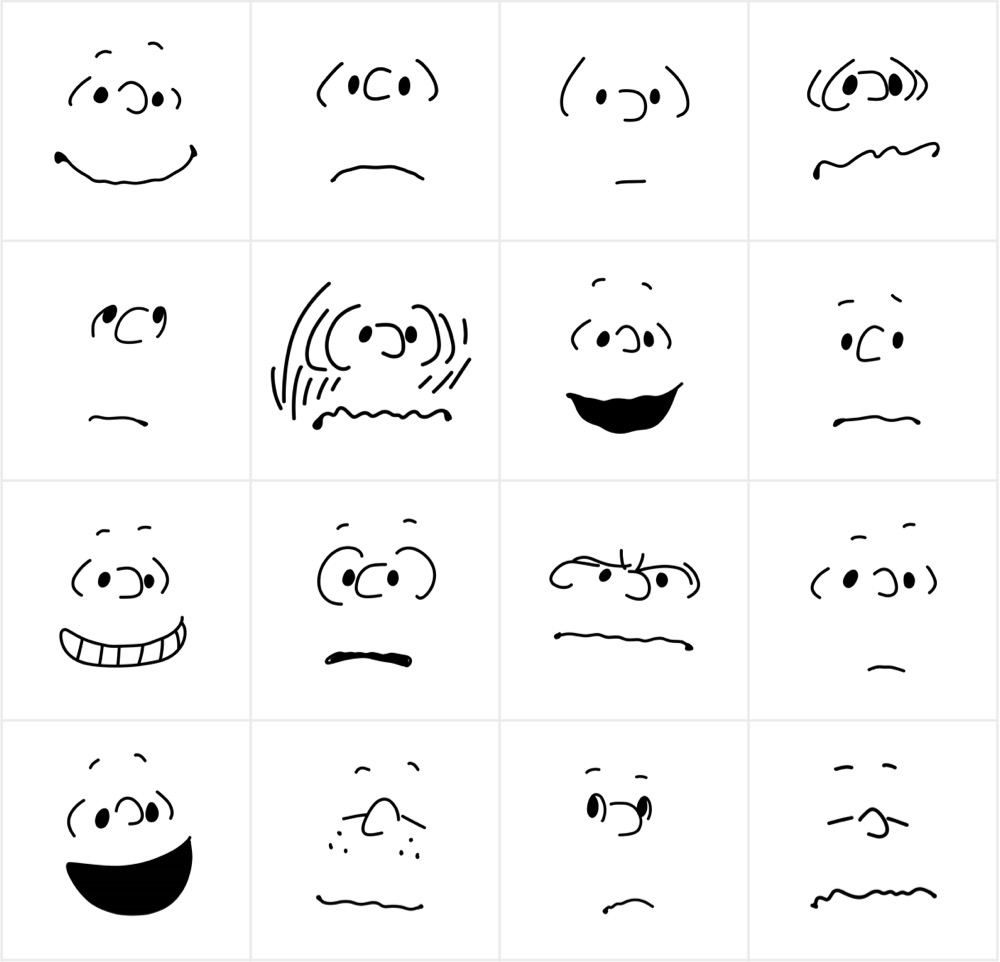
Right at the start of my career, I had the chance to draw some simple Peanuts animations for MetLife banner ads. The cool thing is that back then, Charles Schulz himself had to approve each use of his characters—and I’m happy to say he approved mine. 😌 (For the record, as I recall it feature Linus’s hair flying up as he was surprised.)
In any event, here’s a fun tutorial commissioned by Apple:
As Kottke notes, “They’ve even included a PDF of drawing references to make it easier.” Fortunately you don’t have to do the whole thing in 35 seconds, a la Schulz himself:
[Via]
Generative artist Glenn Marshall has used CLIP + VQGAN to send Radiohead down a rather Lovecraftian rabbit hole:
I love these posters from Concepcion Studios (also viewable on Instagram and available for purchase on Etsy). [Via]


This is the super chill content I needed right now. 😌
Colossal writes,
“Viewfinder” is a charming animation about exploring the outdoors from the Seoul-based studio VCRWORKS. The second episode in the recently launched Rhythmens series, the peaceful short follows a central character on a hike in a springtime forest and frames their whimsically rendered finds through the lens of a camera.
You can find another installment on their Vimeo page.
“A nuclear-powered pencil”: that’s how someone recently described ArtBreeder, and the phrase comes to mind for NVIDIA Canvas, a new prototype app you can download (provided you have Windows & beefy GPU) and use to draw in some trippy new ways:
Paint simple shapes and lines with a palette of real world materials, like grass or clouds. Then, in real-time, our revolutionary AI model fills the screen with show-stopping results.
Don’t like what you see? Swap a material, changing snow to grass, and watch as the entire image changes from a winter wonderland to a tropical paradise. The creative possibilities are endless.
[Via]
Extremely old, never-say-die (but good-natured) sibling rivalry: “Hey, 2008 called, and its wants its Photoshop feature back!” 🙃 I kid, though, and I’m happy to see illustrators getting this nice, smoothly rendering feature. Here’s a 1-minute tour:
What an incredible labor of love this must have been to stitch & animate:
Our most ridiculously labor-intensive animation ever! The traditional Passover folk song rendered in embroidermation by Nina Paley and Theodore Gray. These very same embroidered matzoh covers are available for purchase here.
[Via Christa Mrgan]
As I noted last year,
I’ve always been part of that weird little slice of the Adobe user population that gets really hyped about offbeat painting tools—from stretching vectors along splines & spraying out fish in Illustrator (yes, they’re both in your copy right now; no, you’ve never used them).
In that vein, I dig what Erik Natzke & co. have explored:
This one’s even trippier:
Here’s a quick tutorial on how to make your own brush via Adobe Capture:
And here are the multicolor brushes added to Adobe Fresco last year:
On an epic dog walk this morning, Old Man Nack™ took his son through the long & winding history of Intel vs. Motorola, x86 vs. PPC, CISC vs. RISC, toasted bunny suits, the shock of Apple’s move to Intel (Marklar!), and my lasting pride in delivering the Photoshop CS3 public beta to give Mac users native performance six months early.
As luck would have it, Adobe has some happy news to share about the latest hardware evolution:
Today, we’re thrilled to announce that Illustrator and InDesign will run natively on Apple Silicon devices. While users have been able to continue to use the tool on M1 Macs during this period, today’s development means a considerable boost in speed and performance. Overall, Illustrator users will see a 65 percent increase in performance on an M1 Mac, versus Intel builds — InDesign users will see similar gains, with a 59 percent improvement on overall performance on Apple Silicon. […]
These releases will start to roll out to customers starting today and will be available to all customers across the globe soon.
Check out the post for full details.

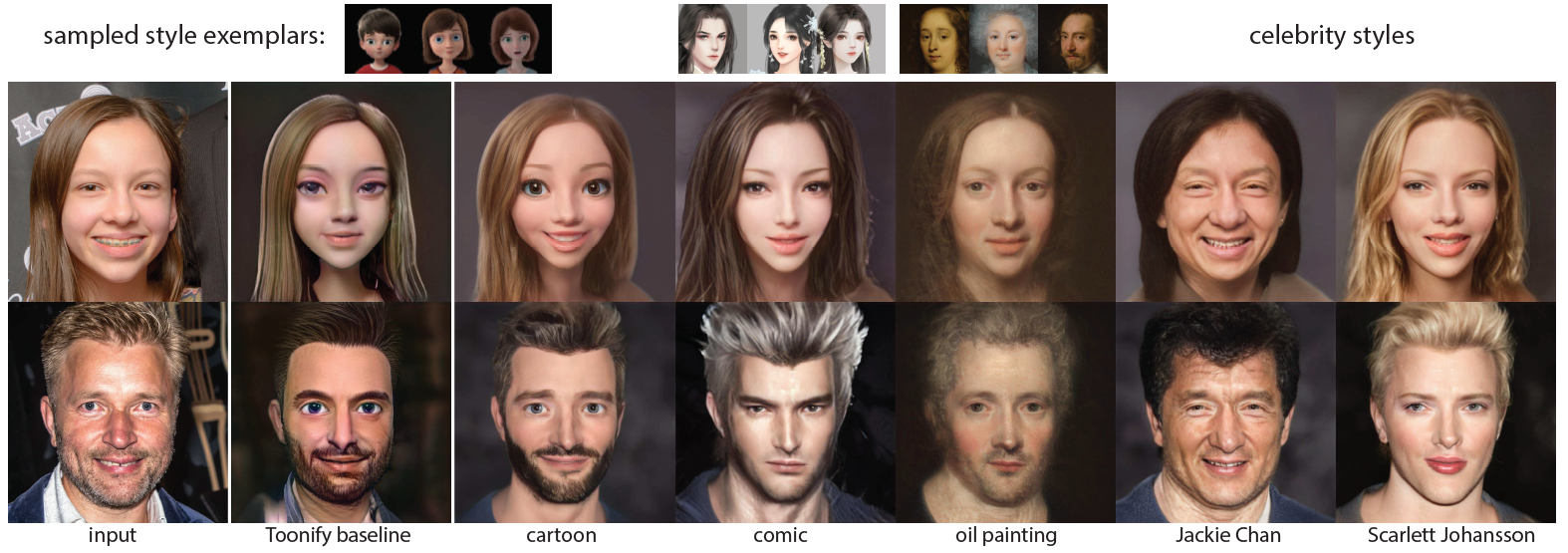
A few weeks ago I mentioned Toonify, an online app that can render your picture in a variety of cartoon styles. Researchers are busily cranking away to improve upon it, and the new AgileGAN promises better results & the ability to train models via just a few inputs:
Our approach provides greater agility in creating high quality and high resolution (1024×1024) portrait stylization models, requiring only a limited number of style exemplars (∼100) and short training time (∼1 hour).
There are lots of fun details here, from the evolution of the “potato-chip lip,” to how lines & shapes evolved to let characters rotate more easily in space, to hundreds of pages of documentation on exactly how hair & eyes should work, and more.
Generative artist Nathan Shipley has been doing some amazing work with GANs, and he recently collaborated with BMW to use projection mapping to turn a new car into a dynamic work of art:
I’ve long admired the Art Cars series, with a particular soft spot for Jenny Holzer’s masterfully disconcerting PROTECT ME FROM WHAT I WANT:

Here’s a great overview of the project’s decades of heritage, including a dive into how Andy Warhol adorned what may be the most valuable car in the world—painting on it at lightning speed:
Years ago my friend Matthew Richmond (Chopping Block founder, now at Adobe) would speak admiringly of “math-rock kids” who could tinker with code to expand the bounds of the creative world. That phrase came to mind seeing this lovely little exploration from Derrick Schultz:
Here it is in high res:
You’ll scream, you’ll cry, promises designer Dave Werner—and maybe not due just to “my questionable dance moves.”
Live-perform 2D character animation using your body. Powered by Adobe Sensei, Body Tracker automatically detects human body movement using a web cam and applies it to your character in real time to create animation. For example, you can track your arms, torso, and legs automatically. View the full release notes.
Check out the demo below & the site for full details.
I’ve obviously been talking a ton about the crazy-powerful, sometimes eerie StyleGAN2 technology. Here’s a case of generative artist Mario Klingemann wiring visuals to characteristics of music:
Watch it at 1/4 speed if you really want to freak yourself out.
Beats-to-visuals gives me an excuse to dig up & reshare Michel Gondry’s brilliant old Chemical Brothers video that associated elements like bridges, posts, and train cars with the various instruments at play:
Back to Mario: he’s also been making weirdly bleak image descriptions using CLIP (the same model we’ve explored using to generate faces via text). I congratulated him on making a robot sound like Werner Herzog. 🙃

The Avalanches used ArtBreeder (see previous) to make this trippy, ever-morphing music video.
This provides me a periodic reminder that I’ve never seen What Dreams May Come & should someday fix that.
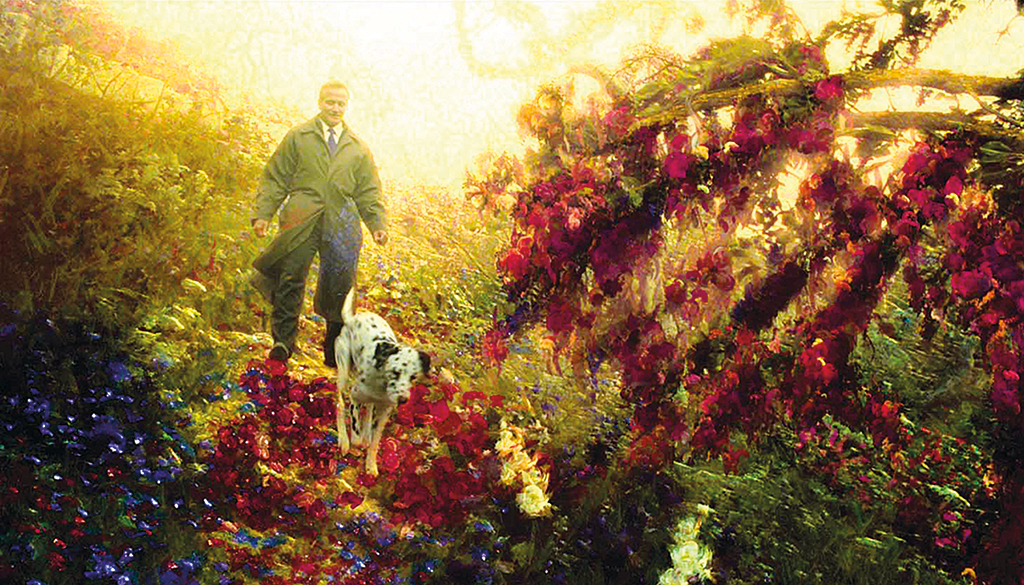
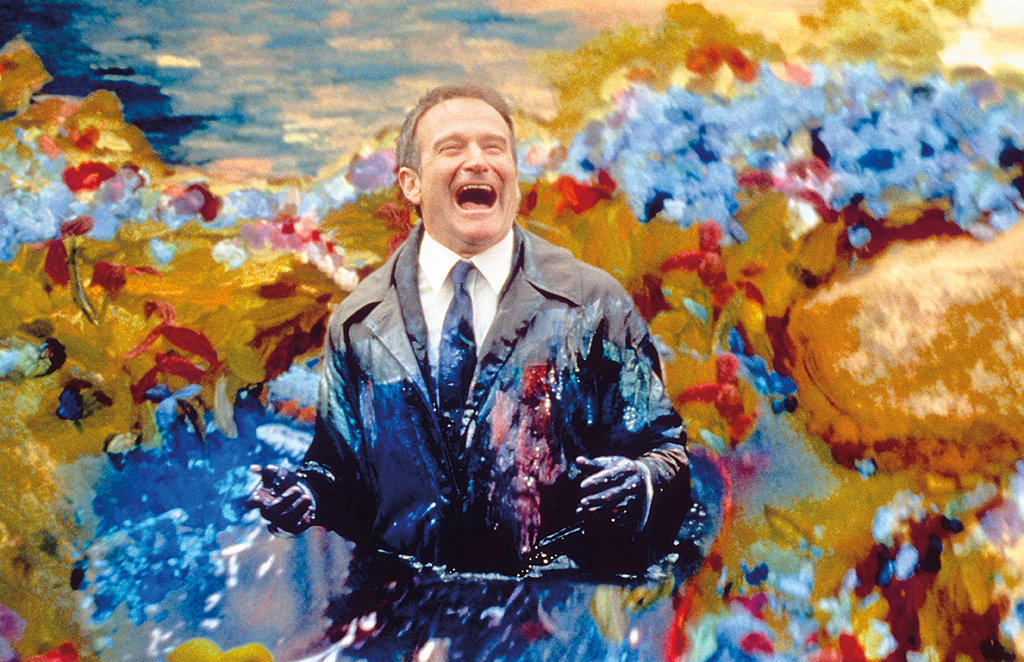
Artbreeder is a trippy project that lets you “simply keep selecting the most interesting image to discover totally new images. Infinitely new random ‘children’ are made from each image. Artbreeder turns the simple act of exploration into creativity.” Check out interactive remixing:
Artbreeder is a nuclear powered pencil.
have a spin remixing some of mine here:https://t.co/pjeX7PNcgC#artbreeder #ai #ganbreeder #conceptart #comics pic.twitter.com/zxGLculJtA
— Bay Raitt (@bayraitt) September 17, 2019
Here’s an overview of how it works:
Generative Adversarial Networks are the main technology enabling Artbreeder. Artbreeder uses BigGAN and StyleGAN models. There is a minimal open source version available that uses BigGAN.
I find this emerging space so fascinating. Check out how Toonify.photos (which you can use for free, or at high quality for a very modest fee) can turn one’s image into a cartoon character. It leverages training data based on iconic illustration styles:
I also chuckled at this illustration from the video above, as it endeavors to how two networks (the “adversaries” in “Generative Adversarial Network”) attempt, respectively, to fool the other with output & to avoid being fooled. Check out more details in the accompanying article.

The Epic team behind the hyper-realistic, Web-hosted MetaHuman Creator—which is now available for early access—rolled out the tongue-in-cheek “MetaPet Creator” for April Fool’s. Artist Jelena Jovanovic offers a peek behind the scenes.
Elsewhere I put my pal Seamus (who’s presently sawing logs on the couch next to me) through NVIDIA’s somewhat wacky GANimal prototype app, attempting to mutate him into various breeds—with semi-Brundlefly results. 👀

On Monday I mentioned my new team’s mind-blowing work to enable image synthesis through typing, and I noted that it builds on NVIDIA’s StyleGAN research. If you’re interested in the latter, check out this two-minute demo of how it enables amazing interactive generation of stylized imagery:
This new project called StyleGAN2, developed by NVIDIA Research, and presented at CVPR 2020, uses transfer learning to produce seemingly infinite numbers of portraits in an infinite variety of painting styles. The work builds on the team’s previously published StyleGAN project. Learn more here.
