You can now check if a video was edited or created with Google AI directly in the Gemini app.
Just upload a video and ask something like, “Was this generated using Google AI?” Gemini will scan for the imperceptible SynthID watermark across both the audio and visual tracks and use its own reasoning to return a response that gives you context. For example, it might say: “SynthID detected within the audio between 10-20 secs. No SynthID detected in the visuals.”
Uploaded files can be up to 100 MB and 90 seconds long.
With Maps Imagery Grounding, a film studio can use a laptop to quickly visualize a scene at a specific place, like Washington Square Park in New York City—before scouts ever set foot on set. It’s easy to use: just type a prompt like “generate an image of a futuristic spaceship hovering in front of the Washington Square Arch” into the Gemini Enterprise Agent Platform and enable grounding with Google Maps Imagery in settings. In seconds, you can storyboard your creative vision with an accurate image—and you can even use Veo to animate the scene.
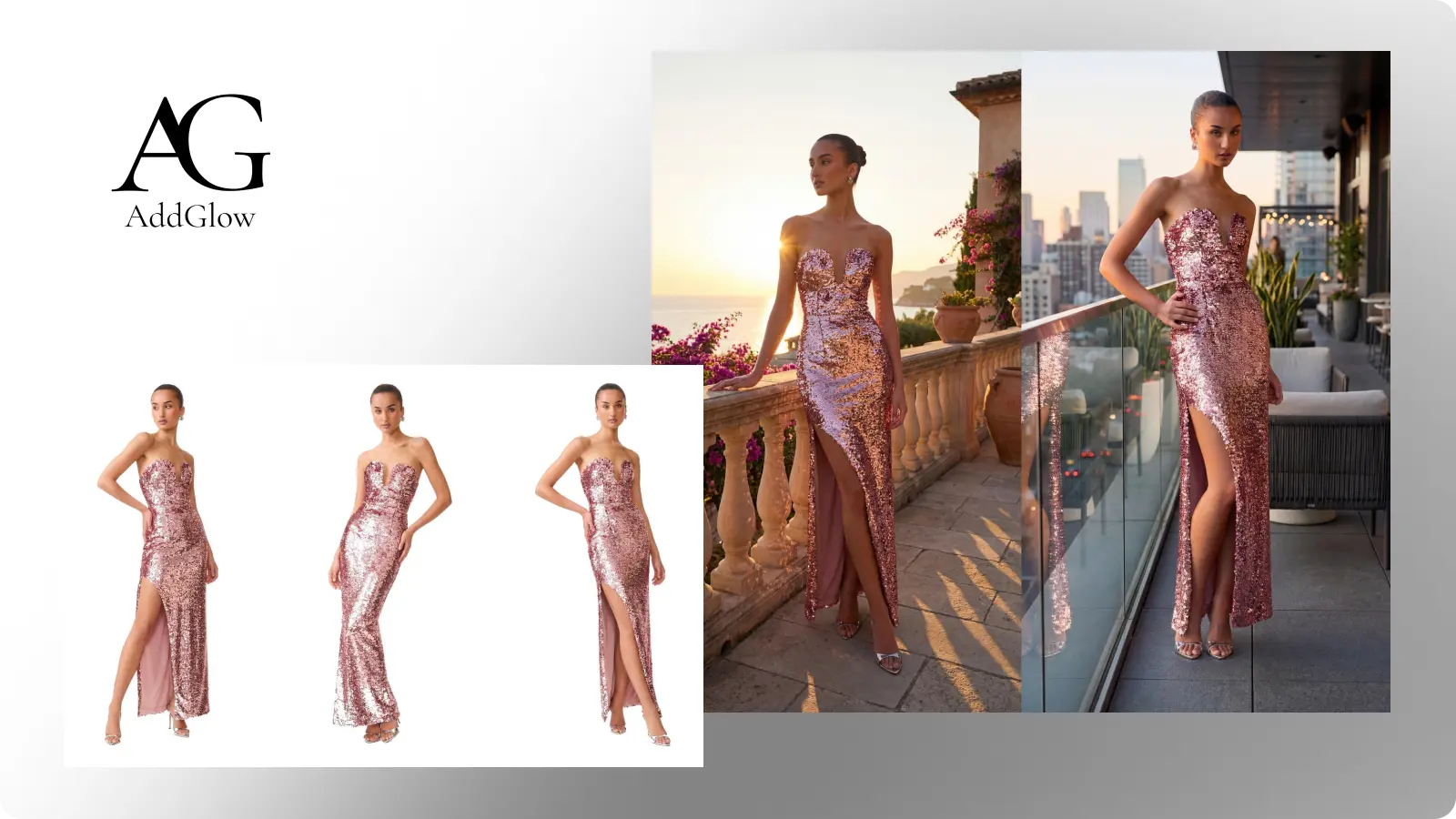
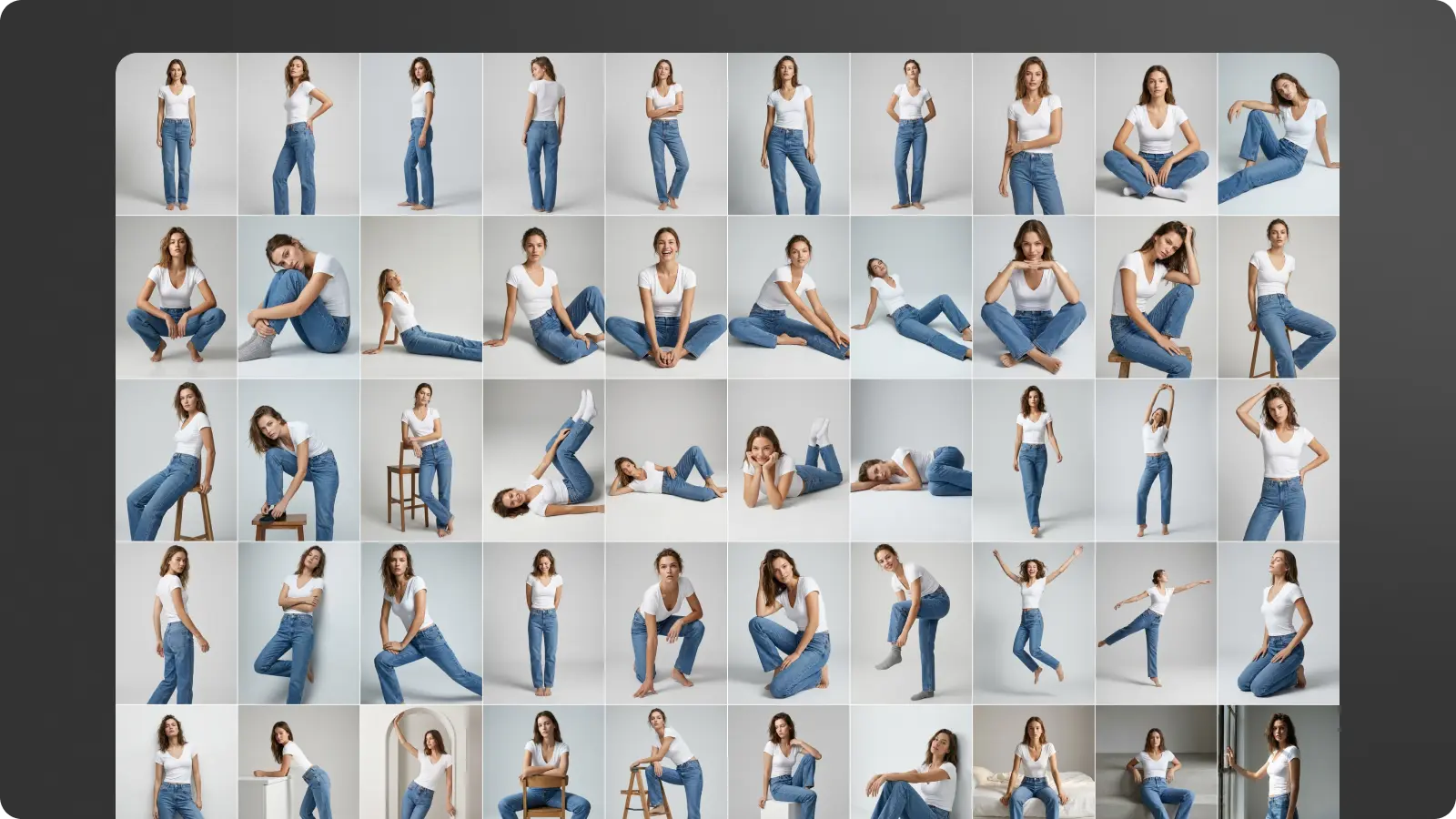
Get every angle from one product shot. Camera control rotates around any image in a full 360. Use it on PDPs, campaign stills, lifestyle, whatever you shot last week.
I had no idea! And yet here “I” am, thanks to this new-to-me feature. In at least this first test, the visual likeness is very good, the gestures are a little off, and the voice is that of someone else (not shocking, as the creation flow asked me to read aloud only a couple of numbers):
Spending four minutes listening to Diplo’s thoughts on how art will be made going forward, and specifically on the value of quirky, messy, world-experiencing humans will be a good use of your time, I promise. The machine needs us ghosts.
if you are a creative you need to adapt or just like give up and become an uber driver until everyone has a waymo. I know it’s not cool or classy to speak like this but i’m not gonna candy coat the future – it is what it is . sorry for bad new’s my purist . there will always need… https://t.co/SXswII51wv
I’ve been sending this video to friends & family to explain what the heck it is I actually, y’know, do for a living. (It’s somehow related to enabling all this!)
Here’s a good summary from Gemini:
Digital Clones for A-listers (0:33–1:56): The Creative Artist Agency (CAA) is helping actors create and store secure digital doubles of their likeness and vocal inflections. This serves as a “vault” to protect their intellectual property and assert rights against unauthorized use.
Deep Voodoo’s AI Innovations (2:15–3:54): Founded by Trey Parker and Matt Stone of South Park, this studio uses proprietary facial scanning and AI to perform tasks like real-time de-aging for projects like the TV series Before and Billy Joel‘s recent music video.
Production Efficiency and Ethics (6:03–7:40): Director Darren Aronofsky and filmmaker Eliza McNitt utilized Google’s Veo 3 model for the short film Ancestra. AI allowed them to create complex cosmic visuals and even recreate a newborn baby digitally to avoid the ethical concerns of filming with a real infant.
Commercially Safe AI Tools (8:00–9:10):Asteria Film Company, co-founded by Natasha Lyonne and Bin Moser, focuses on building “commercially safe” AI models trained strictly on licensed materials to avoid copyright infringement, emphasizing that learning to use AI is an essential skill for modern filmmakers.
The Human Element (4:48–5:13): Despite the rapid evolution of AI, industry unions like SAG-AFTRA emphasize that human performers bring a unique, special quality to projects that algorithms cannot replicate, advocating for guardrails to ensure AI serves as a tool for creators rather than a replacement.
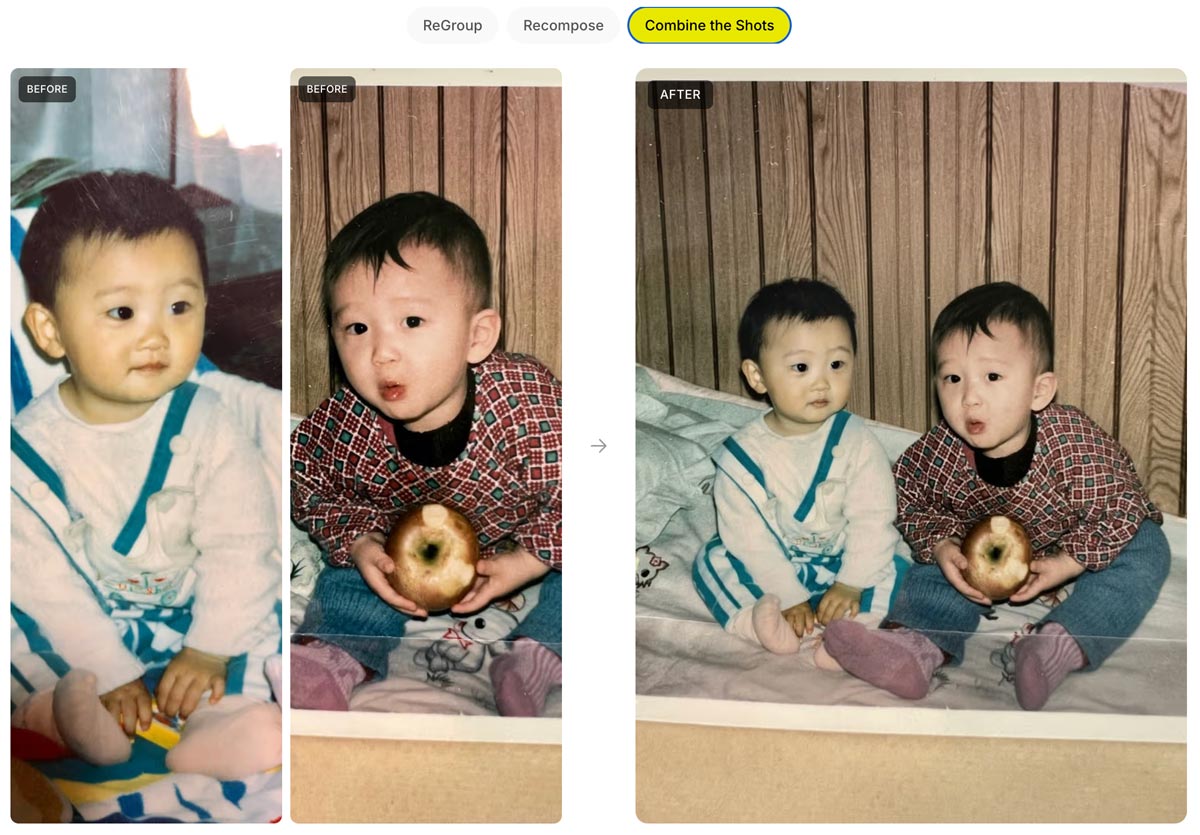
Phota—about which I expressed some initial misgivings, given its ability to rewrite memories—has launched Phota Studio & their API. From what I can tell, it builds upon a Nano Banana foundation and adds personalization that relies on uploading dozens of images of each individual in order to maximize identity preservation:
With Phota, for the first time, you can generate, edit, and enhance photos while keeping your identity intact, every time.
We’re not building a generic foundation model. We build personal models about you, and about the people and pets around you. At the center are profiles, built from your personal album that learn the details of your appearance that make you recognizable as yourself: how you smile, your eye color, and how your face looks from different angles. Your personal model is private and only used by you.
Today, we introduce Phota Studio and Phota API, powered by our photography model that brings flagship image model capabilities, personalized to you.
With personalization, an image model stops being just playful and starts becoming useful for photography.
Here’s a quick thread in which I tried inserting myself into a couple of images, using both Phota’s model (which depended on my uploading 30+ images of myself) and just Nano Banana straight out of the Gemini app:
“Now with more distractions” isn’t usually the kind of thing one would tout—but as you’ll see, it’s just the kind of smarts people want for clean-up work:
Photoshop’s Remove Tool is getting a HUGE upgrade with more distractions.
Here’s a fun, ultra-simple way to turn an image (or just a prompt) into a short, multi-shot narrative:
Introducing the Multi-Shot App. An easy way to go from a simple prompt to a thoughtfully crafted scene. All with dialogue, sound effects, intentional cuts, pacing and cinematic framing. Start from an image or go purely Text to Video for total creative exploration. Available now… pic.twitter.com/ek5uuuVf06
A family of Lego people and their dog gaze around Yosemite’s most iconic vista, then reminisce about that time they got stuck there in the snow in their VW van, expressing hope that they don’t get stuck again!
I’ve long quoted James Ratliff, the super sharp designer behind Adobe’s Project Graph (who’s recently decamped to Figma), in nicely phrasing how the process of generating & refining ideas generally starts broad/declarative (searching, prompting) and moves towards fine-grained methods (selecting, moving, etc.):
I see an increasing number of tool & model creators mixing modalities—even in the Gemini Super Bowl ad featuring a mom & daughter drawing a simple circle to show where they’d like to add a dog bed.
I’m eager to check out Lovart’s take on the possibilities, especially for animation:
⚡️ New on Lovart: Move Object
→ Select any object with rectangular or lasso tool → Move it wherever you want → Prompt optional modifications → One clean, consistent image
“3D scenes, websites, games, apps,” promises Spline. “Describe anything and Omma builds it for you in seconds.”
Omma combines code generation (LLMs), 3D AI mesh generation, and Image generation all in one place for you to build and ship. Deploy to production, assign custom domains, and more.
Ten years ago (!), the embryonic social app Peach suddenly blew up on the scene—only to molder shortly thereafter. Adam Lisagor tartly predicted that outcome right after Peach debuted:
I just joined Peach. Did you see that thing on Peach? Only teens use Peach these days. Nobody uses Peach anymore. Oh my god, remember Peach?
I’m reminded of this upon hearing that OpenAI has bailed out on Sora, which they launched just a few months ago. In a way I’m not surprised—check out how interest in the tech spiked & then rapidly cratered—except that just a couple of months ago Disney signed a billion-dollar deal to use it. ¯\_(ツ)_/¯
On a conceptually (though not necessarily technically) related note, the LICA dataset may help model makers train layered generation:
Much of today’s AI-generated graphic designs look like slop because there is a lack of high-quality, open datasets. This space is a cluster of walled gardens (@figma , @canva , @Adobe ). We’ve built one of the largest graphic design dataset, 1.5 million compositions spanning… pic.twitter.com/YauAe7ugiD
Five years ago, I spent an afternoon with a buddy watching Disco Diffusion resolve a weird, blurry, but ultimately delightful scene over the course of 15 minutes. Now Runway & NVIDIA are previewing generation that’s a mere ~90,000x faster than that. Ludicrous speed, go!!
A breakthrough in real-time video generation.
As a research preview developed with @NVIDIA and shared at @NVIDIAGTC this week, we trained a new real-time video model running on Vera Rubin. HD videos generate instantly, with time-to-first-frame under 100ms. Unlocking an entirely… pic.twitter.com/juafjvk0wm
An AI paradox: as models get vastly more complex, interfaces can get vastly simpler. We can make computers conform to our reality—not the other way around.
Steve Jobs described exactly this evolution all the way back in 1981:
Structuring your prompt well turns out to be key in avoiding garbled text. As the presenter says, “It’s not about writing more. It’s about writing in the right order.” Check out this brief overview.
In this tutorial, you’ll see how to use Nano Banana Pro and Kling 3.0 Omni together to solve one of the most common pain points in AI product video: text that blurs, warps, or drifts mid-motion. We’ll walk through a practical workflow for maintaining legibility and visual consistency in product shots, so your labels, logos, and copy stay clean from the first frame to the last.
Long dog walks are for nothing if not visualizing whatever silliness pops into my head—which today happened to be our puppy Ziggy becoming an impossible object called a “Ziggule.”
I shared this with my cousin Alicia, who does a tremendous amount of work sheltering & rescuing dogs in Austin, and she requested a portrait of their current foster pooch (Tesseract). I was of course all too happy to oblige:
As it happens, folks at Google have had the same idea, and they’ve been putting Nano Banana to work helping zhuzh up pics of shelter pets in hopes of helping them find their forever homes. Let’s hear it for using AI & old-fashioned human creativity for good!
Photos play a big role in pet adoption.
We’ve teamed up with shelters across the country to give rescue pets glamorous headshots that show off their personalities, made with Nano Banana Pro.
As you’ve likely heard me say, I’ve gotten psyched up too many times about AI video-editing tech that fell short of its ambitions—but I’m hoping that this work from Adobe & Harvard collaborators can deliver what it describes:
We present Vidmento, an interactive video authoring tool that expands initial materials and ideas into compelling video stories through blending captured and generative media. To preserve narrative continuity and creative intent, Vidmento generates contextual clips that align with the user’s existing footage and story.
Per the site, Vidmento should enable:
Story Discovery: Surface the stories within captured clips.
Narrative Development: Suggest what’s needed to move the story forward.
Contextual Blending: Generating visuals that align with real footage.
Creative Control: Give creators controls to fine-tune the visuals and story.
Among the misbegotten “Oh, everyone will love this—but rarely will anyone actually use it” AR demos of 2017 (right alongside “See whether this toaster fits on my counter!”), imagining restaurants plopping a 3D model onto your plate was always a banger. Leaving aside whether anyone would actually want or value that experience, the cost of realistically modeling dishes was prohibitive.
This new tech at least promises to take the grunt work out of model creation, turning a single photo into an AR-ready 3D asset (give or take a tine or two ;-)):
AR GenAI by AR Code is transforming the food industry. Creating an AR experience for a dish can now start with a single photo.
As shown in the video, a single dessert photo is converted into an AR-ready 3D model with realistic textures and depth. AR Code SaaS then instantly… pic.twitter.com/s1H5do1UUf
I try not to curse on this blog, doing so maybe a dozen times in 20+ (!!) years of posting. But circa 2013-2017, when I saw what felt like uncritical praise for Adobe’s voice-driven editing prototypes, I called bullshit.
The high-level concept was fine, but the tech at the time struck me as the worst of both worlds: the imprecision of language (e.g. how does a normal person know the term “saturation,” and how does an expert describe exactly how much they want?) combined with the fragility of traditional selection & adjustment algorithms.
Now, however, generative tech can indeed interpret our language & effect changes—and in the case of Krea’s new realtime mode, in a highly responsive way:
Whether or not voice per se becomes a popular modality here, closing the gap between idea & visual is just so seductive. To emphasize a previously made point:
We simply have not started rethinking interactions from the grounds up.
So many possibilities wide open when you think of human – AI in micro feedback loops vs automation alone or classic back and forth. https://t.co/iVKb02SbdU
I couldn’t have contrived a better example of the power & pitfalls of generative imaging if I tried.
Here’s a pretty crummy cell phone picture I took yesterday from a moving train & then enhanced with a single prompt using Gemini. The results are incredible—if you don’t really care about the exact capacity of your jumbo jet! 🙂
The current state of AI-driven editing drives home the wisdom of that old Russian staying, “Trust… but verify.”
This also highlights the subtle treachery of AI photography: look how it shortened the 747! pic.twitter.com/Yga5oo1D0B
When it rains, it pours: No sooner did I post about text->vector than I saw two new entrants in that space. The new Quiver AI is claimed to have “solved vector design with AI”:
Introducing @QuiverAI, a new AI lab and product company focused on frontier vector design.
We’ve raised an $8.3M seed round led by @a16z, with support from amazing angels and investors.
Our first model, Arrow-1.0, generates SVGs from images and text. It’s available now in… pic.twitter.com/mLoeM2UpGf
Here’s my first quick test, in which Quiver & Illustrator utterly smoke direct chat->vector output in Gemini & ChatGPT:
Testing text->vector in the new @QuiverAI vs. Adobe Illustrator and (yikes!) Gemini and ChatGPT. (Prompt: “A three-quarter view of a silver 1990 Mazda Miata.”) pic.twitter.com/MjTuFYLGQ3
Elsewhere, Hero Studio promises great image->SVG conversion. I’ve applied for access & am eager to take it for a spin:
You can now bring your images to life, just upload any image and it turns it into a clean and precise SVG. we’re using a custom model specifically trained for SVG recognition and generation. the results are insane pic.twitter.com/s6e4tJ4IWm
When we launched Firefly three years ago (!), we talked up prompt-based vector creation. When the feature later arrived in Illustrator, it was really text-to-image-to-tracing. That could be fine, actually, provided that the conversion process did some smart things around segmenting the image, moving objects onto their own layers, filling holes, and then harmoniously vectorizing the results. I’m not sure whether Adobe actually got around to shipping that support.
In any case, Recraft now promises create vector creation directly from prompts:
I’ve really enjoyed collaborating with Black Forest Labs, the brain-geniuses behind Flux (and before that, Stable Diffusion). They’re looking for a creative technologist to join their team. Here’s a bit of the job listing in case the ideal candidate might be you or someone you know:
BFL’s models need someone who knows them inside out – not just what they can do today, but what nobody’s tried yet. This role sits at the intersection of creative excellence, deep model knowledge, and go-to-market impact. You’ll create the work that makes people realize what’s possible with generative media – original pieces, experiments, and creative assets that set the standard for what FLUX can do and show it to the world
— Create original creative work that pushes FLUX to its limits – experiments, visual explorations, and pieces that show what’s possible before anyone else figures it out
— Collaborate with the research and product teams from the start of training/product development to understand the core strengths of each new model/product and create assets that amplify and showcase these. You will also provide feedback to those teams throughout the development process on what needs to improve.
Former Apple designer Tuhin Kumar, who recently logged three years at Luma AI, makes a great point here:
We simply have not started rethinking interactions from the grounds up.
So many possibilities wide open when you think of human – AI in micro feedback loops vs automation alone or classic back and forth. https://t.co/iVKb02SbdU
To the extent I give Adobe gentle but unending grief about their near-total absence from the world of UI innovation, this is the kind of thing I have in mind. What if any layer in Photoshop—or any shape in Illustrator—could have realtime-rendering generative parameters attached?
Like, where are they? Don’t they want to lead? (It’s a genuine question: maybe the strategy is just to let everyone else try things, and then to finally follow along at scale.) And who knows, maybe certain folks are presently beavering away on secret awesome things. Maybe… I will continue hoping so!
It’s hard to believe that when I dropped by Google in 2022, arguing vociferously that we work together to put Imagen into Photoshop, they yawned & said, “Can you show up with nine figures?”—and now they’re spending eight figures on a 60-second ad to promote the evolved version of that tech. Funny ol’ world…
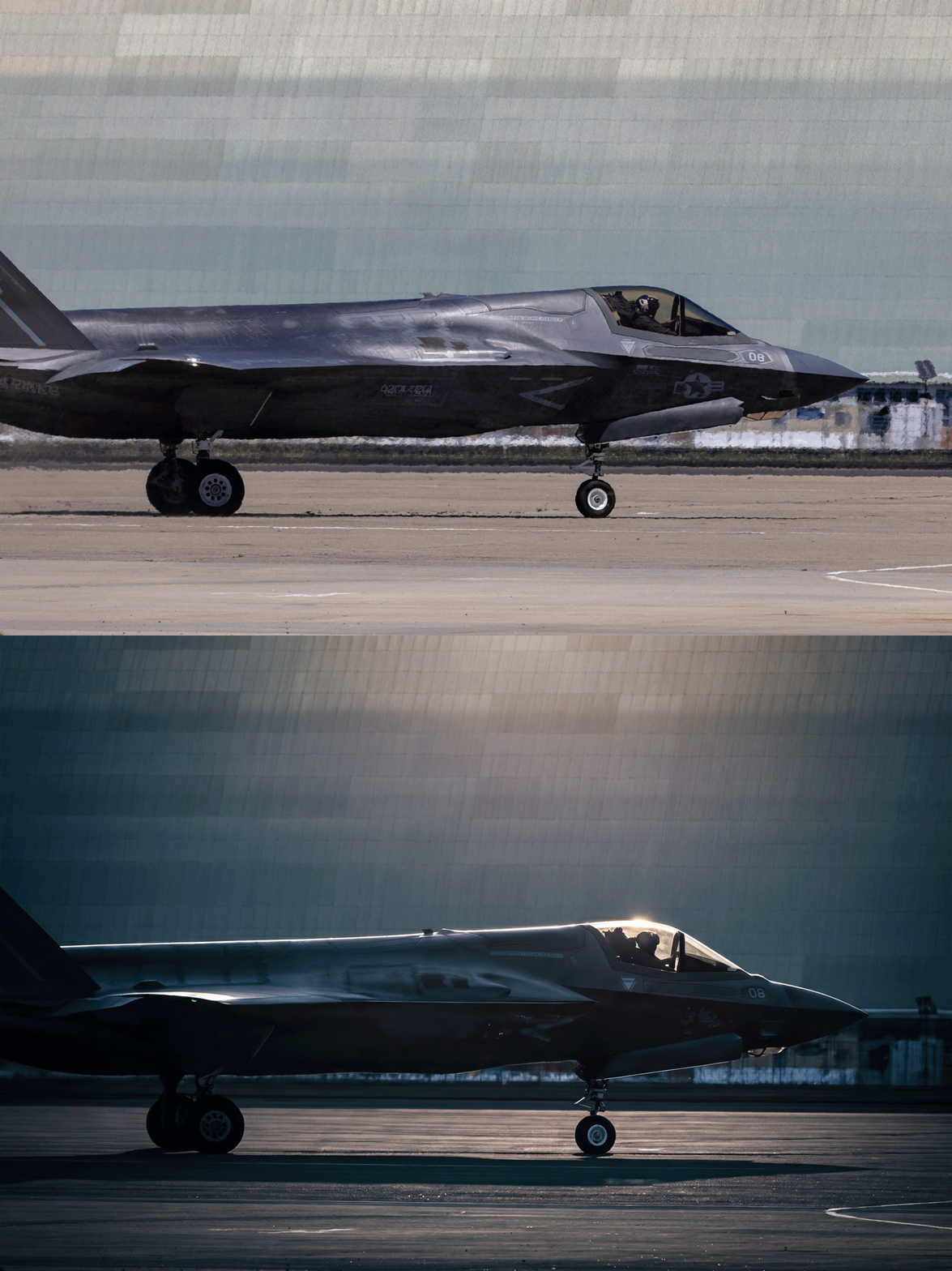
A couple of weeks ago I mentioned a cool, simple UI for changing camera angles using the Qwen imaging model. Along related lines, here’s an interface for relighting images:
Qwen-Image-Edit-3D-Lighting-Control app, featuring 8× horizontal and 3× elevational positions for precise 3D multi-angle lighting control. It enables studio-level lighting with fast Qwen Image Edit inference, paired with Multi-Angle-Lighting adapter. Try it now on @huggingface. pic.twitter.com/b3UrELE6Cn
AniStudio exists because we believe animation deserves a future that’s faster, more accessible, and truly built for the AI era—not as an add-on, but from the ground up. This isn’t a finished story. It’s the first step of a new one, and we want to build it together with the people who care about animation the most.
This is a subtle but sneakily transformative development, potentially enabling layer-by-layer creation of editable elements:
Awesome! I’ve been asking this of Ideogram & other image creators forever.
Transparency is *huge* unlock for generative creation & editing in design tools (Photoshop, After Effects, Canva, PPT, and beyond). https://t.co/UGJQVDuet5
This new tech from Meta promises to create geometry from video frames. You can try feeding it up to 16 frames via this demo site—or just check out this quick vid:
Huge drop by Meta: ActionMesh turns any video into an animated 3D mesh.
I’m excited to learn more about GenLit, about which its creators say,
Given a single image and the 5D lighting signal, GenLit creates a video of a moving light source that is inside the scene. It moves around and behind scene objects, producing effects such as shading, cast shadows, secularities, and interreflections with a realism that is hard to obtain with traditional inverse rendering methods.
Video diffusion models have strong implicit representations of 3D shape, material, and lighting, but controlling them with language is cumbersome, and control is critical for artists and animators.
I stumbled across some compelling teaser videos for this product, about which only a bit of info seems to be public:
A Photoshop plugin that brings truly photorealistic, prompt-free relighting into existing workflows. Instead of describing what you want in text, control lighting through visual adjustments. Change direction, intensity, and mood with precision… Modify lighting while preserving the structure and integrity of the original image. No more destructive edits or starting over.
Identity preservation—that is, exactly maintaining the shape & character of faces, products, and other objects—has been the lingering downfall of generative approaches to date, so I’m eager to take this for a spin & see how it compares to other approaches.
This stuff of course looks amazing—but not wholly new. Krea debuted realtime generation more than two years ago, leading to cool integrations with various apps, including Photoshop:
My photoshop is more fun than yours With a bit of help from Krea ai.
It’s a crazy feeling to see brushstrokes transformed like this in realtime.. And the feeling of control is magnitudes better than with text prompts.#ai#artpic.twitter.com/Rd8zSxGfqD
The interactive paradigm is brilliant, but comparatively low quality has always kept this approach from wide adoption. Compare these high-FPS renders to ChatGPT’s Studio Ghibli moment: the latter could require multiple minutes to produce a single image, but almost no one mentioned its slowness. “Fast is good, but good is better.”
I hope that Krea (and others) are quietly beavering away on a hybrid approach that combines this sort of addictive interactivity with a slower but higher-quality render (think realtime output fed into Nano Banana or similar for a final pass). I’d love to compare the results against unguided renders from the slower models. Perhaps we shall see!
Apple’s new 2D-to-3D tech looks like another great step in creating editable representations of the world that capture not just what a camera sensor saw, but what we humans would experience in real life:
Excited to release our first public AI model web app, powered by Apple’s open-source ML SHARP.
Turn a single image into a navigable 3D Gaussian Splat with depth understanding in seconds.
Almost exactly 19 years ago (!), I blogged about some eye-popping tech that promised interactive control over portrait lighting:
I was of course incredibly eager to get it into Photoshop—but alas, it’d take years to iron out the details. Numerous projects have reached the market (see the whole big category here I’ve devoted to them), and now with “Light Touch,” Adobe is promising even more impressive & intuitive control:
This generative AI tool lets you reshape light sources after capture — turning day to night, adding drama, or adjusting focus and emotion without reshoots. It’s like having total control over the sun and studio lights, all in post.
Check it out:
If nothing else, make sure you see the pumpkin part, which rightfully causes the audience to go nuts. 🙂
Less prompting, more direct physicality: that’s what we need to see in Photoshop & beyond.
As an example, developer apolinario writes, “I’ve built a custom camera control @gradio component for camera control LoRAs for image models Here’s a demo of @fal’s Qwen-Image-Edit-2511-Multiple-Angles-LoRA using the interactive camera component”:
As AI continues to infuse itself more deeply into our world, I feel like I’ll often think of Paul Graham’s observation here:
Paul Graham on why you shouldn’t write with AI:
“In preindustrial times most people’s jobs made them strong. Now if you want to be strong, you work out. So there are still strong people, but only those who choose to be. It will be the same with writing. There will… pic.twitter.com/RWGZeJetUp
I initially mistook this tech as text->layers, but it’s actually image->layers. Having said that, if it works well, it might be functionally similar to direct layer output. I need to take it for a spin!
We’re finally getting layers in AI images.
The new Qwen Image Layered LoRA allows you to decompose any image into layers – which means you can move, resize, or replace an object / background.
“It’s not that you’re not good enough, it’s just that we can make you better.”
So sang Tears for Fears, and the line came to mind as the recently announced PhotaLabs promised to show “your reality, but made more magical.” That is, they create the shots you just missed, or wish you’d have taken:
Honestly, my first reaction was “ick.” I know that human memory is famously untrustworthy, and photos can manipulate it—not even through editing, but just through selective capture & curation. Even so, this kind of retroactive capture seems potentially deranging. Here’s the date you wish you’d gone on; here’s the college experience you wish you’d had.
I’m reminded of the Nathaniel Hawthorne quote featured on the Sopranos:
No man for any considerable period can wear one face to himself, and another to the multitude, without finally getting bewildered as to which may be the true.
Like, at what point did you take these awkward sibling portraits…?
We all need an awkward ’90s holiday photoshoot with our siblings.
If you missed the boat (like I did), you’re in luck – I wrote some prompts you can use with Nano Banana Pro
Upload a photo of each person and then use the following:
And, hey, darn if I can resist the devil’s candy: I wasn’t able to capture a shot of my sons together with their dates, so off I went to a combo of Gemini & Ideogram. I honestly kinda love the results, and so down the cognitive rabbit hole I slide… ¯\_(ツ)_/¯
Of course, depending on how far all this goes, the following tweet might prove to be prophetic:
Modern day horror story where you look though the photo albums of you as a kid and realize all the pictures have this symbol in the corner pic.twitter.com/dHnUrUJs0r
Hey gang—thanks for being part of a wild 2025, and here’s to a creative year ahead. Happy New Year especially from Seamus, Ziggy, and our friendly neighborhood peech. 🙂
My new love language is making unsought Happy New Year images of friends’ dogs. (HT to @NanoBanana, @ChatGPTapp, and @bfl_ml Flux.)