Monthly Archives: May 2026

Awesome examples of Omni video transformation

This is such a wild, game-changing feature:

I think Carlos gets it exactly right: “I think many are focusing on the wrong aspect of the Gemini Omni model when comparing it to Seedance 2.0, since conceptually they are entirely different things. This is a model for editing videos (like Nano Banana) like we’ve never had before!

“Nano Banana for video” is here!

I’m so pleased to be playing a very small role in bringing breakthrough video transformation to the world. Check out the new Gemini Omni:

The team writes,

We’re introducing Gemini Omni, where Gemini’s ability to reason meets the ability to create. Omni is our new model that can create anything from any input — starting with video. With Omni, you can combine images, audio, video and text as input and generate high-quality videos grounded in Gemini’s real-world knowledge. You can also easily edit your videos through conversation.

Today, we’re rolling out the first model in the Omni family: Gemini Omni Flash, to the Gemini app, Google Flow and YouTube Shorts. In time we will support output modalities like image and audio.

Conversational video editing is the real breakthrough:

Check it out & let us know what you think!

Putting in the mental reps

I keep finding myself thinking of this observation from Paul Graham:

“In preindustrial times most people’s jobs made them strong. Now if you want to be strong, you work out. So there are still strong people, but only those who choose to be. It will be the same with writing. There will still be smart people, but only those who choose to be.

To reiterate from a previous post, quoting Keep the Robots Out of the Gym:

Think very carefully about where you get help from AI.

I think of it as Job vs. Gym.

  • If we’re working a manual labor job, it’s fine to have AI lift heavy things for us because the actual goal is to move the thing, not to lift it.
  • This is the exact opposite of going to the gym, where the goal is to lift the weight, not to move it.

He argues for identifying gym tasks (e.g. critical thinking, problem solving), and for those use just your brain (with minimal AI assistance, if any).

My primary metric for this is whether or not I am getting sharper at the skills that are closest to my identity.

Try personalized image creation via Gemini

As I often said back in the day, Google’s longstanding mission is to “organize the world’s information and make it useful.” A lot of that information is photographic, and a lot of that information is private; hence the value and power of Google Photos. It knows (with your blessings) who’s who, what places are important, and so on.

Now Nano Banana can leverage that info to make fun and beautiful things on your behalf.

Since you can already organize and label groups of people and pets in your library, those labels provide the context that Gemini needs to make your images feel truly yours…

With those labels in place, you can simply ask Gemini to “create a claymation image of me and my family enjoying our favorite activity” and Gemini can generate that specific image for you automatically. You can also experiment with different styles like watercolors, charcoal sketches or oil paintings. You can turn a quick idea into a custom creation, saving you the trouble of searching for, downloading and re-uploading files just to see a concept come to life.

3D pets, now & then

Check out this charming & revealing image->3D creation from Gábor Pribék:

Folks in the replies fondly remembered back to the Cat Explorer demo for Leap Motion (rest in power):

Google Earth + Nano Banana? Go Go Godzilla!

I love this kind of simple, scrappy creativity,:

Here’s the Chrome extension:

  • Capture any Google Earth 3D view
  • Transform with AI (Nano Banana Pro) into cinematic shots
  • Generate videos (Veo 3.1) with customizable duration and audio

GenFill + Vividon = Magic

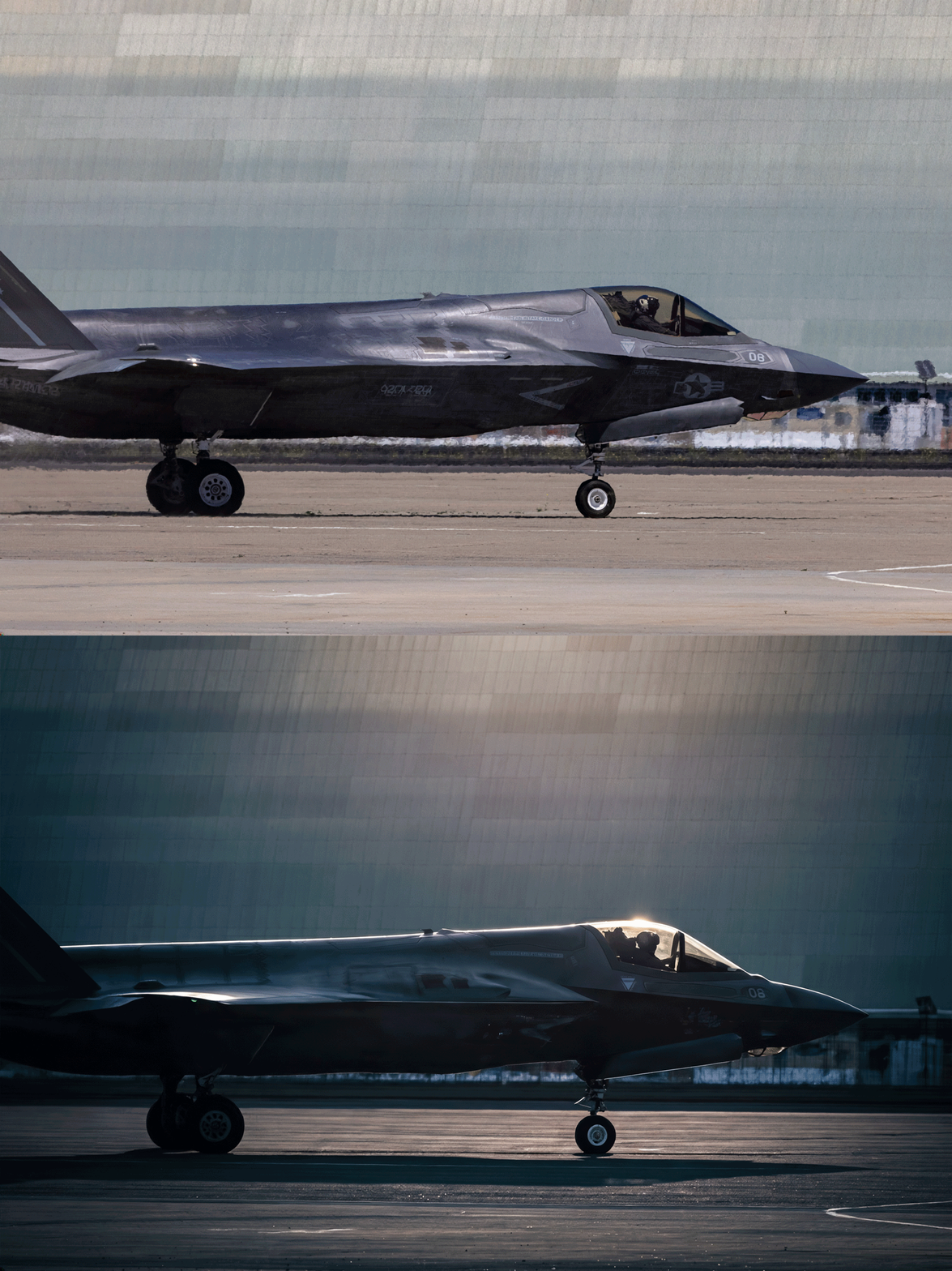
It’s insane what we can do now—from object removal to lighting changes—that was simply out of the question even a year ago.

Check out this little progression of edits, starting with the newly enhanced Generative Fill in the Photoshop beta, followed by a couple of steps of Remove, followed by a pass with Vividon & a few tweaks in Camera Raw (running inside PS):

Nutty & I’m here for it. Per PetaPixel,

Co-founder and Chief Innovation Officer Marcus Kurn adds that the ability to deliver two or three lighting variations alongside every final image is a real differentiator: “once you start delivering two or three lighting variations with every final image, your clients will never want to go back.”

Vividon relighting comes to Photoshop

“No prompting, no friction. Just incredible results.”

As I mentioned back in January, Vividon offers new generative relighting tech that promises amazing realism & identity preservation:

Vividon places every relight on its own Photoshop layer. Adjust opacity, change blend modes, paint in or out exactly what you want, or remove it entirely. Your original always stays untouched.

Check out a 10s demo below, and visit their site for a more interactive preview:

And here’s a full 2-minute tour:

“A vehicle that cares back”

“People will forget you said, people will forget what you did, but people will never forget how you made them feel.” — Maya Angelou

I’ve reflected on this maxim countless times over the last couple of years, as I’ve considered the relationships I want with AI—particularly with notional creative partners. I want a partner who cares—who (which?) actually takes the time to get to know me, asking thoughtful questions, noodling on answers, and genuinely taking my feedback to heart.

I thought of this while listening to Stewart Brand talking to Ezra Klein the other day. Check out this poetic & provocative passage:


Well, it wound up that, basically, most of the book is Chapter 2, “Vehicles.” And the land vehicle that humans have used for 6,000 years is a horse, and the horse takes a lot of maintenance.

I’ll read something here from the book, if I may. There’s this philosopher named Albert Borgmann who wrote:

You cannot remain unmoved by the gentleness and conformation of a well-bred and well-trained horse — more than a thousand pounds of big-boned, well-muscled animal, slick of coat and sweet of smell, obedient and mannerly, and yet forever a menace with its innocent power and ineradicable inclination to seek refuge in flight, and always a burden with its need to be fed, wormed and shod, with its liability to cuts and infections, to laming and heaves. But when it greets you with a nicker, nuzzles your chest and regards you with a large and liquid eye, the question of where you want to be and what you want to do has been answered.

And I end with: “I wonder if that might come again someday — a vehicle that cares back.”

The scarily beautiful animation of Sincitium

Side note: “Macrófago” is 100% the best word I’ve learned all week.

AI filmmaking turns a (creepy, fun) corner

This is the first time I can recall watching a genuine narrative (not a handful of gee-whiz demo shots) made with AI & not really caring about the production details. We’re turning the inevitable corner where it’s just the quality of ideas & narrative that’ll matter—not so much how the proverbial sausage was made.

See yourself from a new angle in Google Photos

Get some fresh perspective from our amazing teammates in research:

Today we are announcing a new approach to fix scene alignment after a photo was taken. Our method, now available as part of the Auto frame feature in Google Photos, uses machine learning (ML) models to understand the scene and its spatial layout and uses generative AI to imagine the photo from that new perspective. In contrast to classical photo editing, our method interprets a photo as a 3D scene — think of a real moment frozen in time — and change the camera position automatically within that space.