I can’t wait to try this out!
We just launched Photoshop (beta) Relight
You can change lighting of your images in real time! pic.twitter.com/T0ZprKUZvT
— Kris Kashtanova (@icreatelife) September 28, 2026
Check out a nice overview from Rob de Winter:
I can’t wait to try this out!
We just launched Photoshop (beta) Relight
You can change lighting of your images in real time! pic.twitter.com/T0ZprKUZvT
— Kris Kashtanova (@icreatelife) September 28, 2026
Check out a nice overview from Rob de Winter:
Wait—not only does it design a whole buildable set, it designs the 100+-page instruction book as well? What the actual duck is this?!
OMG, it’s like Photoshop’s now-ancient (!) Content-Aware Scale, times 10. Check out the thread below, or look in the album I made to gather its six eye-popping examples.
The model treats window size as another input, the same way it treats a click or a drag. Resize the frame and it renders a new composition for the space it has, not a scaled version of the old one. pic.twitter.com/mTpMe3enir
— Runway Labs (@runwayml_labs) September 21, 2026
Honestly I have some very mixed feelings here: as the son of an elderly dad who’s facing increasing challenges around memory, I have a hard time even watching this trailer, much less the full film. Visualizing old memories, reanimating old friends… Is this a good idea? I have no idea, and emotionally I find I can’t much engage beyond the basic premise. Still, because it’s culturally interesting, and we’ll almost certainly see more explorations like this:
Ethelle and Burt have shared a lifetime together, but as Burt’s memory begins to fade, so too does the story of how their love began. Holding onto one cherished moment that was never photographed or recorded, Ethelle works with clinical experts and her family to recreate their first meeting using generative technology. LOVE, RENDERED is an intimate documentary short about love, memory, aging and the ways new tools may help preserve human connection. Directed by two-time Oscar-nominated filmmaker Liz Garbus and produced by Oscar winner Dan Cogan and Oscar-nominee Darren Aronofsky.
Fun!
텍스트 입력하고 슬라이더 몇 개 만지면 타이포가
바로 살아 움직이는 그래픽으로 바뀜!특히 Inflate 켜는 순간 딱딱한 글자가 통통한 캐릭터처럼
부풀어 오르는 게 재밌다. 코딩 없이 이런 식으로 타이포 모션을
직접 가지고 놀 수 있는 게 꽤 신기함. pic.twitter.com/PRwqAtMAfk— 만원만 l manwonman (@manwon_man) September 18, 2026
Seems there’s a whole Insta feed full of related delights, like this:
Check out DiffHDR, which looks useful for making both captured & AI-generated vids more amenable to rich display and editing:
Most digital videos are stored in 8-bit low dynamic range (LDR) formats, where much of the original high dynamic range (HDR) scene radiance is lost due to saturation and quantization. This loss of highlight and shadow detail precludes mapping accurate luminance to HDR displays and limits meaningful re-exposure in post-production workflows. Although techniques have been proposed to convert LDR images to HDR through dynamic range expansion, they struggle to restore realistic detail in over- and underexposed regions.
To address this, we present DiffHDR, a framework that formulates LDR-to-HDR conversion as a generative radiance inpainting task in the latent space of a video diffusion model. By operating in Log-Gamma color space, DiffHDR leverages spatio-temporal generative priors from a pretrained video diffusion model to synthesize plausible HDR radiance in over- and underexposed regions while recovering the continuous scene radiance.
Our framework further enables controllable LDR-to-HDR video conversion guided by text prompts or reference images. To address the scarcity of paired HDR video data, we develop a pipeline that synthesizes high-quality HDR video training data from static HDRI maps. Extensive experiments demonstrate that DiffHDR significantly outperforms state-of-the-art approaches in radiance fidelity and temporal stability, producing realistic HDR videos with considerable latitude for re-exposure.
<Jerry Maguire voice> Show me the points!! But hey, if the output is clean & human-editable, this is awesome.
Damn the new @QuiverAI model is
It’s remarkably good at generating detailed SVGs – and it’s very fun to watch it draw.
I’ve been giving it random products and watching the model turn them into vector graphics https://t.co/kmhRjJbg1q pic.twitter.com/a6yB8qJ3XF
— Justine Moore (@venturetwins) September 17, 2026

I will repeat it until I go blue: this kind of interactive model (in this instance from Runway) is either the future of Photoshop, or the replacement for it. There is no third way.
user inter-face pic.twitter.com/4D8eUPnAwX
— Always Generating (@notiansans) September 17, 2026
Wow—until now I had no idea how much the Nolan brothers owed to Michael Mann & “Heat.” This great vid (ignore the dumb poster frame) offers some striking shot comparisons & parallel narrative choices. I think you’ll get sucked in.
Check it out at pics.new.
As I showed last week (i.e. ~3 million years ago in AI time!), it’s now possible to use AI to choreograph the creation of complex animations using After Effects:
Seriously…GPT 6 can do this now?
Here are the prompts i used: https://t.co/UVeZrYttn2
Try out Higgsfield: https://t.co/TqemDrxPBJ
GPT-6 can now control After Effects directly, designing any motion graphic you want from a simple style reference and building it out layer… pic.twitter.com/dzSfYtLzDw
— Rourke Heath (@rourke_heath) September 10, 2026
Here’s a solid 8-minute tutorial on how to get up and running:
Summary courtesy of Gemini:
The three-step workflow:
Cool work from Gabi on the Firefly team; see details in the tweet.
Ironically, Adobe shipped interactive expression control six years ago (!) in Neural Filters, and I left Google to return to work on that stuff at Adobe. The quality & generalizability of GANs let us down, however. It’s great to see continued progress now.
Quick prototype for character expressions at scale done with GPT Image 2.5! Made with a 5×5 image in @AdobeFirefly Boards. Used Claude extract each image and pull it into a little interface. pic.twitter.com/Tkck1AGf4R
— Gabi C. Duncombe (@gcduncombe) September 10, 2026
I can’t say I grok the name, but whatever: not unlike Canva’s Magic Layers feature, Ad Delayer promises, “The ad you already paid for becomes a working source file again.”
Ad Delayer from @bria_ai_ is now live on fal
– Recovers a layered, editable composition from a finished flat ad
– Headlines come back as SVG text, so localizing a variant is a structural edit, not a re-creation
– Layers arrive typed and ordered pic.twitter.com/cWWGKGZGr1— fal (@fal) September 9, 2026
I’m a fan of these guys. Charles is awesome, and my friend Philip (with whom I got my start in his pre-ILM/Pixar days) is leading product design. I’m excited to try out their “semantic scene architecture,” which promises to focus on outcomes rather than inputs:
My cofounder @cmigos (ex-Apple & Unity) shows how to animate cameras in Intangible’s semantic scene architecture.
Watch him stage the action, track a subject, and move the camera in 3D like he’s directing on set.
Then diffusion models render the precise shot he wants. https://t.co/GssIEa2khs pic.twitter.com/wU8zK9HR41
— Bharat Vasan (@bharatvasan) September 9, 2026
10/10 (er, 14 out of 10… fingers?), no notes.
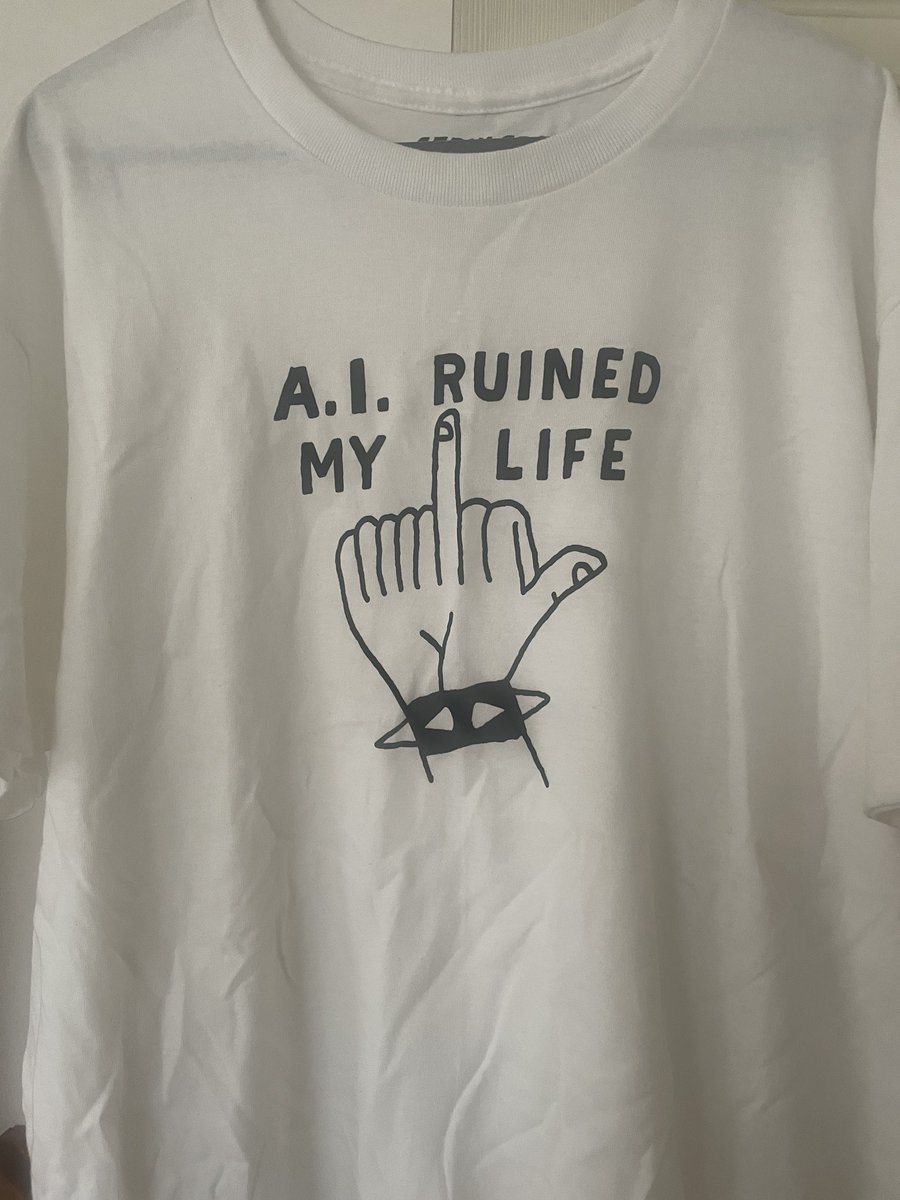
Desire to know more intensifies…
Editors used to spend HOURS to clean up in post-production.
AI can do that in a single prompt.
GPT-6 Astra + Higgsfield + After Effects. pic.twitter.com/nygLyHkhbs
— Higgsfield AI (@higgsfield_ai) September 7, 2026
Early feedback on @OpenAI ‘s GPT-6 Astra from a video editor
I have a strong feeling this is going to change EVERYTHING…
A concrete example: it recreated one of my edits completely on its own.
To test this, I simply asked it to reproduce an edit in @Adobe Premiere Pro. I… pic.twitter.com/yq2UfaEv00
— Eric Ker (@EricKerArt) September 7, 2026
Somewhere Christopher Nolan is rotating in an Inception level like this:
As surreal as it gets!
Incredible prompt pic.twitter.com/z0cFEdYOq0
— Umesh (@umesh_ai) August 30, 2026
I love this effort to make our visual past more accessible:
Insane that 3D worlds can be conjured straight from language, then rendered natively or used as guidance for AI-based rendering. Check out this demo from my former Adobe teammate Tom:
I had an early access to GPT-6 Astra and I can say, everyone in the world now has a 3D designer at their fingertips.
I gave it an image of a house and asked to create it in 3D with all the details including toys, appliances and furniture. This a full 3D model reconstruction in… pic.twitter.com/VuBOPQH0Ht— Tom Krcha (@tomkrcha) September 3, 2026
Days of Miracles & Wonder, man—always.
Behind-the-scenes thread:
Astra is very good at 3D modeling, and I can’t wait for all of you to experience it, for now here is a little walkthrough on how I built the demo house for our launch blog post. From a Blender scene to a Unreal Engine 5 walkable experience. Thread. pic.twitter.com/xGqe5iXoRv
— Thomas Ricouard (@Dimillian) September 3, 2026
And yet more magic:
I guess we’re allowed to talk about it now… Astra has absolutely blown my mind. I did get early access to test it out and it’s definitely felt like the biggest leap we’ve seen in a long time!
I asked it to make me a humanoid wolf in Blender, it used computer use, took control… pic.twitter.com/NFW9K073EJ
— Matt Wolfe (@mreflow) September 3, 2026
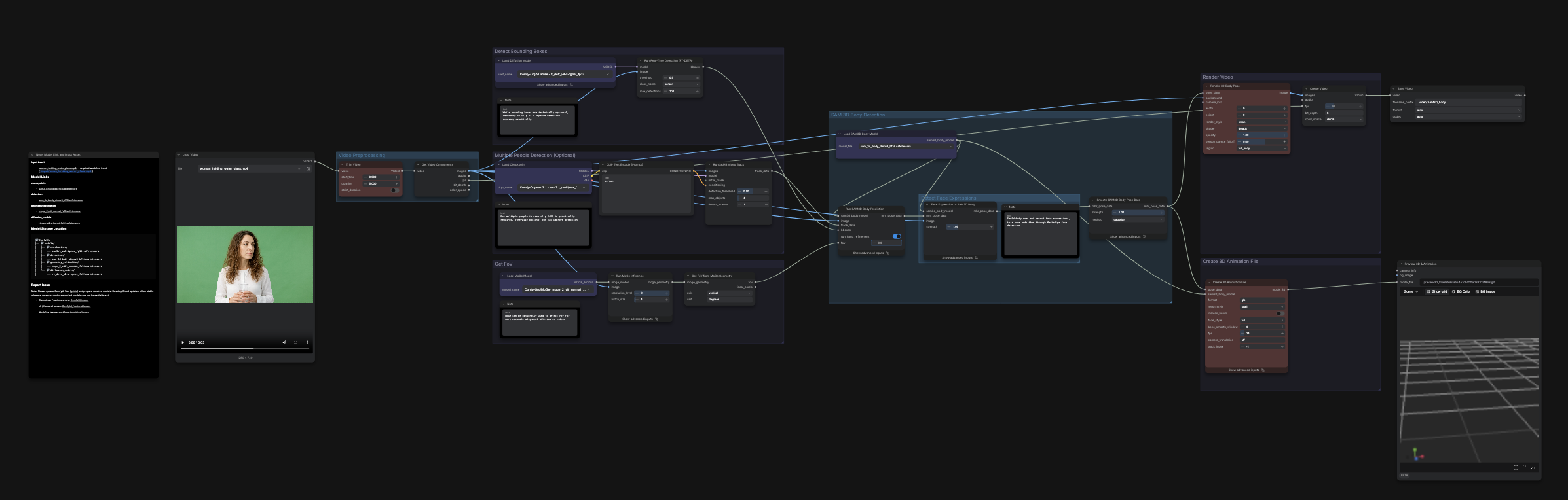
This node-based workflow from creator “Enigmatic E” turns human movement into a guide for video—in this case, of a Ninja Turtle:
This is a creative technologist in the truest sense. Startups and studios can’t hire enough of this person. https://t.co/IWMC9bZxO4
— Bilawal Sidhu (@bilawalsidhu) September 1, 2026
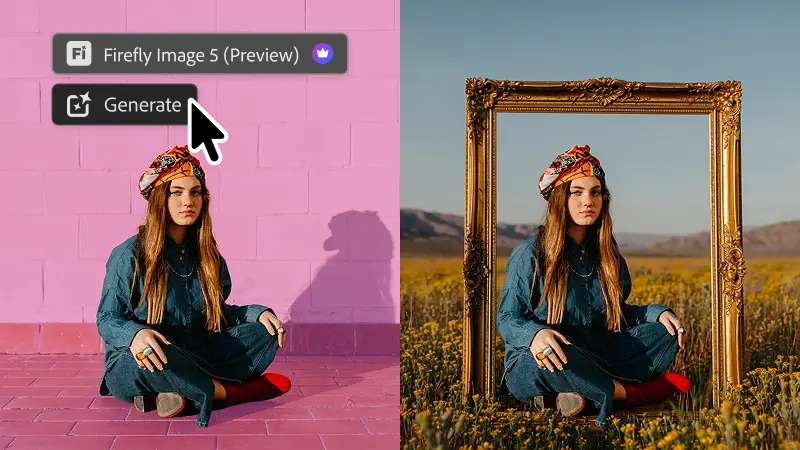
It seems I’m on something of a Photoshop kick lately (something something you can take the boy out of West 10, but…), so I’ll mention a couple of interesting-sounding enhancements that have landed in the latest release:
See, I just take Gemini to the dog park, but my teammate Genevieve took it all the way to the pool on vacation. There are levels to this stuff. 🙂
But seriously: this is a really nice visualization of the new clip-extension feature, among other things. That’s how the scene can run a full 30 seconds.
Fun with Omni 1.1 Flash by the pool video gen can be very finicky, but this new version feels extra good – more creative control with first/last frames, the ability to extend scenes, faster drafting at 360p – give it a shot! pic.twitter.com/BPzoOE33vv
— genevieveh@ (@genevieve__h) September 1, 2026
“Where we’re going, we won’t need layers…”
I’m not sure whether that’s true, but I am sure that the future—and increasingly, the present—of image creation and editing will look at lot and feel like this:
How it should feel: pic.twitter.com/lFHGi2QpjZ
— John Nack (@jnack) August 31, 2026