Monthly Archives: November 2026

An interactive camera lens, modeled by AI

This direction seems like an incredible potential unlock for learning & explaining concepts:

Adobe introduces a Nano Banana-powered Match Lighting quick action

Give it up for democratized magic! What was impossible even in the highest-end tools is now accessible and free. Take it for a spin here.

I had fun testing it with a pic of my friend, generating several variations & then turning them into a GIF using Google Photos:

Developers dig Gemini Omni 1.2

You love to hear it. 🙂

  • “We’re really impressed by how fast and accurate this new model is. The outputs retain an amazing level of detail, and the model does a great job of making only the changes we ask for while keeping everything else consistent.”  — Krea
  • “Gemini Omni 1.2 fits the way our teams work. Draft mode lets us iterate concepts in minutes, then render in 4K for TV-ready AI dramas. Text stays crisp across frames, characters look and sound real, and the speed keeps production moving.” — Picsart
  • “Honestly, it’s really good. It sticks to the prompt, and the physics and sound feel real. If you need fast video at scale, it’s one of the best we’ve tested.” — Invideo
  • “Gemini Omni 1.2 Flash edits exactly what you ask for, a colorway or a background, and leaves the product untouched.” — Flora AI
  • “Photoroom turns product photos into video ads that sell in minutes. We chose Gemini Omni Flash to power our Video Ad Maker and Product Animator because it balances quality, speed and cost.” — Photoroom

Imagine full 3D world control inside Photoshop

“This is either the future of Photoshop, or it’s the replacement for Photoshop.” So I’ve said many times about interactive world models that enable fast, physically grounded interactions (see demos).

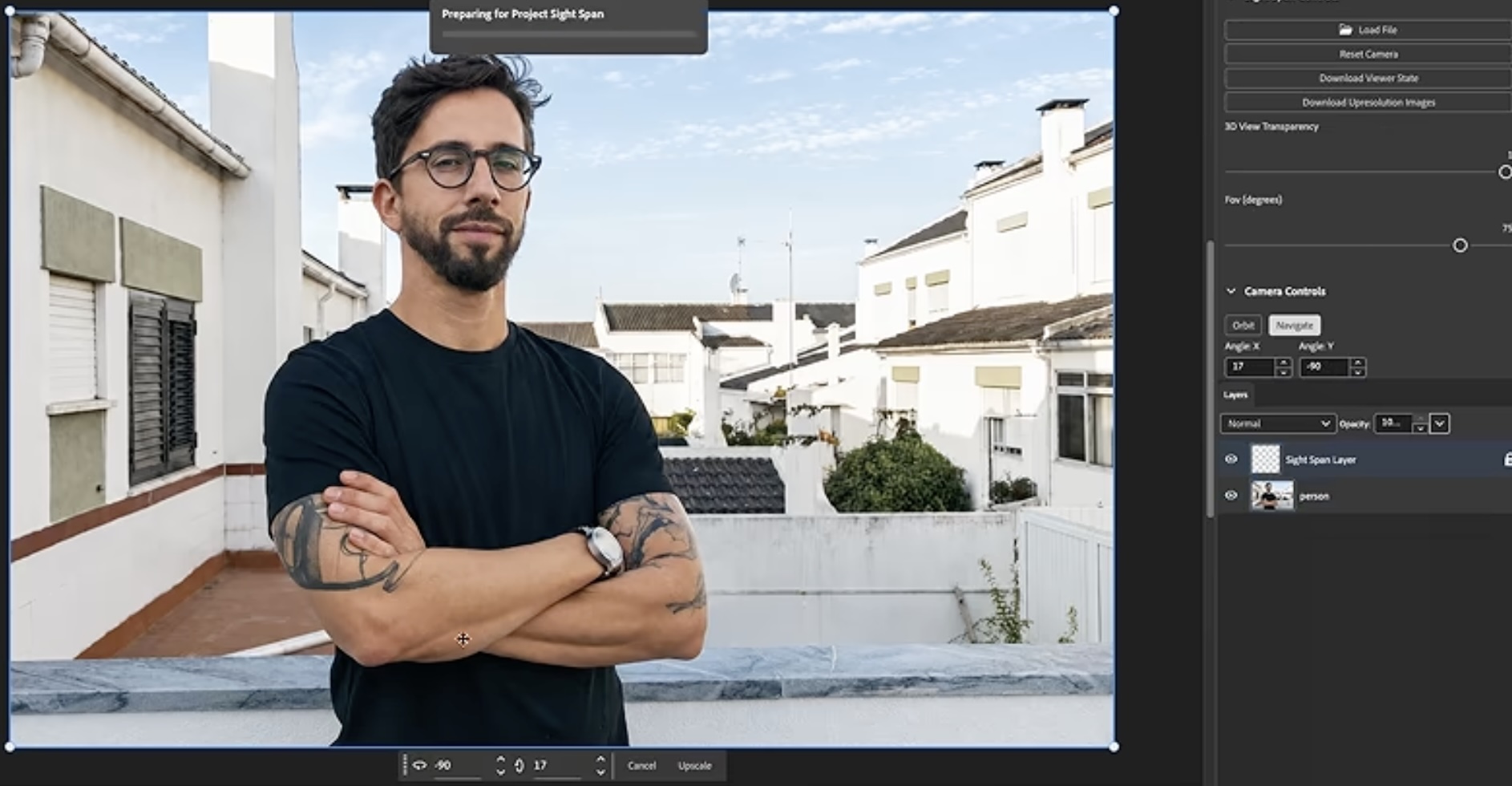
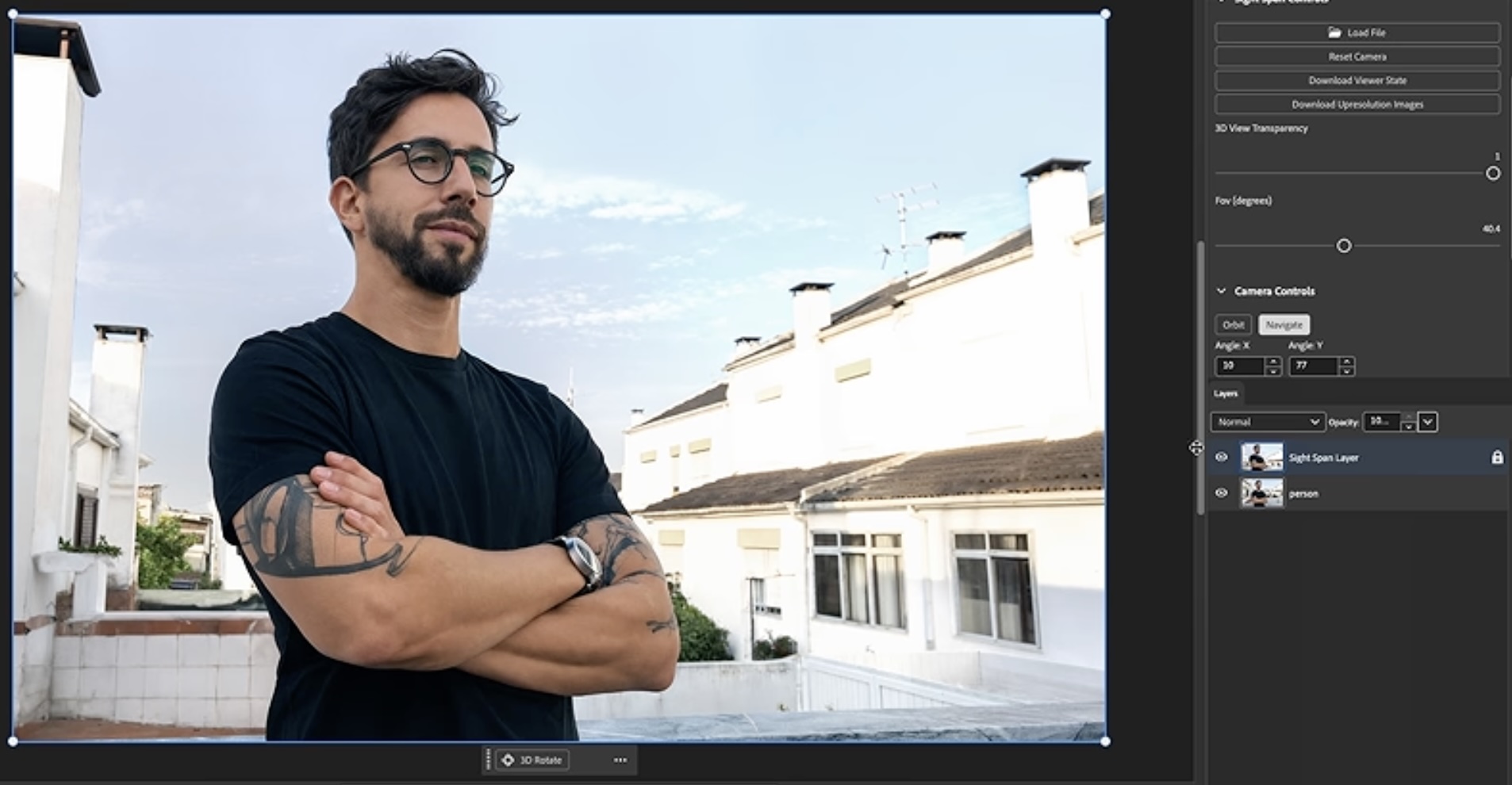
I was therefore happy to see Adobe’s Project Sight Span, which transforms a single image into a fully interactive, navigable world: “Creators can step inside, explore freely, frame shots beyond the original image, and render new images or camera-controlled videos.”

The panda & painting examples are cool, but I think this section (which starts around the 3-minute mark) best conveys the real-world benefit. Before:

And after (reposed at draft quality, then rendered in full quality):

Adobe enables consistent edits across clips

Ensuring character consistency, especially when making changes that ripple through a multi-shot narrative, is a tough challenge for filmmakers. “Project Scene Sweep” looks like a promising solution:

Edit long-form, multi-shot video from a single text prompt or one edited frame, and see the changes applied consistently across each shot, cut, and camera angle. You can recast characters, relocate stories, and restyle entire sequences while maintaining the original performance and pacing. Project Scene Sweep also supports set-to-set editing, allowing a single edit to be propagated across a gallery of related clips.

Adobe MAX 2026: Impressions & Sneaks

I’ve been radio-silent here for a week as I’ve been attending Adobe MAX in Miami.

On the whole I found the show to be lively and uplifting. After last year’s show in LA, I characterized attendees as “Overwhelmed But Optimistic.” I think that holds true now as well, but with a greater tilt towards optimism. Sure, everyone feels perpetually behind the curve in learning about, much less adopting, the daily onslaught of new tech—and indeed we are! But as I’m fond of reminding people, it’s like baseball: if you get out only 7 out of 10 times, you’re going to the Hall of Fame. Be kind in calibrating what winning looks like.

I’ll have a lot more to say about specific technologies & developments, but for now here’s the whole Sneaks presentation—always a high point of the conference. To be continued!

Check out our new Gemini Omni 1.2 Flash!

I’m delighted to say that our updated generative video model, Gemini Omni 1.2 Flash, is generally available (GA) on Google Cloud.

It’s great for creating the kinds of videos businesses make in volume, like product demos, virtual try-ons, and ads. This release model is fast & and cost effective; it can generate longer videos (up to 15s); and it follows your image, video and audio references more closely than before.  

Here’s what’s new:

  • A lower price: $0.07 per second of 720p video, 30% less than Gemini Omni 1.1 Flash, with similar savings at other resolutions.
  • Longer clips: Generate and edit videos of up to 15 seconds, up from 10s.
  • More consistent results: stronger adherence to image and video references keeps products, characters, and brand details consistent from shot to shot.
  • Faster drafts, in higher resolution: create drafts at 360p or 720p, then upscale the best creations to 1080p or 4K.
  • More natural speech: You can generate scenes with more fluid, natural-sounding dialogue, clearer lip-sync, and distinct multi-speaker conditioning.
  • Editing in conversation: refine the same clip, such as swapping a product, changing lighting, or changing camera angle, instead of starting over.

Take it for a spin & let us know what you think!

Step-by-step: Controlling After Effects with AI

I find so many “OMG, AI is gonna rock your world” posts to be both inspiring & discouraging, as it’s hard to know how to put the ideas into practice. Happily, this video (in English, surrounding tweet text not withstanding) provides a nice, approachable intro to integrating AI into your After Effects practice:

Intro to Hyperframes

Amidst the daily onslaught of AI-powered developments, I’ve only briefly grasped the arrival of new animation frameworks like Hyperframes, the open-source project from HeyGen.

Here’s a super approachable 5-minute intro that explains how it helps AI models construct editable, reproducible animations using standard web technologies:

I’m excited to learn more about referencing existing videos to create new mograph:

Ten Cool Things I’ve Sent My Adobe Friends

“My love language is sending unwanted bespoke newsletters.” So said someone once, and damn if it’s not the same with me. I’m forever DM’ing interesting Twitter finds to friends working across the industry.

Just in case they’d be of interest to you, here are ten recent things I’ve forwarded to a couple of pals who are exploring AI & creativity at Adobe. I figure, the more we can compare notes, the better we can work together on behalf of creative people.

So, here goes—in simple reverse chronological order: