With so much chaos here on earth, I love seeing people from all walks of life come together to delight in beholding the beauty of our moon. Please treat yourself to at least these two beautiful minutes.
Although we can’t travel far this holiday season (bye bye, Mendocino! see you… someday?), we are, in the words of Tony Stark, “bringing the party to you” via our decked-out VW Westy (pics). I’m having fun experimenting with my new Insta360 One X2, mounting it on a selfie stick & playing with timelapse mode. Here’s a taste of the psychedelic stylings, courtesy of The Weeknd…
A couple of my old Adobe pals (who happen to dwell in the dark, beautiful wilderness around Santa Cruz) have been sharing some great astrophotography-related work lately.
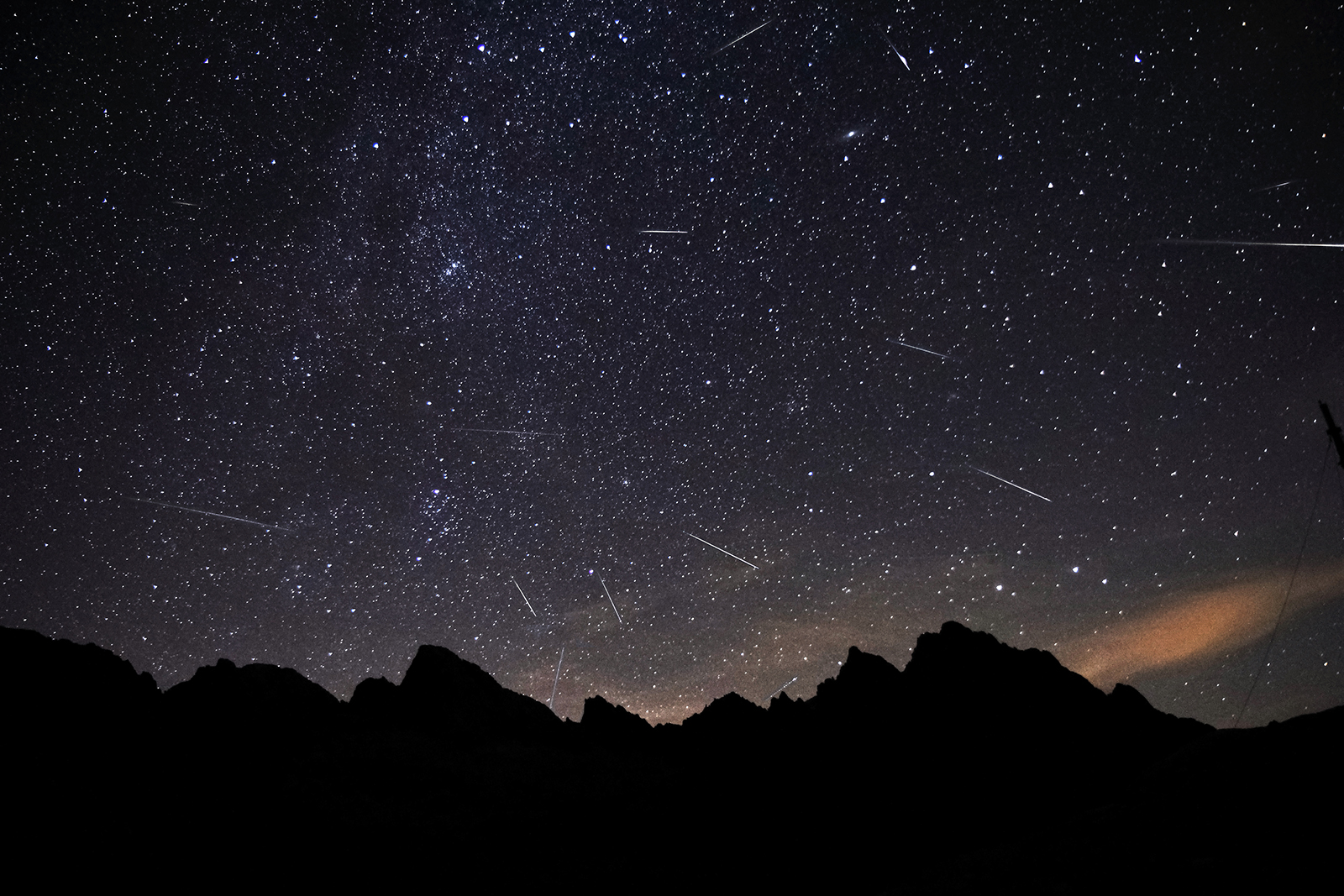
First, Bryan O’Neil Hughes shares tips on photographing the heavens, including the Jupiter-Saturn Conjunction and the Ursids Meteor Shower:
Meanwhile Michael Lewis has been capturing heavenly shots which, in the words of my then ~4-year-old son, “make my mind blow away.” Check out his Instagram feed for images like this:
And if you’re shooting with a phone—especially with a Pixel—check out these tips from former Pixel imagining engineer Florian Kainz (who’s now also at Adobe—hat trick!).
Nearly 20 years ago, on one of my first customer visits as a Photoshop PM, I got to watch artists use PS + After Effects to extract people from photo backgrounds, then animate the results. The resulting film—The Kid Stays In The Picture—lent its name to the distinctive effect (see previous).
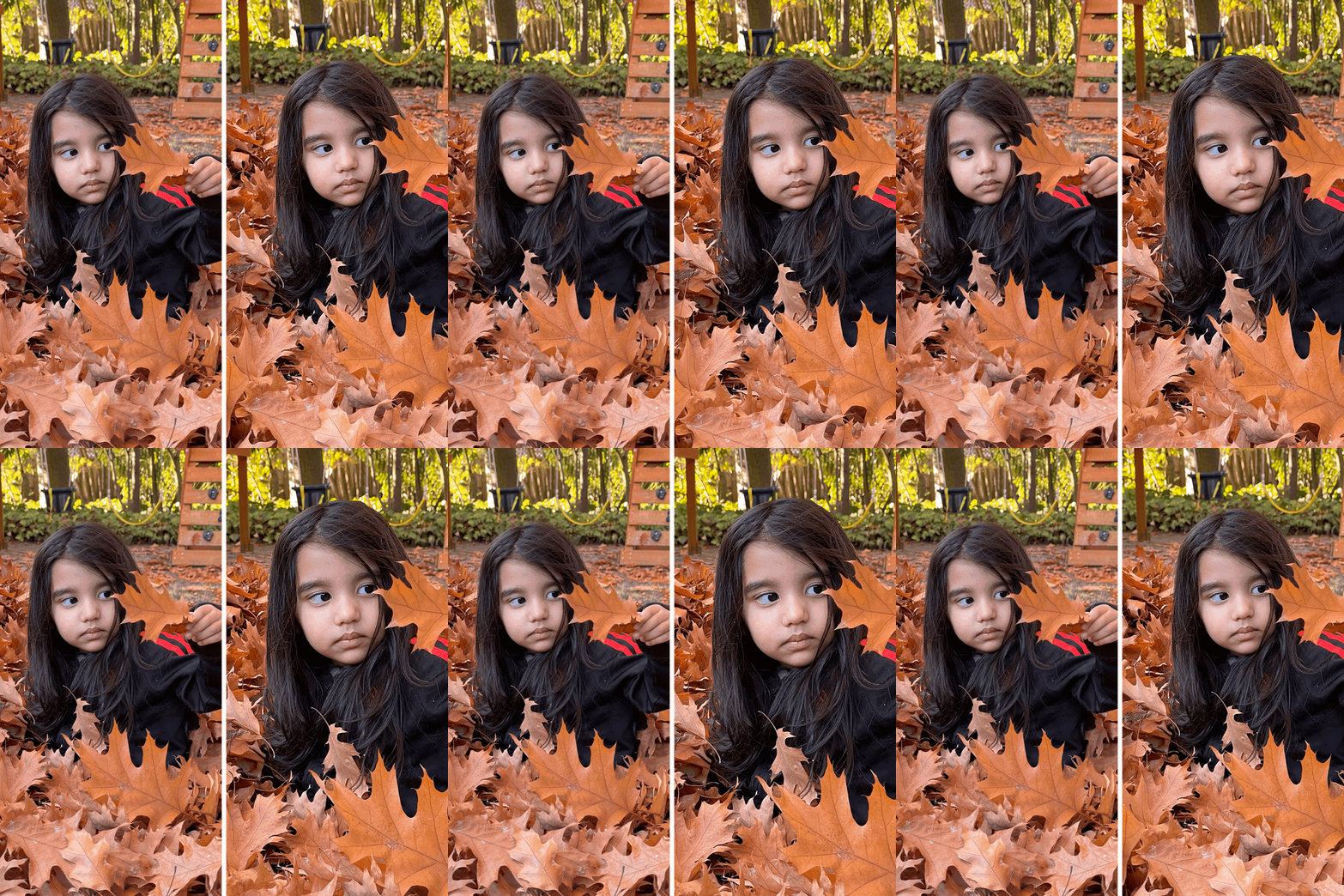
Now I’m delighted that Google Photos is rolling out similar output to its billion+ users, without requiring any effort or tools:
We use machine learning to predict an image’s depth and produce a 3D representation of the scene—even if the original image doesn’t include depth information from the camera. Then we animate a virtual camera for a smooth panning effect—just like out of the movies.
Photos is also rolling out new collages, like this:
And they’re introducing new themes in the stories-style Memories section up top as well:
Now you’ll see Memories surface photos of the most important people in your life… And starting soon, you’ll also see Memories about your favorite things—like sunsets—and activities—like baking or hiking—based on the photos you upload.
Remember Obama’s first term, when faked tilt-shift photos were so popular that Instagram briefly offered a built-in feature for applying the look? The effect got burned out, but I found it surprisingly fun to see it return in this short video.
In a brief interview, Sofia-based photographer Pavel Petrov shares some behind-the-scenes details.
I have used Adobe Premiere Pro for post processing with some compound blur (for the narrow depth of field) and some oversaturation and speed up to 300%.
A couple of exciting new features have landed for Pixel users. My colleague Navin Sarma writes,
Sky palette transfer in Photos – Sky palette transfer allows users to quickly improve their images that contain sky, achieving a dramatic, creative, and professional effect. It localizes the most dramatic changes to color and contrast to the sky, and tapers the effect to the foreground. It’s especially powerful to improve images of sunsets or sunrises, or where there are complex clouds and contrasty light.
Dynamic/HDR in Photos – The “Dynamic” suggestion is geared towards landscape and “still life” photography, where images can benefit from enhanced brightness, contrast, and color. This effect uses local tone mapping, which allows more control of where brightness and contrast changes occur, making it especially useful in tricky lighting situations. You can use this effect on any photo by using the “Dynamic” suggestion, or navigating to Adjust and moving the “HDR” slider.
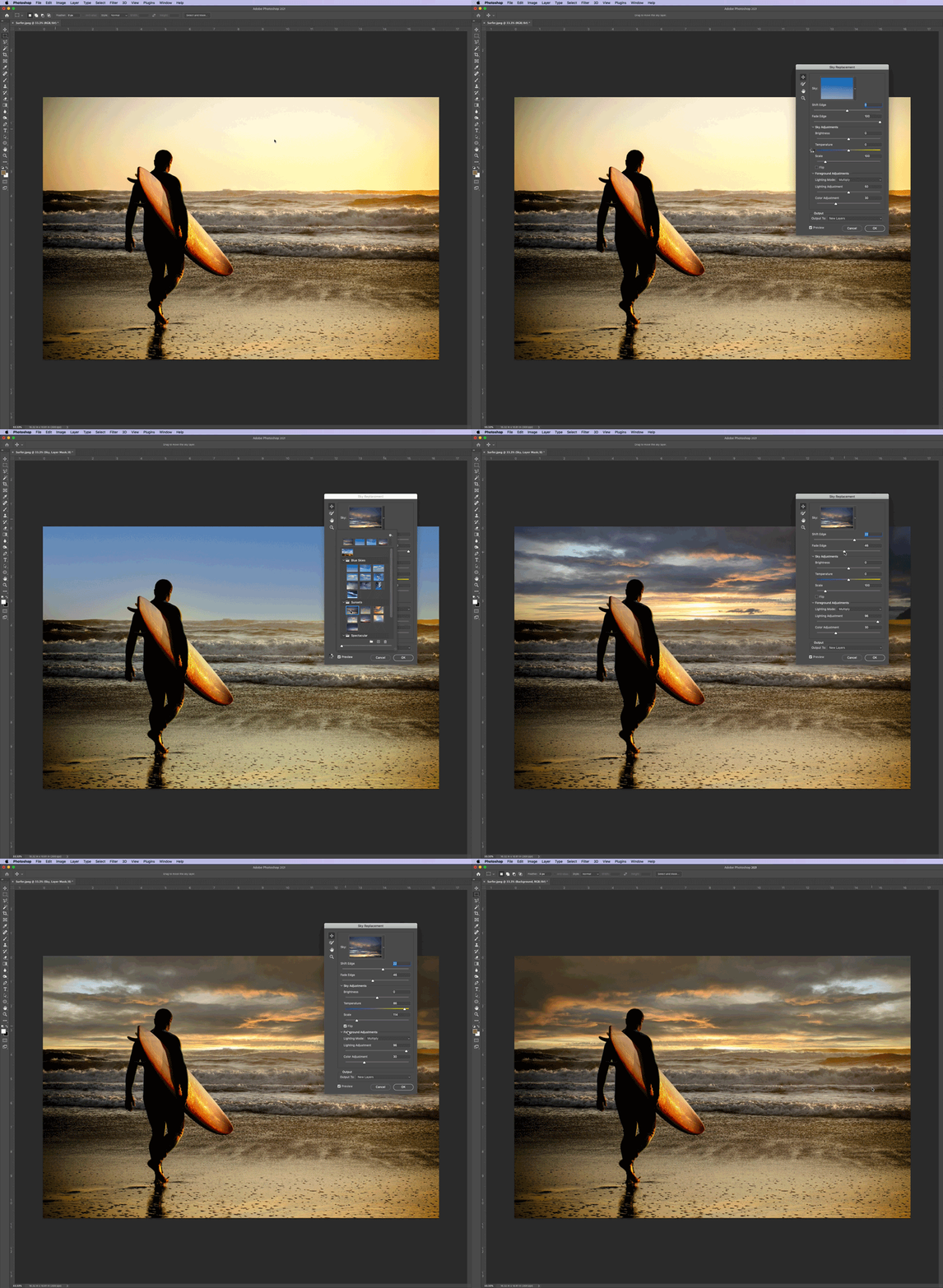
As I’ve happily noted, this long-gestating feature has rewarded my patience & then some. I’ve found the refinement & control to be terrific.
In the vid below, Aaron Nace shows how to analyze a scene’s lighting, pick a suitable replacement sky, brush to refine edges, tweak the generated masks, and more.
I love learning about the visual language of filmmaking (e.g. 5 Classic Hollywood Aerial Shots), so I dig Steve Wright’s demonstrations of how to achieve cinematic results via a variety of cameras (including one’s phone) and gimbals:
Artist Rudy Willingham has developed a clever, laborious way of turning video frames into physical cutouts & then overlaying them on interesting backgrounds. Check it out:
I’m no connoisseur of the Grateful Dead or of NBA & sportscasting great Bill Walton, but having stumbled across this trippy hour-long doc the other night, I have to salute the good-hearted goofiness of both.
As a kid, I spent hours fantasizing about the epic films I could make, if only I could borrow my friend’s giant camcorder & some dry ice. Apple 💯 has their finger on the pulse of such aspirational souls in this new ad:
It’s pretty insane to see what talented filmmakers can do with just a phone (or rather, a high-end camera/computer/monitor that happens to make phone calls) and practical effects:
Apple has posted an illuminating behind-the-scenes video for this piece. PetaPixel writes,
In one clip they show how they dropped the phone directly into rocks that they had fired upwards using a piston, and in another, they use magnets and iron filings with the camera very close to the surface. One step further, they use ferrofluid to create rapidly flowing ripples that flow wildly on camera.
My longstanding dream (dating back to the Bush Administration!) to have face relighting in Photoshop has finally come true—and then some. In case you missed it last week, check out Conan O’Brien meeting machine learning via Photoshop:
On PetaPixel, Allen Murabayashi from PhotoShelter shows what it can do on a portrait of Joe Biden—presenting this power as a potential cautionary tale:
Here’s a more in-depth look (starting around 1:46) at controlling the feature, courtesy of NVIDIA, whose StyleGAN tech powers the feature:
I love the fact that the Neural Filters plug-in provides a playground within Photoshop for integrating experimental new tech. Who knows what else might spring from Adobe-NVIDIA collaboration—maybe scribbling to create a realistic landscape, or even swapping expressions among pets (!?):
Although I haven’t yet gotten to use it extensively, I’m really enjoying the newly arrived Sky Replacement feature in Photoshop. Check out a quick before/after on a tiny planet image:
Photoshop’s new sky replacement feature was well worth the wait, and Imma overuse the *hell* out of it. 😌 It even works on #tinyplanet images. pic.twitter.com/NnpdiHeIok
Man, these are stunning—and they’re all done in camera:
First coated in black, the anonymous subjects in Tim Tadder’s portraits are cloaked with hypnotic swirls and thick drips of bright paint. To create the mesmerizing images, the Encinitas, California-based photographer and artist pours a mix of colors over his sitters and snaps a precisely-timed shot to capture each drop as it runs down their necks or splashes from their chins.
You can find more of the artist’s work on Behance and Instagram.
A couple of years ago, adventure photographer and Visit Austria creator Peter Maier captured a stunning rainstorm timelapse titled ‘Tsunami from Heaven’… It was captured from the Alpengasthof Bergfried hotel in Carinthia, Austria, and shows a sudden cloudburst (AKA microburst or downburst) soaking an area around Lake Millstatt.
Speaking of Google photography research (see previous post about portrait relighting), I’ve been meaning to point to the team’s collaboration with MIT & Berkeley. As PetaPixel writes,
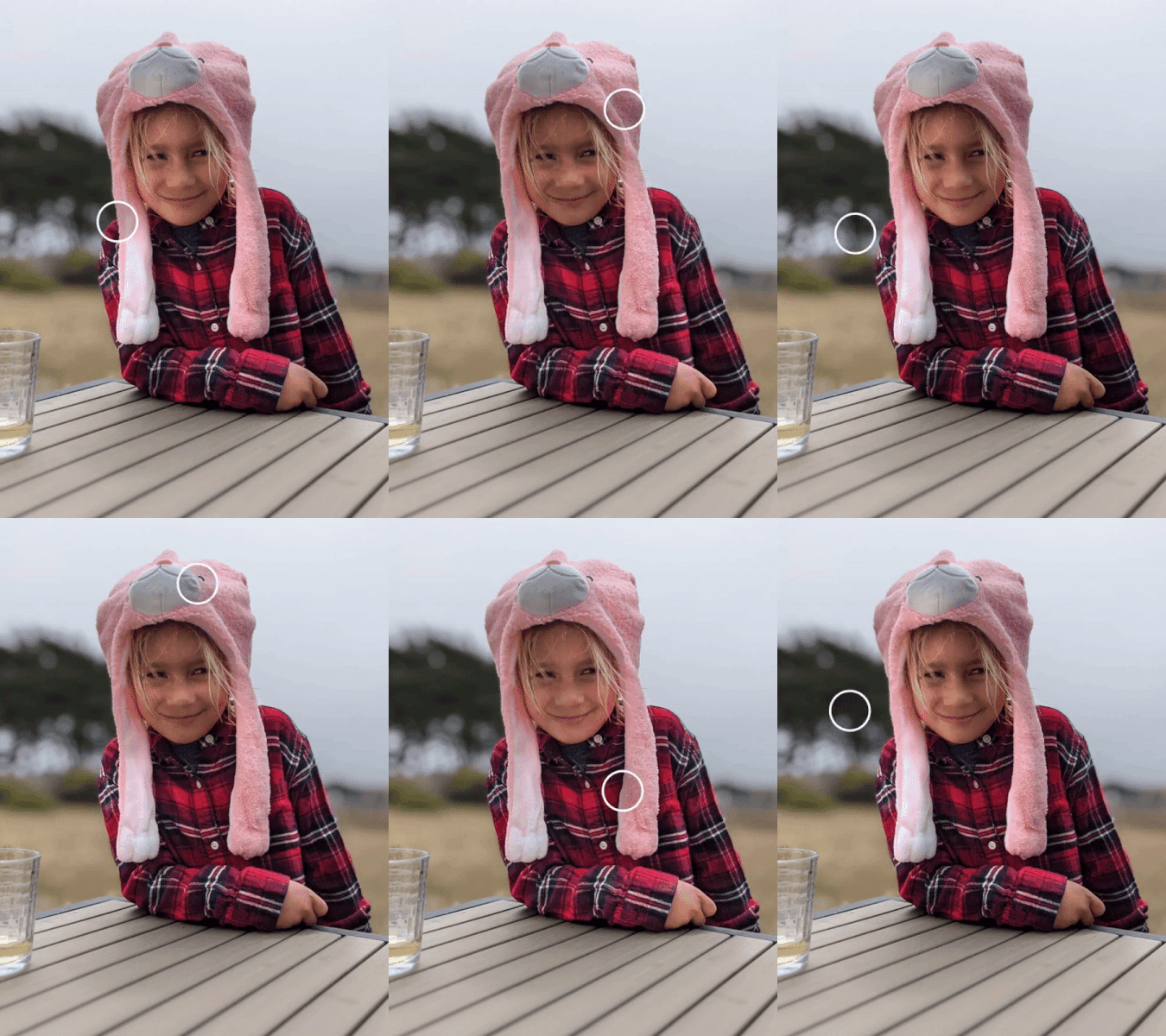
The tech itself relies on not one, but two neural networks: one to remove “foreign” shadows that are cast by unwanted objects like a hat or a hand held up to block the sun in your eyes, and the other to soften natural facial shadows and add “a synthetic fill light” to improve the lighting ratio once the unwanted shadows have been removed.
I have been waiting, I kid you not, since the Bush Administration to have an easy way to adjust lighting on faces. I just didn’t expect it to appear on my telephone before it showed up in Photoshop, but ¯\_(ツ)_/¯. Anyway, check out what you can now do on Pixel 4 & 5 devices:
This feature arrives, as PetaPixel notes, as one of several new Suggestions:
Nestled into a new ‘Suggestions’ tab that shows up first in the Photos editor, the options displayed there “[use] machine learning to give you suggestions that are tailored to the specific photo you’re editing.” For now, this only includes three options—Color Pop, Black & White, and Enhance—but more suggestions will be added “in the coming months” to deal specifically with portraits, landscapes, sunsets, and beyond.
Lastly, the photo editor overall has gotten its first major reorganization since we launched it in 2015:
Filmed near here just a few weeks ago, this 10-minute documentary is utterly gripping. I can’t get over the unflappability of the firefighters, or the borderline-suicidal intransigence of some homeowners. Bummer that I can’t embed it, but I think you’ll find it well worth your time.
With the newly launched “Rights Manager for Images,” Facebook is offering creators and publishers access to content-matching technology similar to what it introduced in 2016 to combat stolen videos. The new feature, which is available in Facebook’s Creator Studio, will allow rights owners to assert control over their intellectual property across Facebook and Instagram, including when the image is embedded on an external website.
Hats off—and wings up—to Prof. Adrian Smith & team from NC State:
[They] utilized a black light to attract unusual insects, like a plume moth, eastern firefly, and a rosy maple moth that, as Smith notes, resembles “a flying muppet.” He then recorded the creatures’ flight maneuvers at 3,200 fps to capture their unique wing movements, which he explains during each step.
“Eh, who’s gonna care about that—10 million people? Thbbbt!” — an ex-Adobe colleague at Apple in 2011 when I asked for better camera->device->cloud integration.
With the latest version of the image.canon app (available on Android or iOS) and a compatible Canon camera, you can choose to automatically transfer original quality photos to Google Photos, eliminating the hassle of using your computer or phone to back them up.
In addition to a compatible Canon camera and the image.canon app, you’ll also need a Google One membership to use this feature. To help get started, Canon users will get one month of Google One free, providing access to up to 100 GB of cloud storage, as well as other member benefits, such as premium support from Google experts and family sharing.
I’m not sure what’s most bonkers: the existence of this vehicle at the turn of the last century; its continued existence & operation ~120 years and two world wars later; or the advances in machine learning that allow this level of film restoration & enhancement:
Denis Shiryaev of Neural Love then took the original footage and used a neural network to upscale it to 4K. He also colorized it, stabilized it, slowed it down to better represent real-time, and boosted the frame rate to 60fps.
I have no inside info on this one, but it sounds like a positive development. PetaPixel writes,
Google Images is continuing to make changes that benefit photographers. The image search engine is testing a new “Licensable” badge that aims to help photographers sell their photos through search results. […]
By specifying licensing information for the photos on your website, Google will automatically add a new “Licensable” badge to the photo’s thumbnail whenever it shows up in Google Images results. The badge tells viewers that license information is available for the photo.
Fond memories of my childhood attempts to string up bed sheets to make ski slopes for my Lego guys came rushing back as I saw the miniature work of Tatsua Tanaka. As PetaPixel writes,
Tatsuya Tanaka is a master of turning everyday objects into miniature worlds that seem larger than life. He’s been doing it daily for almost a decade, and in the midst of the COVID pandemic, he’s started to integrate some all-too-familiar objects into his work.
We first featured Tanaka’s impressive dioramas six years ago, and believe it or not, he hasn’t stopped. Every day since April 2011 he’s created a new miniature world by pairing high-quality human figurines with everyday objects arranged into fun and creative scenes.
The tools for drawing out lighting strikes & lens flares look really fun. Of the whole suite PetaPixel writes,
Optics is described as “the definitive digital toolbox for photos,” but what it offers is maybe better described as a comprehensive mishmash of filters, presets, lighting effects and lens flares… with some masking technology thrown in for good measure. It’s honestly hard to tell what Optics is primarily meant to do, because it does so much.
Here, check it out:
If you’re curious and want to try out Optics, you can learn more about the plugin and/or download a free trial on the Boris FX website. And if you actually want to buy a copy for yourself, you can purchase a permanent license for $149, an annual subscription for $99, or a monthly subscription for $9.
On YouTube the company notes, “25% off permanent licenses and subscription options. Use coupon code: optics25.”
The W+K team—working with Pulse Films director Oscar Hudson, Joint editors Peter Wiedensmith and Jessica Baclesse, and the visual effects team at A52—researched 4,000 sports action sequences and chose 72 of them to combine into 36 split-screen moments, where the action on both sides appears to meld into one.
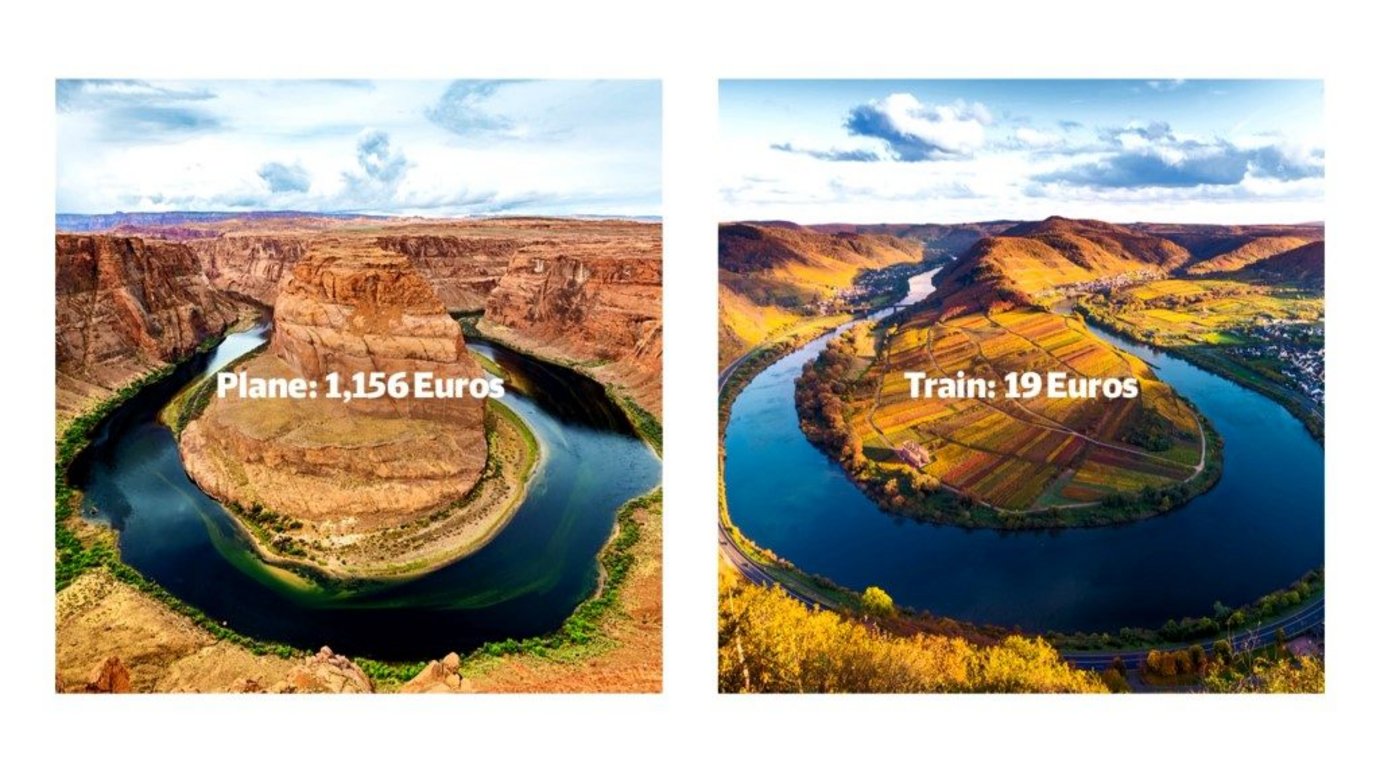
Nike’s not alone in leaning into juxtaposition in a time of ‘rona: check out this fun, cheeky campaign for German rail travel, built in part using an algorithm that searches for visual similarities:
I really enjoy being taken inside the craft of visual storytelling, so I dug this step-by-step narrative of the techniques used in & around Carl Weathers’ character’s death in Predator.
It’s especially interesting to contrast the sophistication on display with the cornball simplicity of Commando, a prototypical Ahnuld joint made just two years earlier. Now that my boys are getting just old enough to watch these flicks, we’re going back through the canon, making the quality uptick here all the more striking.
Now, lemme know if someone has documented the inside story of Bill Duke’s inspired “I’m gonna have me some fun” freak-out. Meanwhile, here he is representin’ on our fam’s last Yosemite trip.
With the help of a polarized light microscope, THE VIBRANCY records the fascinating crystallization processes of various substances. The film is the sequel of THE ARCTIC, and the 26th film of the Envisioning Chemistry series. For more images please visit The Vibrancy or Behance.
Days of Miracles & Wonder, Volume God-Knows-What-By-Now: These Researchers Have Created a Tiny Camera Backpack for Beetles. The device apparently takes cues from nature’s energy-efficient designs, turning the body instead of having a wide field of view. It can even even shoot sweeping panos:
The fam & have safely returned to scintillating (🙄😌) San Jose, tired & happy from our two-week sojourn around the American Southwest. I hope to get back to sharing interesting bits here soon. Meanwhile, here’s a fun little bullet time vid I made in Arches National Park using my indispensible Insta360 One X:
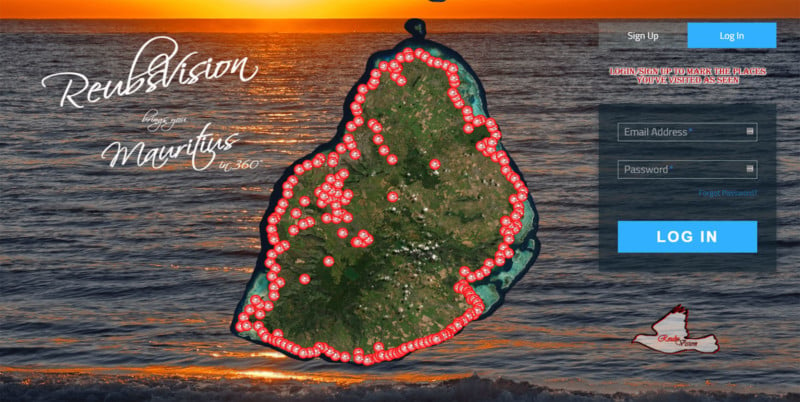
I’m wildly impressed & inspired by what a single (albeit highly dedicated) person and his flying camera can do. PetaPixel writes,
Reuben Pillay is a drone enthusiast living on Mauritius, the island nation 1,200 miles southeast off the African continent. He has spent over a year and a half working single-handedly on a project called ReubsVision — it’s essentially like an aerial Google Street View of the island’s entire coastline (and more).
So, Pillay spent 18 months traveling all over the 790-square-mile island with his DJI Phantom 4 Pro camera drone… Pillay has since created over 220 ultra-high-resolution 360° photos that cover the entire Mauritius coastline.
Many years ago, I trekked with fellow Photoshop PM Bryan O’Neil Hughes to explore Death Valley’s Racetrack Playa. It was just as amazing as one would hope, even if it cost us a tire and a couple of blown-out shocks.
I think back to this fondly upon seeing Russell Brown, Eric Paré and Jeremy Verinsky venture out to the ‘track to capture some beautiful light paintings:
When Google debuted Night Sight mode on the Pixel 3, I was blown away at how well it worked compared to my iPhone X & even my DSLR. In the time since then, Apple has greatly stepped up its game, but I still find Night Sight (now on Pixel 4) to be unmatched for low-light imaging.
Having test-driven Pixel 3 at light artist Bruce Munro’s installation in Saratoga (gallery), I was excited to visit his new work, Sensorio, in Paso Robles. Happily both the installation and the Pixel 4 dazzled. You can check out some results here:
To my slight chagrin—having been a naysayer about turning Camera Raw into a filter one can use in Photoshop, on the grounds that doing so would be a crutch at a time when Adobe should do the hard work of revamping a motley set of disparate, 30-year-old adjustment dialogs—I find myself hitting Shift-Cmd-A all the damn time. Thus I’m glad to see the UI freshened up & tools made easier to access:
As for getting the rest of the adjustments-house in order, I wasn’t wrong, but ACR-in-PS gives me fewer reasons to care. On we go!
Constraint -> Creativity. Christopher Dormoy writes,
Having to stay home does not mean less creation. It is time to observe and experience elements and details of our daily life that we find at home.
I wanted to play with ice, flower and ink and see what kind of universe I can created with the macro and motion timelapse technique. I spent many hours to observe and experiment the ice and how it react with liquids like ink but also, oil, paint and soap. Some effects are hypnotic and surprising.
“Stare. It is the way to educate your eye, and more. Stare, pry, listen, eavesdrop. Die knowing something. You are not here long.” ― Walker Evans.
…or at least, the 64K-🐢 drone footage. Aerial cameras + workers wielding giant rollers full of temporary white paint are helping count these magnificent old dudes. (I think I spotted Crush down there…)
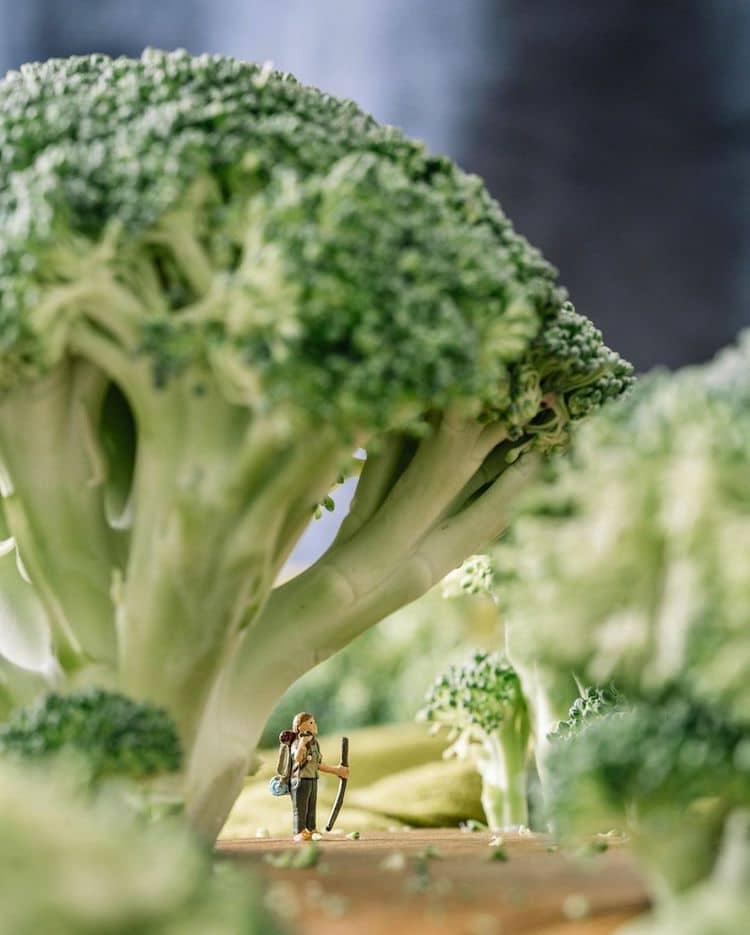
Constraint -> Creativity: Travel photographer Erin Sullivan has put her time at home to really fun use, conjuring tiny worlds using household objects & vegetables. Check out this gallery on My Modern Met.
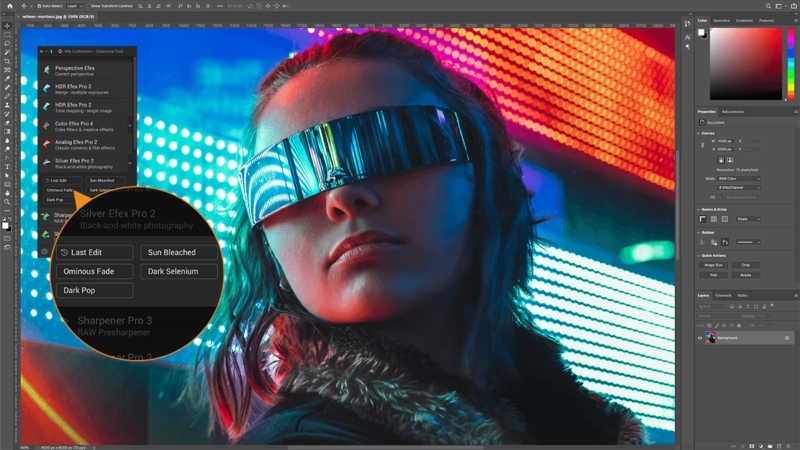
By taking advantage of the TIFF MULTIPAGE file format, the plugin suite is able to combine “the input image, the saved Nik editing parameters, and the output file” into a single file. DxO claims this as a “first” for a suite of creative photo plugins, resulting in “unparalleled versatility.”
As for pricing & availability:
The Nik Collection 3 was launched early this morning and is available to purchase right away for a “special introductory price” of $100 for new users, or $60 for upgrades. Come July 1st, the collection will go back up to its MSRP of $150 for new users or $80 for upgrades.
With a camera peering out over the landscape of Tivoli, Namibia, Bartosz Wojczyński focused on the sky. The Polish photographer created a hypnotic timelapse spanning 24 hours that has a focal point in the atmosphere rather than on the land. Each minute, he snapped a frame that subsequently was looped 60 times to create the final 24-minute version that’s a mesmerizing look at Earth’s cycles.
Spanning 180 hours in total, the underwater adventure led to the discovery of more than 30 new aquatic species, in addition to the longest animal ever recorded. A member of the Apolemia genus, the record-breaking organism reaches an unprecedented 154 feet.
Arthur Cauty has created an interesting “exercise in light painting and parallax displacement to create the illusion of 3D (or 2.5D) and motion in a series of still photographs captured after nightfall.”
This film is comprised entirely of still images. All motion achieved in post production. The only time lapse shots are the star trails. All other shots are typically comprised of between 3 and 5 exposures of the same subject, but with different lighting in each, then blended together or transitioned between to give the effect of seamless motion.
“Who would have thought an anthropomorphized camera crane could bring joy to thousands of camera nerds the world over,” writes PetaPixel. And yet here we are, and I’m charmed. 😌
Engineer and YouTuber Ben Krasnow over at Applied Science has put together a fascinating little optical demonstration that explains the physics behind ‘hypercentric’ optics and how they allow you to see around and behind objects. He even shows you how to build your own.
See their post (and of course the video itself) for details.
For an upcoming episode of a show called Spy in the Wild, PBS’s Nature used a tiny drone disguised as a hummingbird to capture footage of a swarm of half a billion monarch butterflies as they overwinter in Mexico.
And of course I can’t let butterfly footage go by without gratuitously showing one of my favorite kid videos ever, captured of my then- (and now-) mysterious son Henry at age 2:

















:focal(2008x1506:2009x1507)/https://public-media.si-cdn.com/filer/1c/e4/1ce45591-9970-4e8c-9e3b-5cf2dd169ea5/raine_island_turtle_aggregation2_must_credit_great_barrier_reef_foundation_and_queensland_government.jpg)