Category Archives: Uncategorized

Pimp My Pigeon: GPS birds over San Jose

“This is the strangest life I’ve ever known…”
First the Onion’s parody of razor featuritis becomes reality; then San Jose starts getting kind of cool; and now the digitally instrumented pigeon concept has come to pass. According to C|NET,

“Several pigeons, equipped with pollution measurement and GPS devices, were released at the ZeroOne Festival in San Jose, Calif., on Aug. 8. The birds… will be feeding data to the site via SMS. The data provides the location, carbon-monoxide levels and identification for each bird.”

Full, insane details at the PigeonBlog. (And if the pigeons start actually blogging, I’m headed to a shack in Montana…)
PS–Hopefully the birds will not be immolated by large, fire-breathing machines set to prowl the city tonight. Curiouser & curiouser.

Adobe flashes San Jose

Dang… who said Adobe HQ & San Jose could be cool? According to this press release, the company is due to unveil a huge LED sculpture early next week. Evidently multimedia artist Ben Rubin (creator of grooviness like Listening Post) has been commissioned to light up the SJ skyline:

“Located within the top floors of Adobe’s Almaden Tower headquarters, Semaphore consists of four ten-foot wide illuminated disks composed of 24,000 Luxeon® LEDs donated by Philips Lumileds in San Jose… The giant illuminated disks rotate to a new position every eight seconds and pulse out a message using a visual coding system that is intended to be deciphered. An online audio broadcast will provide a soundtrack of spoken and sung letters, numbers and musical tones that may help decode the message.”

Wow. The Adobe building is quite nice, but it’s a bit on the cold side (former Macromedians said it “looks like a bank“). And as for San Jose… Feh. But now, it’s like my teammate/neighbor Hughes said: “SJ Grand Prix?!…art festival?!…what’s going on around here!? I signed up for strip malls, traffic and urban sprawl…no one said anything about culture!”
I can’t wait to see the work, and I’ll pass along photos when they’re available. I just wonder whether we could get Jenny Holzer to be a guest artist. Now that would be edgy…
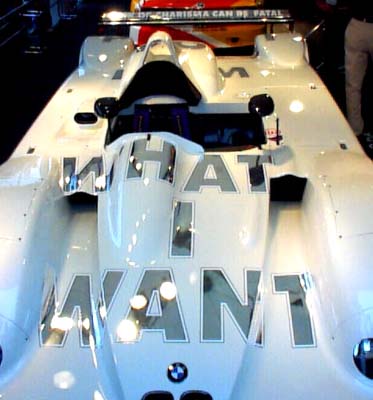
Protect me from what I want,
J.

Big Pixels: L, XL, and XXL

Computer displays are growing ever higher-resolution, with ever-tinier pixels. So how about going in the opposite direction–representing data in ever-larger chunks? Three takes:

  • The PingPongPixel project digitizes images, then re-creates them on a 64 sq. ft. surface using 2700 shaded ping pong balls (each a 38mm pixel). Each rendering takes roughly two and a half hours to form.[Via]
  • Going a step larger, check out the video for Faithless’ I Want More. Well-disciplined schoolkids create huge portraits by flipping the pages of large books. The footage of this massive choreography apparently comes from a documentary about North Korea.
  • And for some really enormous pixels (of a sort), how about human-sized Space Invaders? Give it up for a squad of French kids schlepping around an auditorium all day to create this simulation.

Maybe the next step is to go from a particle to a wave: a team at Akishima Laboratories has found a way to print on waves, forming any English letter, if only for a moment. [Via]

10 free Photoshop plug-ins

Extreme Tech magazine has posted an overview of 10 free Photoshop plug-ins, yours for the downloading. The list includes Luce (for lighting effects), various Flaming Pear tools, Dust & Scratch Remover from Polaroid, Virtual Photographer, Border Mania (no relation to politics), Camouflage & Night Vision, and Auto FX Mosaic. [Via]
In a plug-in-related vein…

Reminder: PUG Life (PS user group) tomorrow

The Bay Area Photoshop User Group is meeting tomorrow, July 11, at the Adobe San Jose office (map). Pizza and drinks kick off at 6:30pm.
Guest speakers are photo illustrator Stephanie Lim (more details in previous entry) and Gerry Davis, a photographer and business and copyright lawyer. Gerry has offered to do a short talk on copyright issues for photographers and illustrators. He’ll be going over the benefits of the copyright law, what is protected and what is not, why registration is important and how to go about registering your images.
If you plan to attend, please shoot an RSVP mail to Dan Clark (dan at weinberg-clark com). Hope to see you there!

Rotoshop, Darkly

In anticipation of the debut of the new film A Scanner Darkly, animator Greg Geisler points out that the team behind the film has created a site that showcases their work and provides artist bios. The animators use the home-grown tool Rotoshop, and the NY Times has posted a 3-minute audio slideshow that gives a little insight into the process. On a related note, RES magazine has announced the winners of the Adobe-sponsored trailer remix contest.

Lo-Fi: How to create a pixel portrait; tracing photos

  • Craig Robinson has posted a tutorial covering how to use Photoshop for pixel portraiture. He uses techniques to give himself hairstyles from Lennon to Bono. [Via] By the way, if you like this kind of pixel art and have somehow missed the work of eBoy, check ’em out.
  • Greg from TheManWhoFellAsleep has devised an interesting approach to tracing photos, creating a kind of hybrid 2D/3D look (reminds me a little of stencil art). “Yeah, I know,” he writes, “Anyone can trace a drawing. But so what? I am doing it, and you’re not.” Well, okay then. Actually, I love the candor. Art museums wouldn’t drive me half as crazy if many artists said, “See this totally arbitrary thing I’m doing here? I just happened to think of it first, and now I’m a ‘genius’ with a permanent income stream. Sucks to be you.” [Via]

PUG Rock 07/11

The Photoshop User Group in San José is meeting at Adobe HQ (map) on Tuesday, July 11, featuring guest speaker Stephanie Lim, a photo illustrator at the San Jose Mercury News. Event organizer Dan Clark writes,

Fueled by high-octane pigtails and a steady diet of frozen yogurt, Stephanie Grace Lim is a photo illustrating designing machine. She has won hundreds of awards for her photography, illustrations and design. Among them, acclaim from Nikon, Society of News Design, National Press Photographers Association, California Press Photographers Association, Associated Press, National Headliner Awards, as well as winning Michigan College Photographer of the Year and a Pulitzer Prize nomination. In winter of 2007, Sherpas plan to scale the mountain of toys in Stephanie’s cubicle at the San Jose Mercury News.

We’ll have pizza and drinks at 6:30, and the meeting will start at 7:00 in the Park Conference Room. Now, excuse me while I get “PUG Life” tattooed on my abs. (You know I like the blackletter…)

Photoshop TV @ Adobe: The Interview

Okay, maybe we’re not talking Nixon/Frost-type historical significance, but a bunch of us had fun chewing the fat with Matt Kloskowski in the latest installment (Episode 34) of Photoshop TV. The chat with Photoshop co-architects Russell Williams and Scott Byer, as well as me and Matt, starts around the 24:30 mark. (Incidentally, despite appearances to the contrary, Adobe HQ was not hit with a nuclear blast during the shooting. Rather, the building’s power-saving light system cut out, necessitating a little spontaneous hand-waving.)
On a related note, the Photoshop TV team has announced that they’ve reached 2 million downloads in a month. Congrats, guys!
[Update: Photoshop engineer John Peterson (known for Photomerge, Merge to HDR, warping, and more) writes, “The ‘I didn’t know it could do that’ remarks in the PhotoshopTV spot reminded me of the #1 funniest line I’ve ever seen in a report from our users studies group: ‘…[T]he test subject was not aware of this feature (even though it was implemented by her husband).'”]

WDDG: Lo-fidelity all-stars

Heh–I love passing along great design and photography, and I think that the WDDG’s new site fits the bill, if in an entirely unusual way. Amidst a sea of handsome, interchangable sites, this willful awfulness really clears the palette. (Yes, Corporate America, this is what your Web designers crank out while on speakerphone during those interminable calls with you. No, seriously, that’s how this came about.) Now, despite having cranked out lots of solid work, WDDG founder James Baker wonders whether the forthcoming real company site can ever match up…
(Okay, okay–you want some more traditionally great work? Check out this collection from Arnold Newman, who passed away last week at the age of 88.)

SiteGrinder 2 turns PSDs into HTML/CSS

MediaLab, makers of the popular PSD2FLA Photoshop-to-Flash conversion plug-in, have introduced SiteGrinder 2.0 for converting PSD files into interactive HTML pages and Web galleries. Some of the capabilities match things Photoshop and ImageReady already offer (e.g. slicing, creating rollovers), but SiteGrinder goes further by generating scrolling text boxes, CSS-styled text from Photoshop text layers, multiple pages from Layer Comps, and more. The site lets you see the product in action and check out example pages it has generated. I’m no CSS ninja*, so I can’t evaluate the quality of the generated code, but overall this looks like a pretty slick product.
All this makes me curious about what kinds of similar support, if any, we should add to Photoshop in the future. Past efforts to generate CSS have gotten pretty well ripped apart, and I don’t know whether any machine-generated code would ever please purists. And similarly, for the last six years GoLive has offered the ability to turn a PSD into a stack of DIV, but I’ve never met a soul who’s tried the feature. (Maybe it was ahead of its time–or at least the browsers–in 2000, or maybe it’s too hidden.)
So, I’m wondering: should we be working on ways (export from Photoshop/Fireworks, import via Dreamweaver/GoLive, etc.) to turn PSDs into images+CSS, or is that not a big need?
* I can’t get my blog comments to alternate colors, for crying out loud.

What's the future of GoLive and FreeHand?

All kinds of confusion, speculation, and declaration are bouncing around the blogosphere and online media at the moment concerning the future of Adobe GoLive & FreeHand. Here’s the official statement from Adobe:

Q. Is Adobe going to discontinue GoLive and FreeHand?
A. No. Adobe plans to continue to support GoLive and FreeHand and develop these products based on our customers’ needs. Clearly Dreamweaver and Illustrator are market leading when it comes to Web design/development and vector graphics/illustration. Customers should expect Adobe to concentrate our development efforts around these two products – with regards to future innovation and Creative Suite integration.

Being a public company, Adobe employees generally have to remain mum about future product developments (for good reason, since we have to be wary of affecting the stock price). For that reason, we’ve done a pretty bad job of communicating our plans, especially to passionate GoLive and FreeHand users. Folks here are working to make that better, and we’ll share more info as it’s available.
Regarding GoLive, both it and Dreamweaver offer some really unique capabilities. GoLive has always emphasized strong visual design tools (a layout grid, etc.), and there are interesting ways to use those capabilities going forward. I won’t presume to speak for either the GL or DW teams & won’t get into more detail, but there are clearly ways the two codebases can complement one another.
Regarding FreeHand, I feel I need to make a couple of points.

  1. Macromedia did not ship a new version of FreeHand following the MX release in 2003. I don’t have further information on why the company took that approach (I didn’t work at MM at that time), but it was a decision made independent of Adobe.
  2. In addition, last year Macromedia–again independent of Adobe–made the decision that it would no longer include FreeHand in Studio. Although the announcement was made following the Adobe-Macromedia merger announcement, it was prior to that deal closing. In other words, it was done at at time when Adobe and Macromedia were not permitted to interact and plan together.

So, while FreeHand may not share the same strategic place in our product portfolio as Illustrator, it hasn’t been discontinued and we’ve now at least put some clarity on that. Now, excuse me while I go to another meeting to plan ways to make Photoshop & Fireworks play well together. 🙂

Photoshop TV visits Adobe HQ

The guys at the NAPP have included a quick visit to Adobe San Jose in Episode 32 of Photoshop TV. (It starts at 16:30, or a little before halfway, for the impatient.) Host Matt Kloskowski chats a bit with engineers Russell Williams, Scott Byer, and Edward Kandrot, as well as me (who managed to keep my customary on-camera persona, Pasty McStammers, in check). A more in-depth version of the interview may be posted in a later show. The video streams via Flash & is also available via this iTunes link. [For a photographic take on our scintillating den, see also Jeff Schewe’s earlier A Visit to Adobe.]

Infinite mosaics

Andries Odendaal (of Wireframe fame) has created has created Information, an endlessly zoomable series of photomosaics. The renderings have a certain Chuck Close quality to them (<a href=right?), and they show off sponsor Getty’s collection in a great light. [Via Mark Kawano] See also the other components of the 10 ways project.
I also happened across some of Jim Bumgardner’s mosaic portraits built from Flickr tags, the makings of which are covered in his book Flickr Hacks. I like the efforts to plot photos according to time. (Some of the visuals remind me of the graphical depictions of one’s own DNA available from various companies.)
For a mosaic of another sort, check out Technology Smiling, a rendering of the Mona Lisa done in computer parts. [Via]
And elsewhere in the world of visualization, Sala at Aharef.info has posted graphical views of Web site tags. I’m not entirely sure how to interpret the results, but they’re easy on the eyes. Take a look at your site via the same applet, here. [Via Marc Pawliger]

Can't install Photoshop? Here's some info.

Late last week, customers began reporting that once they’d applied Apple’s QuickTime 7.1 update, they were unable to install Photoshop or the Creative Suite on Mactel systems. Apple and Adobe engineers have been working together* since then to diagnose the problem.
The tech docs for the installer freeze and activation failure are being pushed live now and may not yet be available, so in the meantime, here’s some key info:
Topic title:
Photoshop CS2 installation freezes Intel-based Mac
When you install Photoshop CS2 on an Intel-based Mac with the QuickTime 7.1 update installed, your Mac freezes. Apple is working on a QuickTime fix. Until it’s available, use the following solution, or contact Apple at 1-800-APLCARE (in North America) or go to http://www.apple.com/contact/phone_contacts.html for a list of international Apple support phone numbers.

  1. Restart the Macintosh and hold down the Shift key immediately after you hear the chimes.
  2. Release the Shift key when the Apple logo appears. When the Macintosh is in Safe Boot mode, the words Safe Boot appear on the logo.
  3. Insert your Mac OS system CD and perform an Archive and Install of OS 10.4.x, and select the option to Preserve Users and Network Settings. For instructions, see the documentation that came with your Apple computer, or contact Apple.
  4. Reboot the computer in normal mode. Note: Do not install the QuickTime 7.1 update.
  5. Install Photoshop

Obviously this approach isn’t ideal, and if you can sit tight, Apple should have an update ready soon. We’ll post more info as soon as it’s available.
Thanks for your patience,
J.
* Sorry, conspiracy wingnuts: Apple and Adobe are on the same side & closely collaborate on these things. The truth bores sometimes, I know.

Adobe gets del.icio.us

Adobe folks have started populating del.icio.us, the popular shared bookmarking application, with interesting bits relevant to Adobe apps & users. The root is http://del.icio.us/adobe, and from there you can go to more specific areas (e.g. del.icio.us/adobe/Photoshop or del.icio.us/adobe/AfterEffects). Luanne Seymour, a member of the group doing this work, hastens to point out that this effort has just begun & the set of links isn’t yet comprehensive. That said, it’s growing every day.
Hopefully this is just the start of Adobe using more creative ways to connect customers. Much, if not most, of the strength of the apps lies not in their features, but in the communities around each, yet while you’re inside Photoshop, Flash, etc., you’re effectively in isolation. Other good efforts are continuing (LiveDocs, the U2U forums, the to-be-united Adobe and Macromedia exchanges, etc.), but getting to these things still requires excessive geek-cred. We’ll work on finding simpler, more seamless ways to reveal and interact with what & who are out there.

Remixing, Darkly

  • The creators of A Scanner Darkly have announced a competition to remix the film’s trailer. The project site hosts the source media for download & enables some online remixing; the winners’ loot includes the Adobe Production Studio Premium and a 64-bit behemoth to crank through production work. It’s cool to see content creators take a forward-thinking approach to sharing their work & enabling what Lawrence Lessig has called the Read/Write Internet.
  • Logo Thievery, Vol. II: the folks at Panic Software have some fun calling out the “pixel-poachin’, GIF-grabbin’, layout-liftin’ bandits” who’ve ganked elements of Panic designs & remixed them into their own. [Via] The particular irony is that they’re getting ripped off by designers & fellow software developers. You might think that those making a living off intellectual property would respect that of others, but no such luck.
  • Of course, some people apparently think that content creators have no business saying whether & how their work can be reused, decrying any attempt to give creators control as intolerable tyranny. Feh. I think if these guys spent their days interacting with, say, independent photographers rather than railing against impersonal media conglomerates, they’d adopt a more nuanced view.
  • Photoshop CS2 update (9.0.1) now available

    [Update June 2, 2007: If you’re here because you’re trying to rip us off by somehow stealing Photoshop (via serial number, keygen, crack, etc.), keep moving; you’ll get no satisfaction here. Adios. –J.]
    I’m pleased to report that we’ve just posted the Photoshop 9.0.1 updater for Photoshop CS2 (Mac/Win). In addition to addressing a crummy PDF offset bug, this release means that:

    • After editing an image in Photoshop CS2 via Acrobat Touchup, the image no longer gets re-positioned.
    • Photoshop no longer hangs for several seconds when using painting tools with quick strokes.
    • A program error that could appear when mousing over high res doc with Brush Tool has been fixed.
    • Documents containing a large number of text layers now open more quickly.
    • An error that could cause a crash on Mac when launching, or when opening or saving a file, has been addressed.
    • Problems related to palettes on Windows (slow redraw, palettes go white, possible crash) have been addressed.
    • TIFF files from certain scanners can now be opened correctly.
    • XMP metadata from AI & PDF files is now retained in Photoshop.
    • Slow performance when toggling layer visibility has been fixed.
    • Info palette numbers now display and update when moving a curve point in Curves via the cursor keys.
    • Problems opening certain TIFF and PSB files greater than 2GB in size have been resolved.
    • The Merge to HDR command now functions properly when using high-ASCII characters in user login.

    Dot releases (updates) like this are much like detention in high school–a kind of penalty box that keeps you away from what you really want to be doing (building the Next Great Transformative Thing and all). They’re also a drag since cracking open the shipping app brings a risk of breaking something else, so quite a few testing cycles go into making sure everything is solid. In any case, we hope you weren’t experiencing any static with CS2 thus far, and if you were, this update should set things right.
    [Update: As probably wasn’t clear enough in the last paragraph, I was going for humor, not whining. Fixing bugs that have been hurting customers is clearly the right thing to do, and we’re glad to have taken the time to do this update. (And again, sorry we didn’t catch these problems before shipping.) I just don’t like the idea that dot releases are an expected fact of life, and that one shouldn’t buy or use a product until after a first dot release, service pack, etc. has been issued. The goal of any developer should obviously be to avoid the need for a bug-fix update.]

    Devo does Photoshop, &c.

  • Composer/painter/Devo frontman Mark Mothersbaugh gets freaky with Photoshop in his Beautiful Mutants gallery; Wired tells the tale. Lasso it good. [Via Marc Pawliger]
  • BL:ND puts that Rorschach aesthetic on wheels to create Gnarls Barkley’s Crazy video. Killer. [Via]
  • Curious Lucre is “a salute to tiny pictures made with wavy lines” (aka international currency) and features bizarro Willem Dafoe and some of “the manliest damn money you’ve ever seen.” [Via] [Update: See also beautiful US currency from 1896.]
  • XRS Nowe Media distills the way every airport ought to feel. [Via]
  • Devo does Photoshop, &c.

  • Composer/painter/Devo frontman Mark Mothersbaugh gets freaky with Photoshop in his Beautiful Mutants gallery; Wired tells the tale. Lasso it good. [Via Marc Pawliger]
  • BL:ND puts that Rorschach aesthetic on wheels to create Gnarls Barkley’s Crazy video. Killer. [Via]
  • Curious Lucre is “a salute to tiny pictures made with wavy lines” (aka international currency) and features bizarro Willem Dafoe and some of “the manliest damn money you’ve ever seen.” [Via] [Update: See also beautiful US currency from 1896.]
  • XRS Nowe Media distills the way every airport ought to feel. [Via]
  • Amazing turnout at PS User Group meeting

    I just wanted to say a quick thanks to the 200 (!) or so folks who trekked over to Adobe San Jose last night for Julieanne’s Photoshop & Lightroom session. And thanks especially to photographer/impresario Dan Clark for organizing the event. Attendance for this event was the best yet, overflowing the overflow room we set up after the 165-seat main room got packed. The “pizza rebate program” (whereby a percentage of your Adobe license fees is returned as cheese & sauce) is always a draw, but it was particularly great to see the huge interest in Julieanne’s presentation & the discussions that followed. If you have suggestions for future guests or topics, please let us know.

    Talking integration at FITC

    I’m putting the “Eh” back in “JNack” this week, heading up to the FITC show in Toronto on Thursday. If you’re planning to be there, please come say hey. Much as we did at Flashforward Seattle, a number of product managers are hosting a roundtable discussion on improving the integration of Adobe’s Studio, Creative Suite, & DV applications. The last conversation spawned some good thinking (e.g. a suggestion that Photoshop & Illustrator offer a “Flash-safe” working mode & enable preflighting images before export), and I’m looking forward to this one. I’m also planning to give a Photoshop CS2 presentation on Saturday morning (nothing too elaborate, but hopefully a good refresher in case you’ve missed what we’ve been doing in the last couple revs of Photoshop).

    Performance tweak plug-in for CS2 Mac available

    We’ve posted Disable VM Buffering, an optional plug-in for Photoshop CS2 (Mac only) that addresses painting pauses on machines with more than 4GB of RAM. From the ReadMe:

    The Disable VM Buffering plug-in can be installed to eliminate pauses during painting on Macintosh machines with more than 4GB of physical RAM installed. It will have no effect on machines with 4GB or less of RAM. On machines with more than 4GB of RAM it can eliminate pauses during painting operations at some cost in performance with very large documents.

    More details about the plug-in and why you may or may not want to install it are on the download page.

    Ultrashock PS tutorials; new VP surfaces; more

  • The guys over at Ultrashock.com have opened up a new section of Photoshop tutorials. I haven’t gotten to go through them in great detail, but the pieces about isometric pixel art look promising. These guys have been forward-thinking in their tutorials, hosting my After Effects-Flash pieces way back, so it’ll be fun to see where they take their Photoshop coverage.
  • Shift has announced new components in their LiveSurface set of templates for use with Illustrator & Vanishing Point in Photoshop CS2. You can see a demo on their site.
  • Jared Tarbell’s Complexification project features some really visually refined artwork generated with Flash & Processing. [Via] Related: see also Josh Davis & Illustrator, and VisualComplexity.com.
  • MoOM & more

  • If you’re looking for a visually rich way to fritter away your time on this planet, you could do worse than visiting Coudal Partners’ MoOM, the Museum of Online Museums. Where else can you find links to Bosch’s hellscapes, the history of movie titles, and the graphical history of sweet, delicious meat?
  • Like drawing on a Wacom Cintiq, but don’t want to balance a huge LCD on your lap? How about using it together with this crazy harness-thing? [Via]
  • It’s not of earth-shaking significance, but I thought it was interesting (and kind of charming) to see how random Austrian people draw logos from memory. [Via] I wonder how folks would do with the Adobe logo. It’s not that much of a household item, though it did make an appearance in the Adbusters flag.
  • Motion graphics house Shadowplay Studios has posted a great title sequence from the new movie Thank You For Smoking. [Via] (For more great motion graphics work, check out Justin Cone’s Tween blog & huge set of links.)
  • MoOM & more

  • If you’re looking for a visually rich way to fritter away your time on this planet, you could do worse than visiting Coudal Partners’ MoOM, the Museum of Online Museums. Where else can you find links to Bosch’s hellscapes, the history of movie titles, and the graphical history of sweet, delicious meat?
  • Like drawing on a Wacom Cintiq, but don’t want to balance a huge LCD on your lap? How about using it together with this crazy harness-thing? [Via]
  • It’s not of earth-shaking significance, but I thought it was interesting (and kind of charming) to see how random Austrian people draw logos from memory. [Via] I wonder how folks would do with the Adobe logo. It’s not that much of a household item, though it did make an appearance in the Adbusters flag.
  • Motion graphics house Shadowplay Studios has posted a great title sequence from the new movie Thank You For Smoking. [Via] (For more great motion graphics work, check out Justin Cone’s Tween blog & huge set of links.)
  • Logo thievery o' the day

    It’s a bit off topic, but consider it a little payback to all the comment-spammers out there. This morning I received a comment linking to a “Vasu Infotech,” who must be big hockey fans, having boosted the logo of the Colorado Avalanche. I’m actually kind of charmed by the total nakedness of the theft (as blatant as when someone did a “Save As” in IE years ago & copied the NEC site my team had built). So here ya go, spammers: you officially get one past the goalie, and it’s so that I can call out your cheesy, design-biting ways.
    [Update: Since their site seems to have punked out (hah!), here’s a screenshot.]

    Why do I have to pay for the Photoshop SDK?

    A. You don’t! Technically, you never did, but a few years back a policy change meant that in order to request the SDK, you needed a paid membership in the Adobe Solutions Network. There are lots of good reasons to join the ASN (co-marketing, tech support, product discounts, etc.), but you shouldn’t have to sign up just to get the SDK. So, some time back (at least a year ago) we changed the policy so that you can simply make the request via the SDK via a Web form.
    We’ve also split the SDK between two different versions, Basic and Advanced. The Basic SDK includes everything you’ll need except the File Format and File Import/Export information. For that, you’ll need to make a request through the link provided above so that we can do the additional paperwork to get you the Advanced SDK (still no charge).
    We haven’t done a good job of communicating this change (in fact, some of the old info still exists & needs to be updated), so I thought I’d blog it here. [Update: There’s also a user-to-user forum for discussion of SDK-related issues.]

    Greased Lightbox

    Photographer/developer Joe Lencioni‘s interesting little project Greased Lightbox lets Firefox display clicked images in an attractive floating overlay. Once this script is installed, clicking on an image link (e.g. from Flickr or Google Images) displays the image like this. Greased Lightbox is based on Lightbox JS, and using it required first installing Greasemonkey for Firefox (or this thing for Safari, which I couldn’t make work).

    Let's talk integration at Flashforward

    We’ve obviously got integration on the brain, so if you’re attending next week’s Flashforward conference in Seattle, we’d like to talk in person. There’s a session on Tuesday, 5:15-6:30, that Mike Downey (Flash PM), Phil Guindi (Illustrator), Steve Kilisky (After Effects), I, and other Adobe folks plan to attend. If you’ve got time and want to give us a piece of your mind on integration, please swing by.

    Photoshop + Fireworks: Where to from here?

    Now that Adobe and Macromedia have come together, we’re busily planning our next moves, and it would be great to get your input. Fireworks Product Manager Danielle Beaumont has posted a message saying that Fireworks is alive and well at Adobe, and we’re working to define the best course for each app.

    It might help to define the players:

    • Fireworks offers a hybrid raster/vector editing environment for creating and editing designs for use on screen (typically the Web). Rather than going as deep into vector or bitmap editing as Illustrator or Photoshop, Fireworks opts to bring together a mix of tools for each function, plus symbols (edit once, update many), slicing and optimization, CSS menu generation, and more.
    • Photoshop is “the professional image-editing standard“–or, if you prefer, a ten-foot-tall, two-ton son of a gun who could eat a hammer and take a shotgun blast standing (or something like that*). Photoshop offers an unmatched range of capabilities for image manipulation, plus basic vector drawing tools, gallery and contact sheet creation, and a set of Web optimization functions.

    So, some questions:

    • If we could do one thing to improve the process of making graphics for the Web, what would it be?
    • Are there tasks (e.g. rapid prototyping of Web and app interfaces) at which we should target Fireworks more than Photoshop? (Or, to take the other side, would you rather there be a single über-app with a customizable interface?)
    • Do we need to improve integration between Fireworks and Photoshop (e.g. better file format compatibility, Jump To), or does it work well enough?
    • What about compatibility with Dreamweaver? What tasks could/should we improve?
    • Are there interface elements or ideas from one app that we should emulate in the other?

    By the way, we’re not, as I’ve seen suggested a couple of times, going to rip out the Web features we’ve developed in Photoshop. I’m not sure what motivates this idea, but I’m guessing it’s based on 1) a desire to make the positioning of the apps more distinct, and/or 2) a desire to avoid/reduce “bloat” in Photoshop. Re: 1, rather than crippling Photoshop for the many people who use it all or some of the time for Web design, let’s make Fireworks stand out by adding kick-ass, never-before-seen features. (Of course, it’s to identify these that we need your help.) Re: 2, I have more to say, but in the meantime consider this.

    And with that, I’ll wrap up and open the floor to discussion. We’re really looking forward to hearing your thoughts on the future of these two applications.

    Thanks,
    J.

    * This is, of course, why I will never be allowed to write our marketing copy.
    Mordy on Illustrator, FreeHand

    Mordy Golding, Illustrator expert and formerly Illustrator product manager (now living back in NY, never having been satisfied by CA bagels & lack of filthy-washcloth-style humidity), has posted an interesting interview with… himself. In it he muses on the future of Illustrator & FreeHand, among other things. I should be very clear in saying that I have no particular insights into any such plans (way too much going on in Photoshop-land for me to pester the vector guys right now), so I’m not endorsing or refuting any of Mordy’s points. I mention the article, however, as it may shed light on some of the questions & realities that are considered when planning a product roadmap.

    Cut cut cut; Readymech

    Maybe it’s a monkeys-on-typewriters thing (i.e., read enough RSS feeds & you’re bound to hit on some overlaps), but I keep seeing patterns in projects. This time it’s paper cutouts:

    • Cut cut cut is a competition to download and print a template (PDF), assemble it into a paper van, then customize & share the results. Some of the entries are pretty cool. (Having this creative outlet might’ve saved me a lot of time & a heck of a lot of paint on my old car.) We’ve gotta try this download-and-improve approach on the next batch of Adobe packaging. [Via]
    • Readymech is a series of “free, flatpack toys designed to fit on an 8.5”x11” and to be printed on any printer.” The PAL9000 wants a hug. From Fwis.

    Of course, if paper gets passé, you can always print out magnets, or maybe some nice living human tissue.

    Adobe on Mactel: an FAQ

    We’ve posted an FAQ concerning Adobe’s plans to ship Intel-native (Universal) Mac applications. Highlights:

    • Yes, we are working on Universal versions of our tools. The FAQ includes a list of those being converted.
    • No, we don’t plan to update CS2/Studio 8 to be Universal. That means native support will come in a future version, which is some time off. (The FAQ cites an 18-24 month historical cycle for product updates. CS2 shipped in April 2005, Studio 8 in September.)
    • Yes, most of today’s applications will run in Rosetta (the emulation layer for PowerPC code running on Intel), though that’s not a configuration Adobe has tested extensively. The Version Cue server component won’t run on Rosetta.
    • The Lightroom beta, made available first on Mac, will be available in Universal form very soon.

    It’s important to make a few things clear: We’re working really hard, together with Apple, to make this conversion. Apple staff are on site at Adobe every day and have been for quite some time, helping our teams make the required move to the Xcode development environment & taking our feedback on how to make Xcode support large projects like Photoshop.
    Everyone–Mac users, Adobe, and Apple–wants to get Adobe apps running natively on Mactel as soon as possible, but doing so while maintaining their quality will take time. If we knew how to do this more quickly, we would do it.
    I’d like to make one other point: in the first 18 months that Mac OS X was in the market (starting with the shipment of 10.0.0), Adobe released (by my recollection) 13 OS X-native applications. That averages out to better than one release every six weeks for a year and a half. Name another company that showed up for the game on that scale. Please bear that history in mind the next time someone on a user forum starts raising doubts about Adobe’s commitment to the Mac.

    New podcasts: Photoshop Killer Tips, InDesign Secrets

    In a bit of synchronicity, two Adobe-related podcasters just announced their new offerings:

    • The NAPP‘s Matt Kloskowski has introduced Photoshop Killer Tips (Web/iTunes), described by its creator as “short and sweet–just a quick 60-90 second video tip each day (Monday through Friday).” It’s been running (‘casting?) for three weeks, so the site already features a number of tips.
    • InDesign Secrets (Web/iTunes) is a new resource from authors David Blatner and Anne-Marie Concepción, covering all aspects of page layout and production in Adobe InDesign.

    These new programs join the growing ranks of design-oriented podcasts, alongside The Russell Brown Show (Web/iTunes), Photoshop TV (Web/iTunes), Attention Photoshoppers (Web/iTunes), and more. If you’ve found related podcasts useful, feel free to pass along their info via the comments.

    New open source Adobe imaging library

    There’s a new Generic Image Library available for download from Adobe Open Source page. The developers write, “It is a library that abstracts image representations from algorithms on images and allows one to write the algorithm once and have it work for image in any color space, channel depth, interleaved/planar pixel organization, etc., with performance similar to hand-coding for a specific image type.” If image science is your bag, this might be worth a look.

    American Trainwreck Awards, starring my blog

    [Low news value here, but I’ve got to say it] If you’re reading this via RSS, great; if not & you’ve stumbled across the main page of my blog, my apologies for the Indiana Jones-style eyeball-melting that ensued. Changes to the CSS shared among several Adobe blogs have made the site look, uh, not so good. The IS folks are investigating, and hopefully the proper appearance (if not a better one) will be restored soon. [Update: Thanks to Tobias Hoellrich for settings things right. Now, I need to find something the Dreamweaver team needs so that I can swap it for some CSS-wrangling help…]

    Blink: Judging a site, judging an app

    Oh boy–yet another reason to check out Malcolm Gladwell’s ubiquitous Blink: The Power of Thinking Without Thinking. Canadian researchers report that Web site visitors draw conclusions about the quality of a site in the first twentieth of a second. Among other things, Gladwell posits that more information is not always better, that rapid assessments are sometimes more accurate than the fruits of months of study. Maybe our well-trained consumer subconscious can keep us out of trouble–away from a phishing site, say.
    I found myself thinking about my customary reaction to the usability work of Jakob Nielsen–i.e., some amount of distrust & desire to pick it apart. Mr. Nielsen is of course a sharp and insightful guy, so why am I likely to approach articles on less familiar sites like UX Magazine, Airbag Industries, and WeBreakStuff with a more open mind? I think it’s that after all these years, I still can’t see Nielsen’s willfully undesigned UseIt.com, with its Windows 3.1 color scheme & unhelpfully wide paragraphs, without thinking, in that first blink of an eye, “This guy doesn’t care about aesthetics, about style.” And thus, “Not my people.”
    There’s an Adobe angle here, I think, insofar as this kind of phenomenon applies to software. Typically, given a choice between putting resources into flashy UI vs. putting them towards a specific solution (a new tool, format supported, etc.), I and many others will favor the latter. In doing so, however, we risk playing all the notes but missing the music. Whether an app keeps pace with contemporary style gives immediate, sometimes unconscious cues about its quality, freshness, and relevance.
    In CS2 the palettes have been subtly modernized (okay, very subtly), but that’s the tip of the iceberg. The newly announced Production Studio features a significantly smartened UI (here it is in action in After Effects), and Project Lightroom breaks new ground for Adobe, making use of animation and transparency.
    So, suffice it to say that we’re moving in the right direction, prioritizing visual polish alongside refined interaction, and I’m looking forward to working more with the Experience Design (XD) team from the former Macromedia. Now, if we can just work on that new “junkyard wars” bundle packaging of ours… 😉
    [Study links via Style Gala and CF Journal]

    This is how we hypnotize you…

    Names to memorize, names hypnotize, names to make your mouth ex-er-cise…
    At last, the secret of Photoshop’s staying power can be revealed: it’s the hypnotic power of those interesting names on the splash screen as the app boots up. Seetharaman Narayanan, Seetharaman Narayanan… Just his name alone has inspired all kinds of madness. I remember on my first visit to Adobe walking past offices and thinking, “I’lam Mougy… Grace Ge… why do I know these names?,” not realizing the extent to which the splash screens had bored into my brain. One look & you’re hooked. [Of course, customers’ names can hypnotize right back: my wife is transfixed by “Martin Evening.”]
    The practice of listing team members’ names on the splash screen goes way back, but in recent years it’s fallen on hard times. Officially, the names just don’t fit anymore, as modern apps rely on armies of engineers, QE’s, researchers, designers, translators, and (yes) us marketing schmoes, among many others. But it’s a bit deadening, I think, not to see the connection to real folks. Photoshop has defied the trend, adding randomization so that everyone’s name can be listed at least some of the time. And I smiled seeing that Lightroom proudly lists its crew at launch.
    Without pulling the curtain too far back (Jeff Schewe’s penchant for posting photos of well-known engineers in Speedos notwithstanding), I’m all for helping connect names and faces to the tools they create. I hope this blog helps in that effort, as have Jeff’s stories about Photoshop, Bridge, and Lightroom development. Similarly, the Flash team’s making of Flash 8 video gives insight into their process, and the app itself even includes pictures of the team. Let’s keep this trend alive.

    Photoshop-savvy LED keyboard

    I’d seen a variety of Photoshop-tuned keyboards, but Artemy Lebedev’s Optimus keyboard takes things to a new level. It uses OLED technology to change the display of keys on the fly (even allowing for animation, according to the witty FAQ). Check out keys tuned for Photoshop. Too cool. [Link via James Michaelsen]
    PS–Elsewhere on the site I spotted an interesting bit about the printing origins of “cliché” and “stereotype”. Heh–I had no idea, and I do enjoy the occasional cliché (see “takes things to a new level,” above). (More from Wikipedia here and here.)

    Come say hey at Macworld

    If you’ll be at the Macworld show in SF next week, please swing by the Adobe booth and say hi. Members of the new, improved, grand-unified Adobe will be staffing the pods as well as giving theater presentations on using Studio 8, Creative Suite 2, Flash with After Effects and Illustrator, and more. Some points of possible interest:

    • Creative nutjob Russell Brown will be on hand to give out copies of his new & improved Russell Brown Show CDs. He’s due to present in the Adobe theater Tuesday-Thursday at 11:15 and Friday at 1:15, so get there early. And fellow evangelist Julieanne Kost will be showing something interesting at 3:45 each afternoon. [Update: Yes, that would be Lightroom]
    • Come network with (other) InDesign experts on Wednesday evening, 6:30-9pm at the Adobe SF office (formerly Macromedia HQ), 601 Townsend St. Author Sandee Cohen will be there, along with (I’m told) “Amazing raffle prizes and free pizza.”
    • The User Research team invites you to stop by their pod (located behind the information booth) to learn more about their work and, if you’d like, to sign up to participate in upcoming research. If you won’t be at the show, you can always sign up at www.adobe.com/usability.
    • The Apple User Group Advisory Board is having a meeting on Monday at the Argent hotel where Adobe’s Terry White will be speaking.
    • On Wednesday morning there’s an Adobe Professional Association & User Group Leader Breakfast, 7-10am in the Argent Hotel. Terry White, Dave Helmly & Kurt Zevas will be presenting.