Category Archives: Illustration

Using AI to save pets

Long dog walks are for nothing if not visualizing whatever silliness pops into my head—which today happened to be our puppy Ziggy becoming an impossible object called a “Ziggule.”
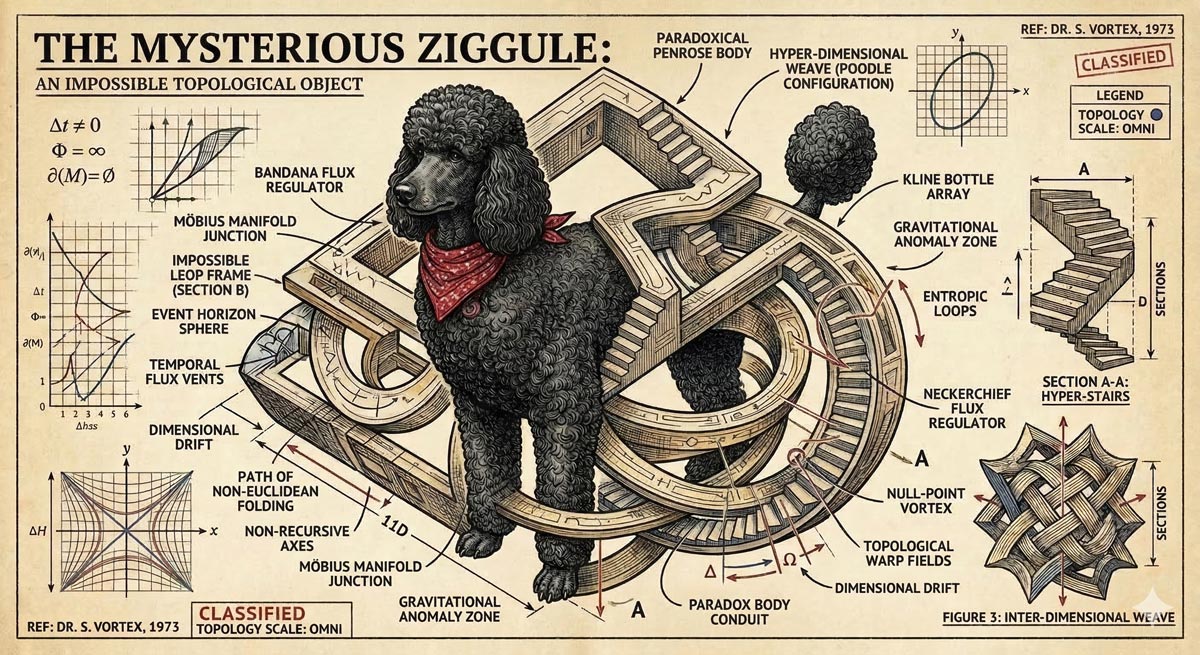
I shared this with my cousin Alicia, who does a tremendous amount of work sheltering & rescuing dogs in Austin, and she requested a portrait of their current foster pooch (Tesseract). I was of course all too happy to oblige:
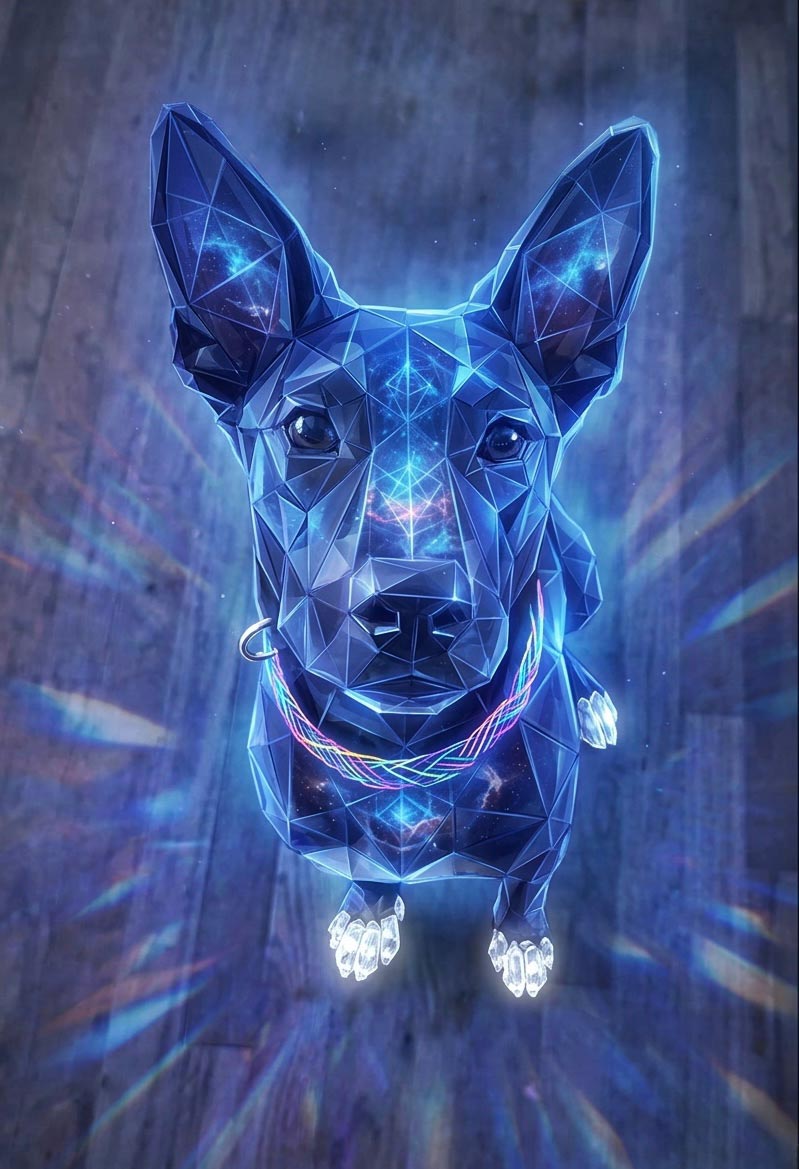
As it happens, folks at Google have had the same idea, and they’ve been putting Nano Banana to work helping zhuzh up pics of shelter pets in hopes of helping them find their forever homes. Let’s hear it for using AI & old-fashioned human creativity for good!

Computer animation in 1971 (!)

The older I get, the harder it is to get the Kids These Days™ to grok just what a road-to-Damascus moment the arrival of the Mac presented. I flap my arms like some conspiracy nut at his cork board, trying in vain to convey the idea that in the pre-Mac days, personal computer “art” consisted of pecking out some green ASCII blocks on an Apple ][. Okay, grandpa, let’s get you to bed…

Anyway, predating even me (heh) is this glimpse of how computer animation was painstakingly eeked out via data tape (!) back in 1971.


View this post on Instagram


A post shared by HUMANOID HISTORY (@humanoidhistory)

[Via Uri Ar]

Speak it -> See it, with Krea’s new voice mode

I try not to curse on this blog, doing so maybe a dozen times in 20+ (!!) years of posting. But circa 2013-2017, when I saw what felt like uncritical praise for Adobe’s voice-driven editing prototypes, I called bullshit.

The high-level concept was fine, but the tech at the time struck me as the worst of both worlds: the imprecision of language (e.g. how does a normal person know the term “saturation,” and how does an expert describe exactly how much they want?) combined with the fragility of traditional selection & adjustment algorithms.

Now, however, generative tech can indeed interpret our language & effect changes—and in the case of Krea’s new realtime mode, in a highly responsive way:

Whether or not voice per se becomes a popular modality here, closing the gap between idea & visual is just so seductive. To emphasize a previously made point:

AI + SVG: Vector all the things!

When it rains, it pours: No sooner did I post about text->vector than I saw two new entrants in that space. The new Quiver AI is claimed to have “solved vector design with AI”:

Here’s my first quick test, in which Quiver & Illustrator utterly smoke direct chat->vector output in Gemini & ChatGPT:

Meanwhile, check out what Recraft produced:

Elsewhere, Hero Studio promises great image->SVG conversion. I’ve applied for access & am eager to take it for a spin:

Can AI finally generate useful vectors?

When we launched Firefly three years ago (!), we talked up prompt-based vector creation. When the feature later arrived in Illustrator, it was really text-to-image-to-tracing. That could be fine, actually, provided that the conversion process did some smart things around segmenting the image, moving objects onto their own layers, filling holes, and then harmoniously vectorizing the results. I’m not sure whether Adobe actually got around to shipping that support.

In any case, Recraft now promises create vector creation directly from prompts:

Meanwhile Gemini promises SVG creation right out of the box. My previous attempts to use it produced results that were, um, impressionistic…

…and based on what they’re showing vis-à-vis recent updates, I haven’t been in a hurry to try again:

Adobe vets launch AniStudio

My former colleagues Jue Wang & Chen Fang are making an impressive indie debut:

AniStudio exists because we believe animation deserves a future that’s faster, more accessible, and truly built for the AI era—not as an add-on, but from the ground up. This isn’t a finished story. It’s the first step of a new one, and we want to build it together with the people who care about animation the most.

Check it out:

AirDraw: Slick 3D drawing for Vision Pro

Check out this fun, physics-enabled prototype from Justin Ryan:

Here’s an extended version of the demo:

The moment I switched on gravity was the moment everything changed.

Lines I had just drawn started to fall, swing, and collide like they were suddenly alive inside my room. A simple sketch became an object with weight. A doodle turned into something that could react back. It is one of those Vision Pro moments where you catch yourself smiling because it feels playful in a way you do not see coming.

Of course, Old Man Nack™ feels like being a little cautious here: Ten years ago (!) my kids were playing in Adobe’s long-deceased Project Dali…

…and five years ago Google bailed on the excellent Tilt Brush 3D painting app it acquired. ¯\_(ツ)_/¯

And yet, and yet, and yet… I Want To Believe. As I wrote back in 2015,

I always dreamed of giving Photoshop this kind of expressive painting power; hence my long & ultimately fruitless endeavor to incorporate Flash or HTML/WebGL as a layer type. Ah well. It all reminds me of this great old-ish commercial:

So, in the world of AI, and with spatial computing staying a dead parrot (just resting & pining for the fjords!), who knows what dreams may yet come?

When life gives you hospitalized lemons…

…you waste pass the time screwing around doing competitive AI model featuring the building’s baffling architecture…

…and sketchy chow:

Lucky & Charming

This season my alma mater has been rolling out sport-specific versions of the classic leprechaun logo, and when the new basketball version dropped today, I decided to have a little fun seeing how well Nano Banana could riff on the theme.

My quick take: It’s pretty great, though applying sequential turns may cause the style to drift farther from the original (more testing needed).

AI-powered catharsis

I can’t think of a more burn-worthy app than Concur (whose “value prop” to enterprises, I swear, includes the amount they’ll save when employees give up rather than actually get reimbursed).

Visualizing conversations with Nano Banana

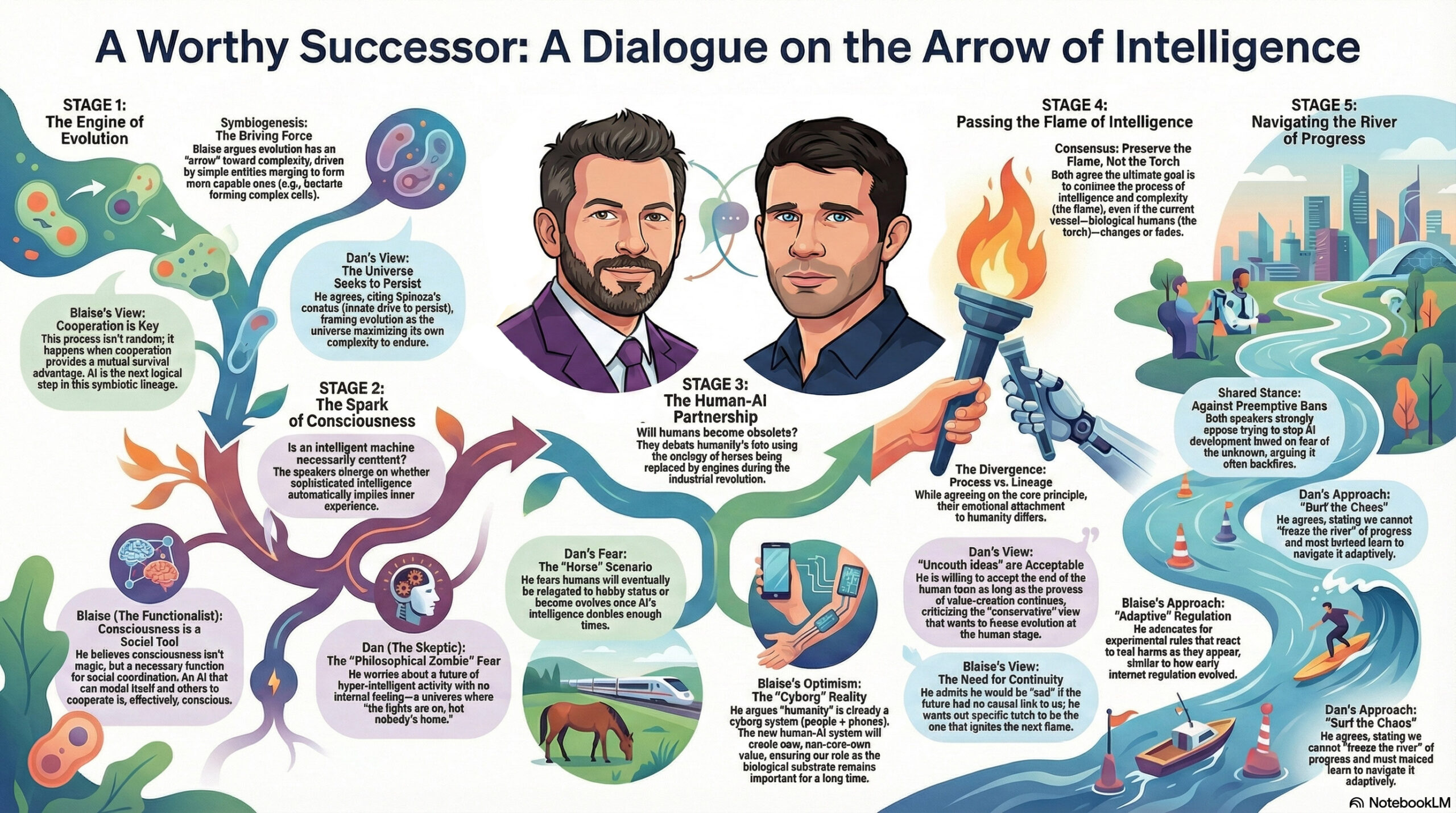
The ever thoughtful Blaise Agüera y Arcas (CTO of Technology & Society at Google) recently sat down for a conversation with the similarly deep-thinking Dan Faggella. I love that I was able to get Gemini to render a high-level view of the talk:

My workflow, FWIW:

  • Use Gemini in Chrome to create a summary.
  • Open it in Gemini & copy it to a Google Doc.
  • Open the doc in NotebookLM & specify infographic creation preferences.
  • Download image, open it in Gemini, and refine likenesses by uploading images of each speaker.
  • Make minor tweaks in Photoshop to deal with the aspect ratio changing (a subtle & intermittent but annoying bug).

Here’s the stimulating chat itself:

Continue reading

Gemini/Nano Banana promises SVG generation

Creating clean vectors has proven to be an elusive goal. Firefly in Illustrator still (to my knowledge) just generates bitmaps which then get vectorized. Therefore this tweet caught my attention:

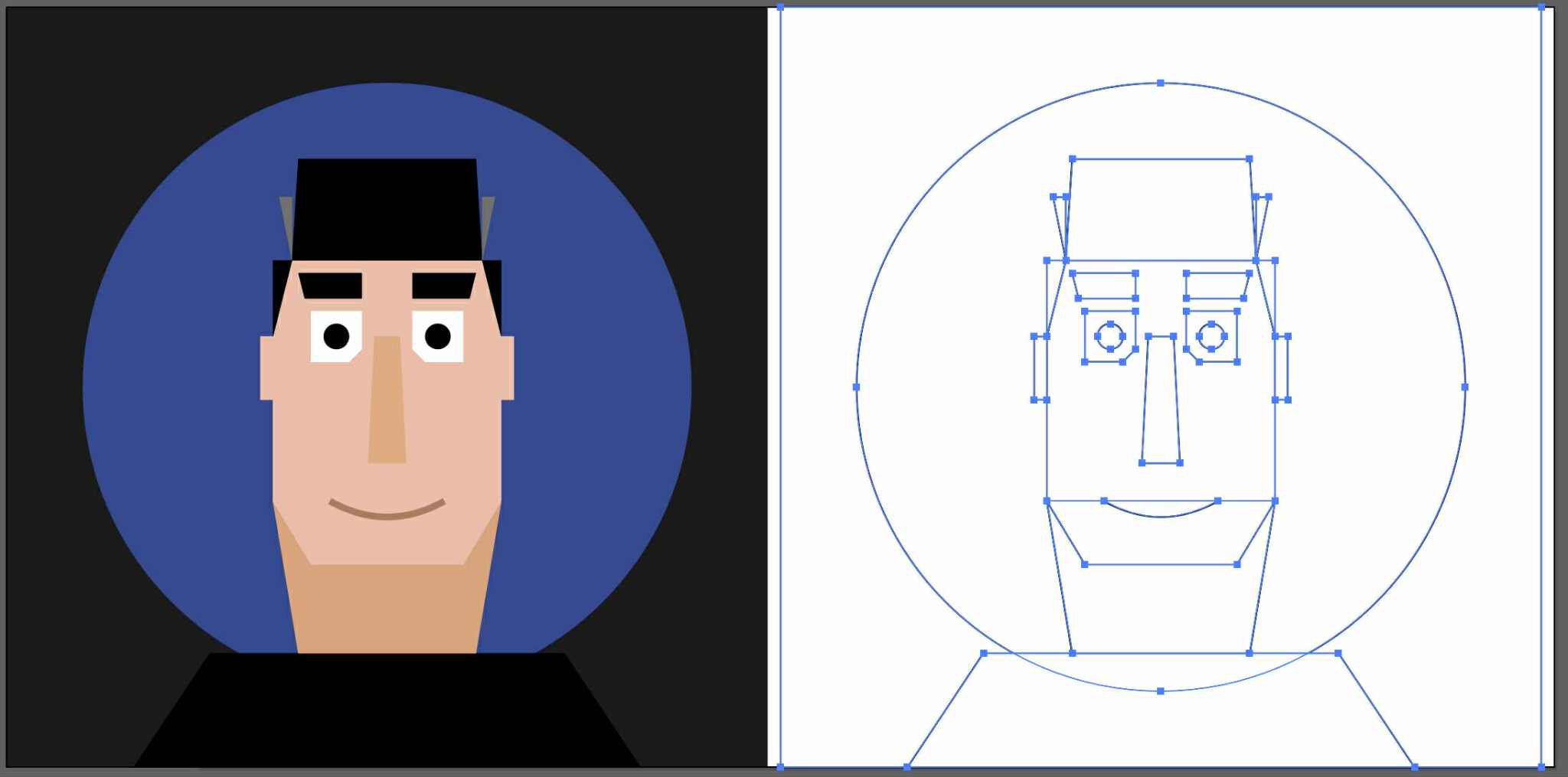
In my very limited testing so far, however, results have been, well, impressionistic. 🙂

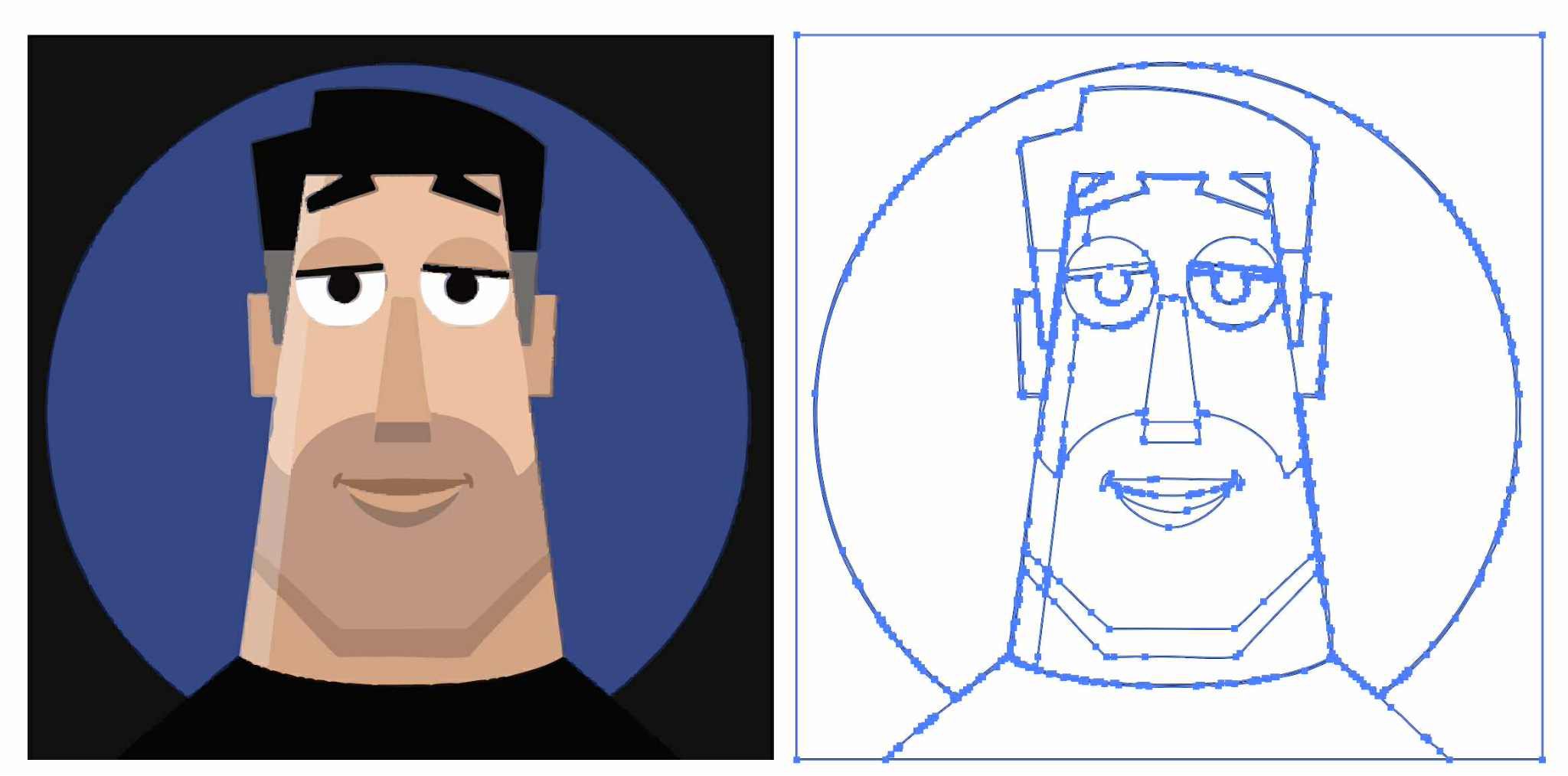
Here’s a direct comparison of my friend Kevin’s image (which I received as an image) vectorized via Image Trace (way more points than I’d like, but generally high fidelity), vs. the same one converted to SVG via Gemini(clean code/lines, but large deviation from the source drawing):

But hey, give it time. For now I love seeing the progress!

Flux hackathon provides perspective

The team at BFL is celebrating some of the most interesting, creative uses of the Flux model. Having helped bring the Vanishing Point tool to Photoshop, and always having been interested in building more such tech, this one caught my eye:

“Ruining” art with Nano Banana

But, y’know, in a fun & cheeky way. 🙂 Check out this little iterative experiment from Ethan Mollick:

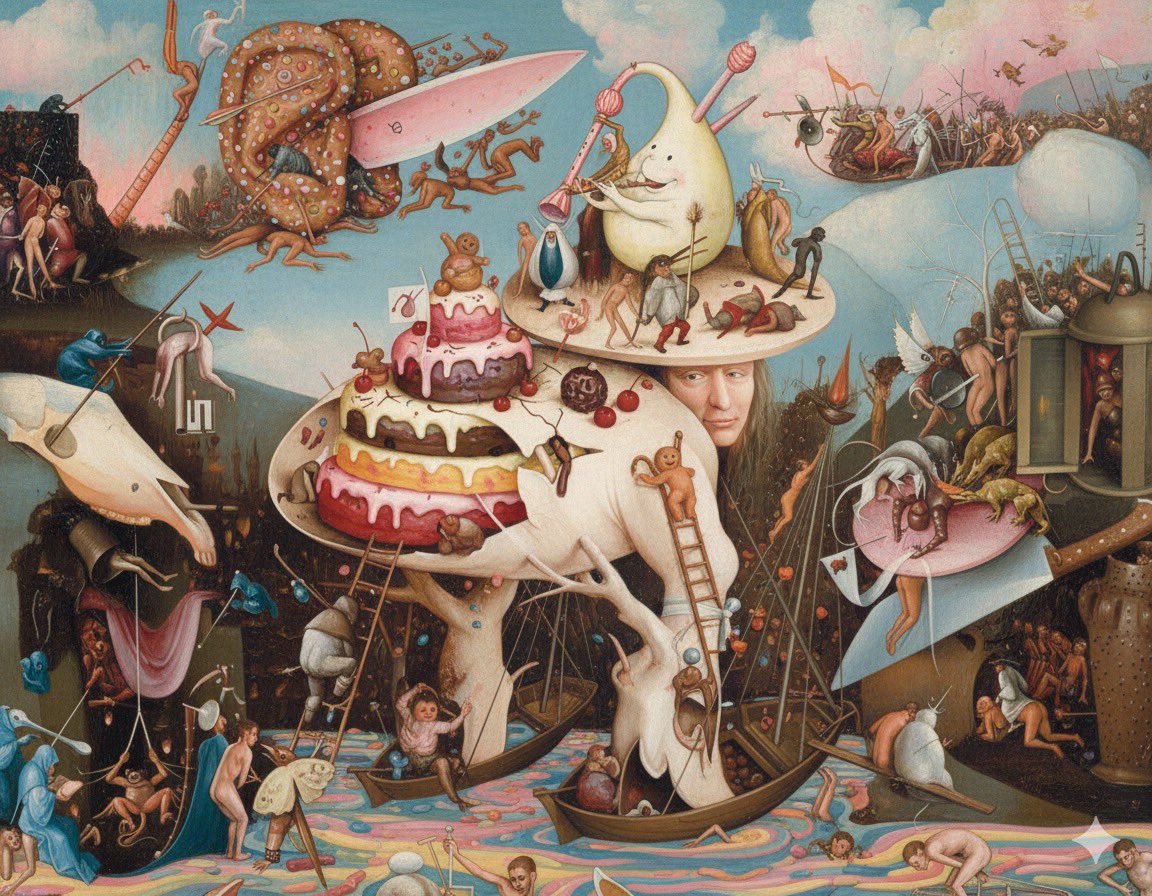
As a longtime Bosch enthusiast, I’m partial to this one:

Reminds me of the time in 2023 (i.e. 10,000 AI years ago) that I forced DALL•E to keep making images look more & more “cheugy”:

Spin me right ’round, Illustrator

I’m excited to check out this rather eye-popping new Illustrator feature, and I’m installing the beta as I type:

Another cool example:

My birthday gift: Ditching AI

My family, having seen so many of my AI-powered image generations over the last 3 years, is just utterly inured to them. So, for my MiniMe’s 16th, I sketched up the patriotic little HO-scale engine we’re getting him, along with a cute large ground squirrel (to quote the Dude, “Nice marmot”).

I feel like this is my micro version of when the world revolted against too-perfect Instagram culture, swinging towards Snapchat & stories, where “rough is real,” and flaws are a feature. In any case, my dude was happy as a clam—and that’s all that matters to me.

“A surrealist design engine no one asked for”

A while back, Sam Harris & Ricky Gervais discussed the impossibility of translating a joke discovered during a dream (“What noise does a monster make?”) back into our consensus waking reality. Like… what?

I get the same vibes watching ChatGPT try to dredge up some model of me and of… humor?… in creating a comic strip based on our interactions. I find it uncanny, inscrutable, and yet consequently charming all at once.

GPT-4o image creation is coming to Designer!

Having created 200+ images in just the last month via this still-new image model (see new blog category that gathers some of them), I’m delighted to say that my team is working to bring it to Microsoft Designer, Copilot, and beyond. From the boss himself:

StarVector: Text/Image->SVG Code

Back at Adobe we introduced Firefly text-to-vector creation, but behind the scenes it was really text-to-image-to-tracing. That could be fine, actually, provided that the conversion process did some smart things around segmenting the image, moving objects onto their own layers, filling holes, and then harmoniously vectorizing the results. I’m not sure whether Adobe actually got around to shipping that support.

In any event, StarVector promises actual, direct creation of SVG. The results look simple enough that it hasn’t yet piqued my interest enough to spend my time with it, but I’m glad that folks are trying.

Rive introduces Vector feathering

I really hope that the makers of traditional vector-editing apps are paying attention to rich, modern, GPU-friendly techniques like this one. (If not—and I somewhat cynically expect that it’s not—it won’t be for my lack of trying to put it onto their radar. ¯\_(ツ)_/¯)

Vibe-animating with Magic Animator?

I know only what you see below, but Magic Animator (how was that domain name available?) promises to “Animate your designs in seconds with AI,” which sounds right up my alley, and I’ve signed up for their waitlist.

ChatGPT reimagines family photos

“Dress Your Family in Corduroy and Denim” — David Sedaris
“Turn your fam into Minecraft & GTA” — Bilawal Sidhu

And meanwhile, on the server side:

Runway reskins rock

Another day, another set of amazing reinterpretations of reality. Take it away Nathan…


…and Bilawal:

Mystic structure reference: Dracarys!

I love seeing the Magnific team’s continued rapid march in delivering identity-preserving reskinning

This example makes me wish my boys were, just for a moment, 10 years younger and still up for this kind of father/son play. 🙂

Behind the scenes: AI-augmented animation

“Rather than removing them from the process, it actually allowed [the artists] to do a lot more—so a small team can dream a lot bigger.”

Paul Trillo’s been killing it for years (see innumerable previous posts), and now he’s given a peek into how his team has been pushing 2D & 3D forward with the help of custom-trained generative AI:”

Charmingly terrible AI-made infographics

A passing YouTube vid made me wonder about the relative strengths of World War II-era bombers, and ChatGPT quickly obliged by making me a great little summary, including a useful table. I figured, however, that it would totally fail at making me a useful infographic from the data—and that it did!

Just for the lulz, I then ran the prompt (“An infographic comparing the Avro Lancaster, Boeing B-17, and Consolidated B-24 Liberator bombers”) through a variety of apps (Ideogram, Flux, Midjourney, and even ol’ Firefly), creating a rogue’s gallery of gibberish & Franken-planes. Check ’em out.

Celebrating the skate art of Jim Phillips

If you’re like me, you may well have spent hours of your youth lovingly recreating the iconic designs of pioneering Santa Cruz artist Jim Phillips. My first deck was a Roskopp 6, and I covered countless notebook covers, a leg cast, my bedroom door, and other surfaces with my humble recreations of his work.

That work is showcased in the documentary “Art And Life,” screening on Thursday in Santa Cruz. I hope to be there, and maybe to see you there as well. (To this day I can’t quite get over the fact that “Santa Cruz” is a real place, and that I can actually visit it. Growing up it was like “Timbuktu” or “Shangri-La.” Funny ol’ world.)

Celebrating Saul Bass

It’s a real joy to see my 15yo son Henry’s interest in design & photography blossom, and last night he fell asleep perusing the giant book of vintage logos we scored at the Chicago Art Institute. I’m looking forward to acquainting him with the groundbreaking work of Saul Bass & figured we’d start here:

FlipSketch promises text-to-animation

We present FlipSketch, a system that brings back the magic of flip-book animation — just draw your idea and describe how you want it to move! …

Unlike constrained vector animations, our raster frames support dynamic sketch transformations, capturing the expressive freedom of traditional animation. The result is an intuitive system that makes sketch animation as simple as doodling and describing, while maintaining the artistic essence of hand-drawn animation.

AI fixes (?) The Polar Express

Hmm—”fix” is a strong word for reinterpreting the creative choices & outcomes of an earlier generation of artists, but it’s certainly interesting to see the divisive Christmas movie re-rendered via emerging AI tech (Midjourney Retexturing + Hailuo Minimax). Do you think the results escape the original’s deep uncanny valley? See more discussion here.

“Only Murders In The Building” titles

Somehow, despite my wife being a huge fan of the show over the last couple of years, I hadn’t previously seen the delightful titles for Only Murders In The Building:

Salon has a great article that goes behind the scenes with Elastic, which previously created titles for “Game of Thrones,” “Watchmen” and “Captain Marvel,” among others.

“The brief was this idea of a love letter to New York in a way and true crime and true crime podcasts,” Lisa Bolan, a creative director at Elastic, told Salon. “John really wanted to capture this romantic illustrative approach to New York, building on the magic of Hirschfeld and The New Yorker – illustrators who have abstracted New York in a way that’s beautiful and also speaks to these little glimpses of magic in the urban landscape.

“How To Draw An Owl,” AI edition

Always pushing the limits of expressive tech, Martin Nebelong has paired Photoshop painting with AI rendering, followed by Runway’s new image-to-video model. “Days of Miracles & Wonder,” as always:

AI in Ai: Illustrator adds Vector GenFill

As I’ve probably mentioned already, when I first surveyed Adobe customers a couple of years ago (right after DALL•E & Midjourney first shipped), it was clear that they wanted selective synthesis—adding things to compositions, and especially removing them—much more strongly than whole-image synthesis.

Thus it’s no surprise that Generative Fill in Photoshop has so clearly delivered Firefly’s strongest product-market fit, and I’m excited to see Illustrator following the same path—but for vectors:

Generative Shape Fill will help you improve your workflow including:

  • Create detailed, scalable vectors: After you draw or select your shape, silhouette, or outline in your artboard, use a text prompt to ideate on vector options to fill it.
  • Style Reference for brand consistency: Create a wide variety of options that match the color, style, and shape of your artwork to ensure a consistent look and feel.
  • Add effects to your creations: Enhance your vector options further by adding styles like 3D, geometric, pixel art or more.

They’re also adding the ability to create vector patterns simply via prompting: