- Terrific aerial photo of farm combines from Jim Richardson. Check out Jim’s behind-the-scenes post. (And Safari-using photo nerds, note the huge color shift when viewing one version of the image vs. the other. It kills me that Web developers refuse to “get” color mgmt. in any reasonable way.)
- Tips (including a video) on doing complex multi-photo layouts using only Lightroom.
- Chinese pigeons take a cue from Iranian missiles. [Via]
- Long exposures of bugs under a street light. (45 sec)
- Cool photos from Shuttle Endeavour’s visit to the International Space Station. (I especially love this one.)
- MIT researchers create photo-sensitive fabric. (Future: Photog takes pix of clothes taking pix of photog…?)
Category Archives: From Twitter

(rt) Illustration: AT-ATs, optical illusions, & more
- Here’s an awesome “Oakland AT-AT” t-shirt. I love those things (both kinds). (via @5tu)
- Vandelay Design rounds up 30 Text Effect Tutorials for Illustrator. Lots of neat ideas here, and I especially like the “Vibrant 3D Pixel Type Treatment.”
- The Daily Mail shows a set of garage doors as optical illusions. (I’m a sucker for folding-wing F/A-18’s myself.) Get ’em here. [Via]
- What’s on Earth Tonight? If extraterrestrials are monitoring our TV broadcasts, here’s what they’re seeing. [Via]
- RT @khoi: Illustrator S. Britt’s homepage violates all rules of good Web navigation-but it’s so good.
- Fast Food Mafia presents mascots as gangsters. (Click for the higher-res version.) [Via]
- What Apple’s web site would have looked like if the Internet existed in 1984. (via @davecross)
- Teehan + Lax have created a new PSD to facilitate designing for Palm Pre. (They’re the same guys who made the iPhone GUI PSD.)
(rt) Useful utilities
- Disk Doctors Photo Recovery promises to recover lost/deleted PSD files.
- Brush Pilot (Mac) offers fast preview of Photoshop brushes. See also Preset Viewer for Windows.
- Cool color utility ColourGrab shows hex values for dominant colors in Web images. [Via Mark Coleran]
- ColoRotate presents color harmonies via a 3D widget. They’re planning to release a Flash panel for CS4 apps.
(rt) Illustration: Amazing light paintings & more
- Jan Wöllert and Jörg Miedza create amazing long-exposure light paintings.
- Creative Suite icons done via human pixels from Italy. (via @jdowdell)
- Free 3D models from NASA; can be loaded into Photoshop Extended. (via Pete Falco)
- Finally an Illustrator tutorial that takes advantage of warping tools + blending modes, not just c1990-era stuff: Creating an MRE package.
- “404 Humor Not Found”: fun error pages. More here. (via @gridirondaniel & @inspiredm)
- A personal ad in infographic form: My kind of girl!
- Nicknames for famous corporate logos. (My fave: “Two and a Half Hotdogs”)
- Simple, powerful book cover design for “Busted.”
(rt) Photography: Mesmerizing HD video, B-Boys, & more
- HD video of the Kuroshio Sea aquarium, shot with Canon 5D MkII 5DMKII (via @mikegee)
- Awesome (if you’re an old Beastie Boys fan): a photographic history of the Paul’s Boutique corner. (via @khoi)
- Yucks:
- What would happen If Celebrities Moved to Oklahoma, via Photoshop? (My wife is an OK escapee.)
- The Onion: “17-Year-Old Thinks She’s Getting Into Photography“.
- Regarding Nikon ads: “I don’t get this whole ‘I’m Ashton Kutcher and you should care what my goofy ass is doing’ thing.” — my wife.
- Use Google Images without violating copyright. CreativePro.com features tips on using it to find royalty-free imagery.
- Ugh: NY Times was burned by digital photo manipulation. See also their comments.
- Chipmunks vs. Star Wars? (You were a good smuggler once; now you’re just ‘munk fodder…)
- Tips (including a video) on creating complex multi-photo layouts using only Lightroom.
(rt) Type: Clever logos, tiny letterpress, & more
- Hope & Fear, nicely typeset
- TypeInspire: Typographical inspiration o’ the day (via @motionographer)
- Super cool tiny letterpress books
- Logo Inspiration With Clever Typography (via @bbb_999)
(rt) Photography: Masses of humanity, Star Wars, and more
- Portrait of an eye made from human figures [Via Mark Coleran]
- NY Times gallery: Michael Wolf photos of impersonal Chicago skyscrapers & inhabitants. [Via Stephen Shankland]
- Mahmoud Ahmadinejad sucks at Photoshop. [Via @rufusd]
- Fashion mags try going makeup- and Photoshop-free. [Via Tom Hogarty]
- Star Wars-flavored:
(rt) Illustration: Man vs. tank, Pixar vs. Dreamworks, & more
- Can one commission Chinese artists to batch-paint the Tiananmen “tank man”? One man tries.
- The iPhone GUI PSD has been updated for iPhone 3.0. Way to go, guys! [Via Mark Coleran]
- I like the idea of a Lego Remote: The cartoon is similar in spirit to Adobe Configurator.
- “There is bad taste and then there is this“–the new MSFT Bing logo. [Via Mark Coleran]
- Oof–a probably unfair but funny Pixar vs. Dreamworks smackdown. (via @5tu)
- I had a little weekend fun with Illustrator’s Live Trace feature.
(rt) Illustration: PS Playboy, World War III, and more
- Photoshop named Playboy’s “Employee of the Month.” [Via Michael Ninness]
- Optical illusion pavement art: giant hole in bike path. [Via Stephen Shankland]
- Killer hair-based illustration o’ the day [Via Mordy Golding]
- “Someone Tweeted!” Check out these WWIII Propaganda Posters.
- Would you trust this man to draw on your face? If so, that makes one of us. (And yes, the girl turned out to be lying.)
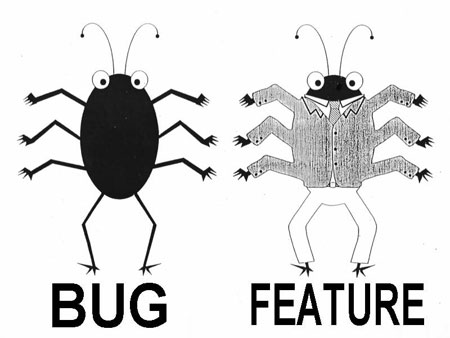
- What’s the difference between a bug and a feature?

(rt) Tips: Useful bits for PS, AI, etc.
The majority of my blog readers don’t follow me on Twitter, and I’m not sure how many folks look at the tweet-feed embedded at right. Therefore it seems worth wrapping up some previously tweeted (but unblogged) links. I’m thinking I’ll flag these posts with “(rt)” in the subject line, so that you can ignore them if you already follow the Twitter feed. If you have any other suggestions, I’m all ears.
- Layers Magazine offers 100 Wicked Tips for Lightroom & CS4 apps. I learned a bunch of good stuff.
- Photoshop nuggets:
- Photoshop tip: Cmd-click the New Layer button to create layer behind current one. [Via Cristen Gillespie.]
- Photoshop CS4 tip: While zoomed in, hold down H while clicking anywhere. Move the square elsewhere & release. Kapow! [Via @gpenston]
- “Does CS4 strip lens metadata like CS3?” No. Save for Web now gives you choices. Select “All” to preserve lens data.