As always, I love hearing from craftspeople of every stripe on how they bring amazing things into the world:
Monthly Archives: June 2026
Animating history: 130 paper cutouts capture the Knicks triumph
In a world of easy slop, real passion, effort, and perspective still shine through:
130 paper cutouts of OG Anunoby’s tip-in for the New York Knicks (aka the greatest play in NBA Finals history ) pic.twitter.com/xximtdV61e
— Rudy Willingham (@RudyWillingham) June 18, 2026
Of beat labs & photo shoots
It’s always cool to see how creators are embracing new tools:
- Flow Music and Believe bring next-gen tools to artists: “We’re teaming up with the global artist development company Believe to bring Google Flow Music and Lyria 3 Pro directly to artists.”
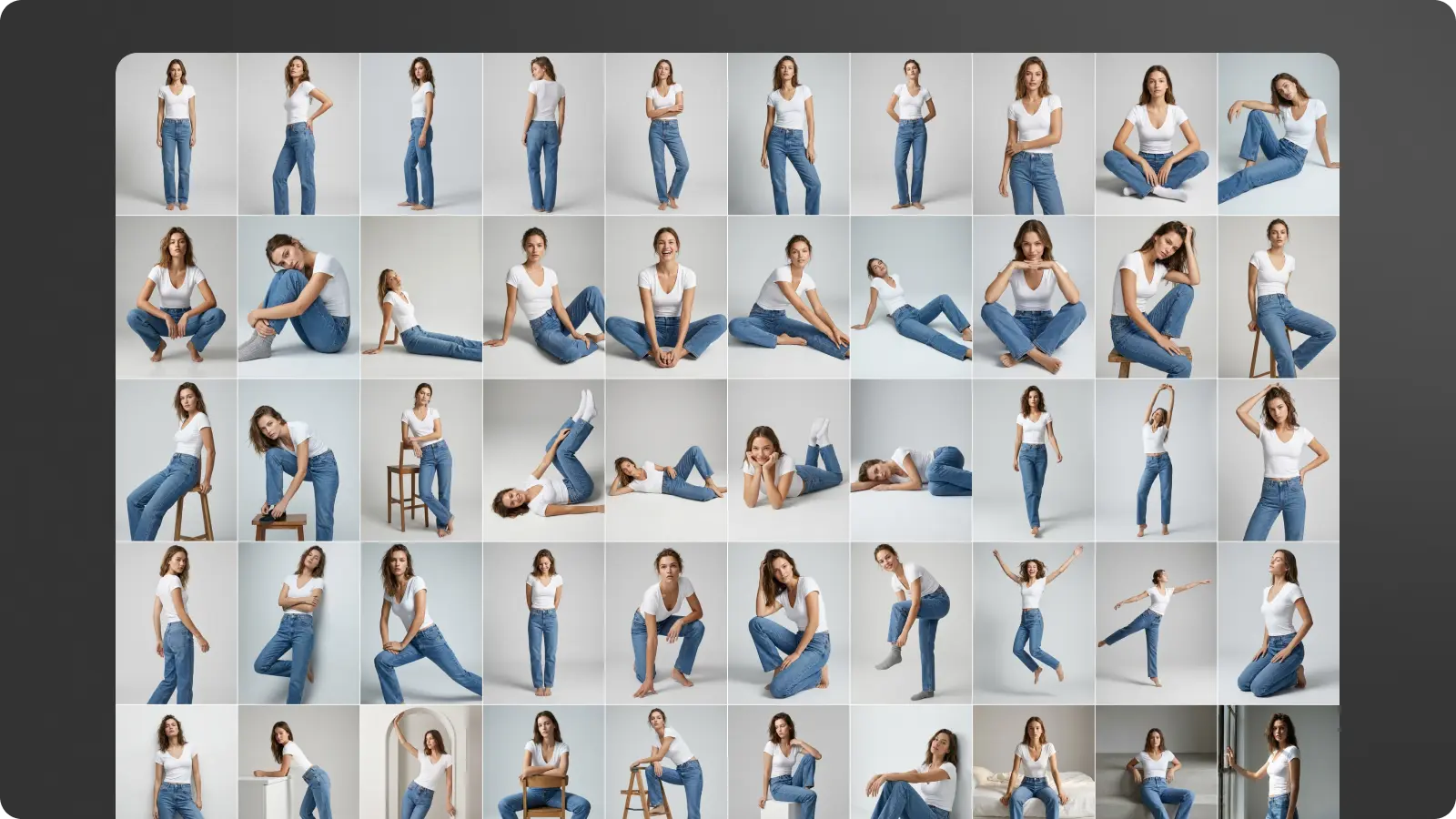
- Accelerating fashion photo production with Gemini 3 Pro Image: “AddGlow helps fashion brands and retailers bypass the logistical bottlenecks of traditional photoshoots, providing a retail-specific dashboard specifically designed for enterprise-scale creative production.”

Quick tour: Creating Flow tools with natural language
My teammate Anika & I got to meet the other day with a really big creative brand the other day (more details to share soon, I hope), and they got excited about delivering super focused, relevant experiences for their customers by building on the Flow agent & apps. Here’s Anika offering a concise tour of how to create, share, and remix the latter:
With Google Flow Tools, you can now use natural language to create bespoke tools and workflows.
In this video, you’ll see how you can:
Explore and try the various Tools within Google Flow
Remix a tool to make it even more relevant for your unique workflow
Create your… pic.twitter.com/uW7hY3Sdfd— Google Flow (@FlowbyGoogle) June 18, 2026
Behind the scenes: How Skydio builds drones
“Everyone loves love,” as they say. I’ve noted many times just how much I enjoy people enjoying their work—and that pride & purpose clearly come through in this brief glimpse into the making of Skydio drones.
Skydio makes more drones than any other company in America, and it builds all of them inside one factory in Hayward, California. In this episode we go onto the floor with co-founder and CEO Adam Bry to see exactly how the Skydio X10 comes together, from a pile of thousands of parts to a finished autonomous drone that thinks more like a flying robot than a traditional quadcopter.
You will see the steps most companies never show. Skydio waterproofs the critical electronics with a nanocoating process so the X10 can fly in the rain, fuses the drone arms together using high frequency ultrasonic welding, and hand solders the motor wires onto the power board. Inside the chassis sit an NVIDIA CPU and GPU plus a Qualcomm chip running the camera feeds, all stabilized by a custom gimbal that keeps the camera locked while the drone fights wind in the air. Then comes the part that matters most. Every single drone gets pushed through a brutal burn-in stress test, flown by hand, and run through a calibration robot before it is ever allowed to ship.
“Google Just Turned Street View Into a Video Game”
As Bilawal puts it,
At Google I/O 2026, DeepMind shipped Maps Imagery Grounding for Genie 3 — their real-time world model can now generate interactive 3D worlds conditioned to any of the 280 billion Street View images Google has captured over 20 years. Pick a location on Google Maps, choose a style, drop in a character, and walk around.
Check out his accessible & illuminating tour of the new tech:
Aleph 2.0 uses Nano Banana for precise video transformation
Wonder Twin powers, activate:
Introducing Runway Aleph 2.0.
Edit videos using AI, keeping camera and motion all consistent.
Select specific frames in your video to reprompt with GPT Images 2.0 or Nano Banana 2, then apply it to the entire video.
Here’s my full tutorial: pic.twitter.com/csCZ8KLal1
— Jerrod Lew (@jerrod_lew) May 27, 2026
Omni Teapot
My 16yo is lowkey impressed that at Adobe I got to work with Utah Teapot creator Martin Newell. At this point, anything that impresses a teen is very welcome. 🙂
I wonder what he’d think of Gemini Omni turning real teapots into geometry just by saying the word:
Speedy document scanning via Drive
Approximately 2000 years ago (give or take a couple orders of magnitude), we shipped a cool Crop & Straighten feature in Photoshop. It enabled putting a bunch of images into a flatbed scanner (talk about words I haven’t typed in decades) and automatically turn them into individual images (“Lift & Separate,” as PM Karen Gauthier cheekily dubbed it).
Along those lines, but with radically more smarts & speed, check out what you can now do in the Google Drive app (who knew?):
We made scanning multiple documents super easy with the new Document Scanner in @googledrive .
Flip through the pages of a book or lay your receipts out on a table and our Document Scanner will identify, separate, and capture each page within the camera view. Scanner detects… pic.twitter.com/7x9a8NJnxJ
— Chandu Thota (@ChanduThota) June 9, 2026
Relighting video with Omni in Flow
Sometimes it’s the seemingly simplest applications of tech that can be the most repeatably powerful. Here’s a quick demo of using a simple sketch of a lighting layout to direct Google Omni Flow in relighting an in-studio video:
Looks like you can relight a scene according to a top-down lighting diagram. @FlowbyGoogle pic.twitter.com/bVV280pM7F
— László Gaál (@laszlogaal_) May 22, 2026
Puppetry + AI FTW: Behind the Scenes with Timmy TPU
I love the blend old-school puppetry, 3D animation, Gemini Omni, and the latest experimental video tools that went into creating TPU Training Day, the short film that debuted during Google I/O 2026.
I know you’ve heard it a million times, but it bears repeating: AI isn’t a substitute for human creativity, or in many cases even for traditional techniques. It’s just a whole new toolbox that can multiply our expressive powers.
And here’s the film itself:
Check out Google Flow Agent
Did I have “Google makes cool, extensible, AI-powered creative tools” on my 2026 Bingo card? I did not—and I’m happy to be wrong! Check this out:
Introducing Google Flow Agent
Google Flow Agent can help you plan and reason through complex creative tasks with your inputs, all while under your control.
It’s built with Gemini models and brings a deep understanding of your project to help with everything from early… pic.twitter.com/e1qnNNuFYh
— Google (@Google) May 29, 2026
According to the docs, you can use the Agent to:
- Brainstorm and plan: Chat with the Agent to outline storyboards, develop visual mood boards, and turn high-level concepts into actionable prompts.
- Generate new media: Ask the Agent to generate videos or images and select the best model to generate with.
- Edit assets directly: Ask the Agent to edit selected media from your project.
- Batch generate: Ask the Agent to create multiple variations of an asset at once.
- Organize your assets: Ask the Agent to rename specific files, group selected media into a new Collection, or archive unused assets.
- Add context & references: Drag media into the Agent prompt box from your device or project. You can also select multiple assets and let the agent know which media you are referring to.
“The Craziest Mapping Breakthrough Since Google Maps”
As usual my buddy Bilawal provides a detailed yet accessible overview of new 3D developments, including glTF adding support for Gaussian splatting: