Monthly Archives: April 2026

How to get the most from Nano Banana

My new teammates have posted a series of detailed tips & tech specs (e.g. you can upload as many as 14 images together with a prompt). Check it out!
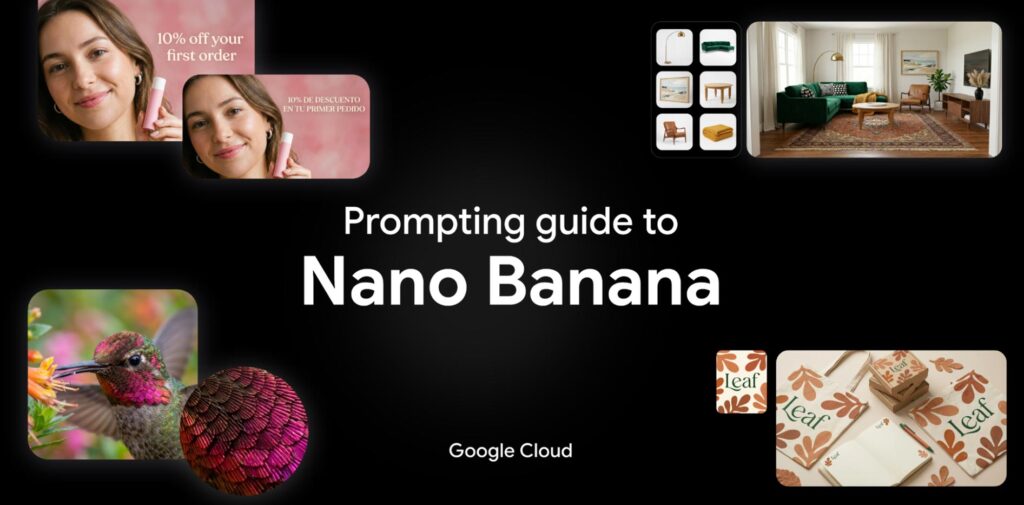
1. Introduction to Nano Banana

  • The Models: Overview of Nano Banana 2 (powered by real-time web search) and Nano Banana Pro (built for high-end reasoning).
  • Core Strengths: Deep reasoning capabilities, accurate visual rendering, and premium features like text rendering and upscaling (2K/4K).

2. Technical Specs at a Glance

  • Context Windows: Up to 131,072 input tokens for Nano Banana 2.
  • Versatility: Supports multiple aspect ratios (from 1:1 to 21:9) and up to 14 reference images in a single prompt.
  • Safety: Built-in SynthID watermarking and C2PA credentials for responsible AI use.

3. Best Practices for Prompting

  • Be Specific: Focus on concrete details regarding subject, lighting, and composition.
  • Positive Framing: Describe what should be there (e.g., “empty street”) rather than what shouldn’t.
  • Director’s Perspective: Use cinematic terms like “low angle,” “bokeh,” or “aerial view.”

4. Five Powerful Prompting Frameworks

  • Image Generation: Using the [Subject] + [Action] + [Context] + [Style] formula.
  • Image Editing: Utilizing “Semantic Masking” to change specific parts of an image via text.
  • Real-Time Data: Leveraging web search to create visuals based on current events or weather.
  • Text Rendering: How to get legible, localized text in over 10 languages within your images.
  • Creative Direction: Advanced tips for controlling lighting (e.g., Chiaroscuro), camera hardware (e.g., GoPro vs. Fujifilm), and film stock.

5. The Creative Ecosystem

  • How to combine Nano Banana with other models like Gemini (for prompt engineering), Veo (for video keyframes), and Lyria (for AI soundtracks).
Photoshop, 3D, and redemption

“Being early is the same as being wrong.” — Marc Andreessen, Vol. ~900

We put 3D into Photoshop nearly 20 years ago, and it got used by nearly 20 people total, lol. For many of the past several years, it was on the team’s “gotta throw overboard, as soon as we can find time” list—but happily that time was never found.

I am so glad to see this foundation now finding a meaningful niche, and I have high hopes for its generative future. Posing a person or thing directly is so much more intuitive than trying to precisely describe an outcome via prompt, and simple 3D manipulation + generative rendering could well deliver game-changing best of both worlds.

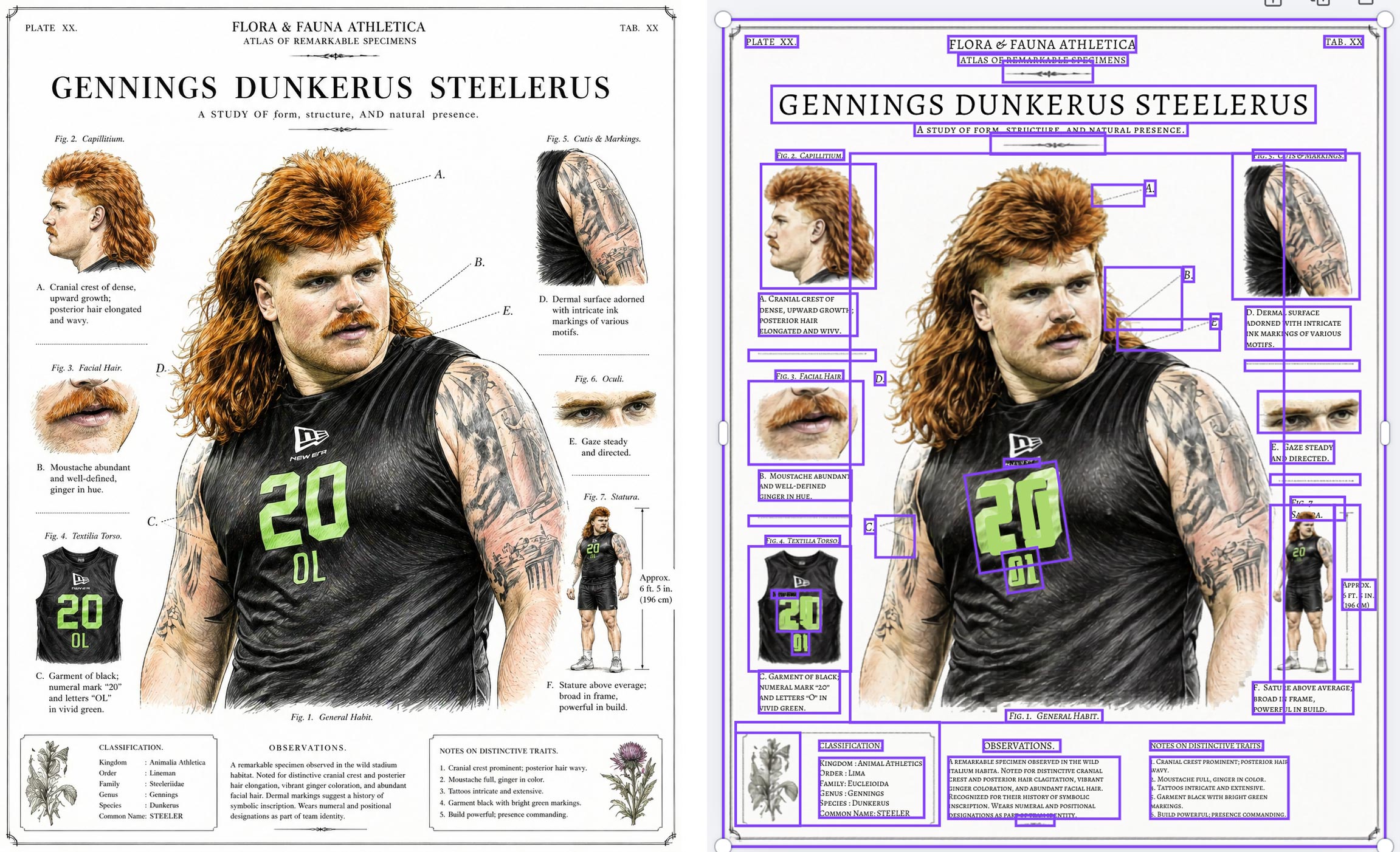
Canva’s new Magic Layers converter is really impressive

As generative imaging models like Nano Banana get increasingly adept at rendering text-heavy layouts, the ability to convert those layouts into native text/image compositions is of course hugely valuable for editing. Check out Canva’s new Magic Layers feature:

I couldn’t resist trying it out with a silly infographic I made using the new ChatGPT image model, and dang if it didn’t do a pretty a great job:

“LooseRoPE” promises super intuitive illustration & compositing

Man, it must be nearly 20 years ago that we started envisioning drag-and-drop-simple composition and compositing in Photoshop—back when gradient-domain painting & blending was the emerging hotness. After plenty of false starts, could these simple interaction patterns finally become mainstream? Maybe! I must know more of this witchcraft:

A love letter to the Chicago lakefront

My mom and her sisters (all with the skin tone 255/255/255) spent way too many days turning themselves into rotisserie chickens here over the years. That’s one of millions of stories, ranging from shipwrecks to chicanery, plucky birds to an African American rodeo scene, that have unfolded along Chicago’s amazing lakefront. Having grown up in Illinois & visited hundreds of times over the years, I really enjoyed this tour from WTTW & Geoffrey Baer:

Recent 3D hotness from Apple & Microsoft

Apple’s LiTo can generate Gaussian spalts with realistic view-dependent rendering:

Meanwhile Microsoft’s open-source Trellis tech promises super fast 2D-to-3D conversion:

You can now verify Google AI-generated videos in the Gemini app

You can now check if a video was edited or created with Google AI directly in the Gemini app.

Just upload a video and ask something like, “Was this generated using Google AI?” Gemini will scan for the imperceptible SynthID watermark across both the audio and visual tracks and use its own reasoning to return a response that gives you context. For example, it might say: “SynthID detected within the audio between 10-20 secs. No SynthID detected in the visuals.”

Uploaded files can be up to 100 MB and 90 seconds long.

Scout with Maps, animate with Veo

Check out this super cool mashup between Google Maps & my new product, Veo (video generation):

The team writes,

With Maps Imagery Grounding, a film studio can use a laptop to quickly visualize a scene at a specific place, like Washington Square Park in New York City—before scouts ever set foot on set. It’s easy to use: just type a prompt like “generate an image of a futuristic spaceship hovering in front of the Washington Square Arch” into the Gemini Enterprise Agent Platform and enable grounding with Google Maps Imagery in settings. In seconds, you can storyboard your creative vision with an accurate image—and you can even use Veo to animate the scene.

Google Photos adds touch-up features

My first week at Google in 2014, I was asked to send a company-wide dogfood email about automatic teeth whitening in Photos. We got draaaaaged hard by offended Googlers, & the feature never launched.

The important lesson: cosmetic stuff can be welcome, but only as opt-in, not as AI-imposed judgement of your appearance. I used to liken the difference to my wife walking through a department store & being offered a makeover by a beauty products salesperson—versus that person simply grabbing her & forcibly applying the makeup (!).

In any case, now you can opt into using these features in Photos (only on Android at the moment, it appears):

You could have a steam train…

Despite—or perhaps because of—growing up without MTV (I know, the Gen X horror...), I’ve always had a real fascination with the video for Peter Gabriel’s Sledgehammer. Check out its rad zoetrope picture disc incarnation:

And, because why not, it’s Friday & you deserve nice things, here’s the original vid:

“AI will never suffer from bipolar disorder and autism like me”

Spending four minutes listening to Diplo’s thoughts on how art will be made going forward, and specifically on the value of quirky, messy, world-experiencing humans will be a good use of your time, I promise. The machine needs us ghosts.

“A rare look at how Hollywood is already using AI”

I’ve been sending this video to friends & family to explain what the heck it is I actually, y’know, do for a living. (It’s somehow related to enabling all this!)

Here’s a good summary from Gemini:

  • Digital Clones for A-listers (0:33–1:56): The Creative Artist Agency (CAA) is helping actors create and store secure digital doubles of their likeness and vocal inflections. This serves as a “vault” to protect their intellectual property and assert rights against unauthorized use.
  • Deep Voodoo’s AI Innovations (2:15–3:54): Founded by Trey Parker and Matt Stone of South Park, this studio uses proprietary facial scanning and AI to perform tasks like real-time de-aging for projects like the TV series Before and Billy Joel‘s recent music video.
  • Production Efficiency and Ethics (6:03–7:40): Director Darren Aronofsky and filmmaker Eliza McNitt utilized Google’s Veo 3 model for the short film Ancestra. AI allowed them to create complex cosmic visuals and even recreate a newborn baby digitally to avoid the ethical concerns of filming with a real infant.
  • Commercially Safe AI Tools (8:00–9:10): Asteria Film Company, co-founded by Natasha Lyonne and Bin Moser, focuses on building “commercially safe” AI models trained strictly on licensed materials to avoid copyright infringement, emphasizing that learning to use AI is an essential skill for modern filmmakers.
  • The Human Element (4:48–5:13): Despite the rapid evolution of AI, industry unions like SAG-AFTRA emphasize that human performers bring a unique, special quality to projects that algorithms cannot replicate, advocating for guardrails to ensure AI serves as a tool for creators rather than a replacement.

Veo & the making of “Ancestra”

Honestly, in taking my new role at Google & working to bring Veo and other models to creators, it’ll likely be hard to focus on the more boring bits (which, as with every job, will certainly be there) when storytellers like Darren Aronofsky & Eliza McNitt are pushing the limits of the tech & all I want to do is dive in up to my eyeballs. 🙂 But, as they say, that’s a good problem to have, and I look forward to learning more over time.

Meanwhile, check out this look into the making of ANCESTRA, made by Eliza (and team) about her own birth:

Here’s the film itself:

No Star Wars? No Photoshop.

The last time I visited Industrial Light & Magic, Russell Brown & I grabbed lunch with Photoshop co-creator John Knoll. As they’d just retired a bunch of bulky rendering hardware, John was busily removing the fascia (adorned with Imperial logos) and adding decorative blinkenlights, creating some pretty exceptional décor for his office.

I was reminded of this seeing Russell share this 1-minute history of how John’s work at ILM proved to be crucial in his & Thomas’s creation of Photoshop:

Here’s the full episode

00:00 Cold Open — AI, Creativity & The Big Question
00:50 Welcome to Creative Outsiders
01:09 Introducing Russell Brown (“Doc”)
02:00 Photoshop Origins: ILM, Star Wars & The Abyss
06:55 The “Holy Sh*t Moment” — Taking Control of Images
11:10 From Rub-Down Type to Digital Creativity
12:05 Where Creativity Comes From
16:00 Becoming the Best at What You Love
18:15 Enter AI — Tool or Threat?
24:00 The Future of Photography & AI Workflows
30:15 Creating Films with AI & Storyboarding
34:00 The Ethics of AI in Photography
37:00 AI for Pre-Visualization (Not Replacement)
43:00 From Photoshop Fear to AI Fear
44:30 Why Russell Shoots on iPhone
48:00 Simplicity, Constraints & Creativity

And just in case you’re curious, here’s John recreating the first demo of Photoshop, some 20 years after the fact (which is itself now 16 years ago, OMG…):

Big news: I’m back at Google!

Hey gang—I am beyond delighted to say that I’m returning to Google, taking a Cloud AI PM role focusing on generative media!

As Paul Simon told us, “These are the days of miracles and wonder”—and I wonder at my amazingly good fortune getting to help shape these miracles.

Ever since 2000, I’ve focused my PM career on “unblocking the light,” helping people make the world more beautiful and fun. From Photoshop to Google Photos to M365, I’ve loved learning what truly matters to creators. Nothing beats zeroing in on real needs, then marshaling some big giant brains to deliver everything from big breakthroughs to crafty little mint-on-the-pillow delights.

Returning from last fall’s Adobe MAX, I summarized attendees’ vibe as “Overwhelmed, But Optimistic.” Now the pressure—and privilege—is to turn that optimism into action.

There’s so much I don’t yet know about this role—but what I know for sure is that I can’t do it alone.

I know I need you.

As we all navigate this bewitching, bewildering time, let’s stick together. Please keep me honest, grounded in knowing just what you need—and what you don’t. That way I can advocate accordingly, helping Google focus on exactly what’ll benefit you most.

Questions & ideas for collaboration are always most welcome: [last name @ employer dot com]. And in the meantime I’ll keep sharing my most interesting finds on the ol’ blog—especially in the burgeoning AI/ML category.

And with that, friends, here we go!

Photo history: How NASA trained moonwalkers to shoot

I love behind-the-scenes little insights like these. Click or tap as needed to see the full post:

Phota launches, promising maximum identity preservation

Phota—about which I expressed some initial misgivings, given its ability to rewrite memories—has launched Phota Studio & their API. From what I can tell, it builds upon a Nano Banana foundation and adds personalization that relies on uploading dozens of images of each individual in order to maximize identity preservation:

With Phota, for the first time, you can generate, edit, and enhance photos while keeping your identity intact, every time.

We’re not building a generic foundation model. We build personal models about you, and about the people and pets around you. At the center are profiles, built from your personal album that learn the details of your appearance that make you recognizable as yourself: how you smile, your eye color, and how your face looks from different angles. Your personal model is private and only used by you.

Here’s a quick thread in which I tried inserting myself into a couple of images, using both Phota’s model (which depended on my uploading 30+ images of myself) and just Nano Banana straight out of the Gemini app:

Inside the design of “Project Hail Mary”

I love love love the attention to detail that Phil Lord and Christopher Miller brought to the film. Check out the lengths they & their crew went to on everything from devising rotating lights for the inter-ship tunnel (conveying constant rotation) to nailing film grain. And I love the exuberance & generosity of creators in sharing so many insights into design & process.

FreePik enables 3D photo shoots

I love seeing progress like this: upload a product pic, convert it to 3D, and photograph it on a virtual set: