How would one go about popping the iconic ol’ gal off her background to display her in 3D? That’s just one of the numerous challenges faced by the artists who enabled seeing new & up-close angles on the piece. Check out the quick tour:


Instead of squeezing models down to a couple of megs & constraining rendering to what a phone alone can do, what if you could use a full-power game engine to render gigabyte-sized models in realtime in the cloud, streaming the results onto your device to combine with the world? That’s the promise of Nvidia CloudXR (which looks similar to Microsoft Azure Remote Rendering), announced this week:
[YouTube]
Check out this video on your compatible iPhone or Android device to don the horns & makeup of this shady lady, powered by the augmented reality tech my team has been building.
Watch @TamangPhan turn herself into the Mistress of Evil and see yourself as Maleficent with our new augmented reality technology! → https://t.co/zfMJF9MV3X#Maleficent pic.twitter.com/XgtLzupEw0
— YouTube (@YouTube) October 14, 2019

[YouTube]
…and got 3D-captured via Google’s volumetric scanning array. “Days of Miracles & Wonder,” part 9,217…
(Tangential reminder: You can build hand tracking into your mobile app right now using tech from my team.)

[YouTube]
Much like his big bro did last year (see below), our son Henry stepped up to el micrófono to tell tales of meteorological mayhem. It took a village, with mom scoring a green-screen kit from her Adobe video pals & me applying some AR effects created by my talented teammates.
Here’s a behind-the-scenes peek at our advanced VFX dojo/living room. 😌

“With great power…” I’m pleased to see some of my collaborators in augmented reality working to help fight deceptive content:
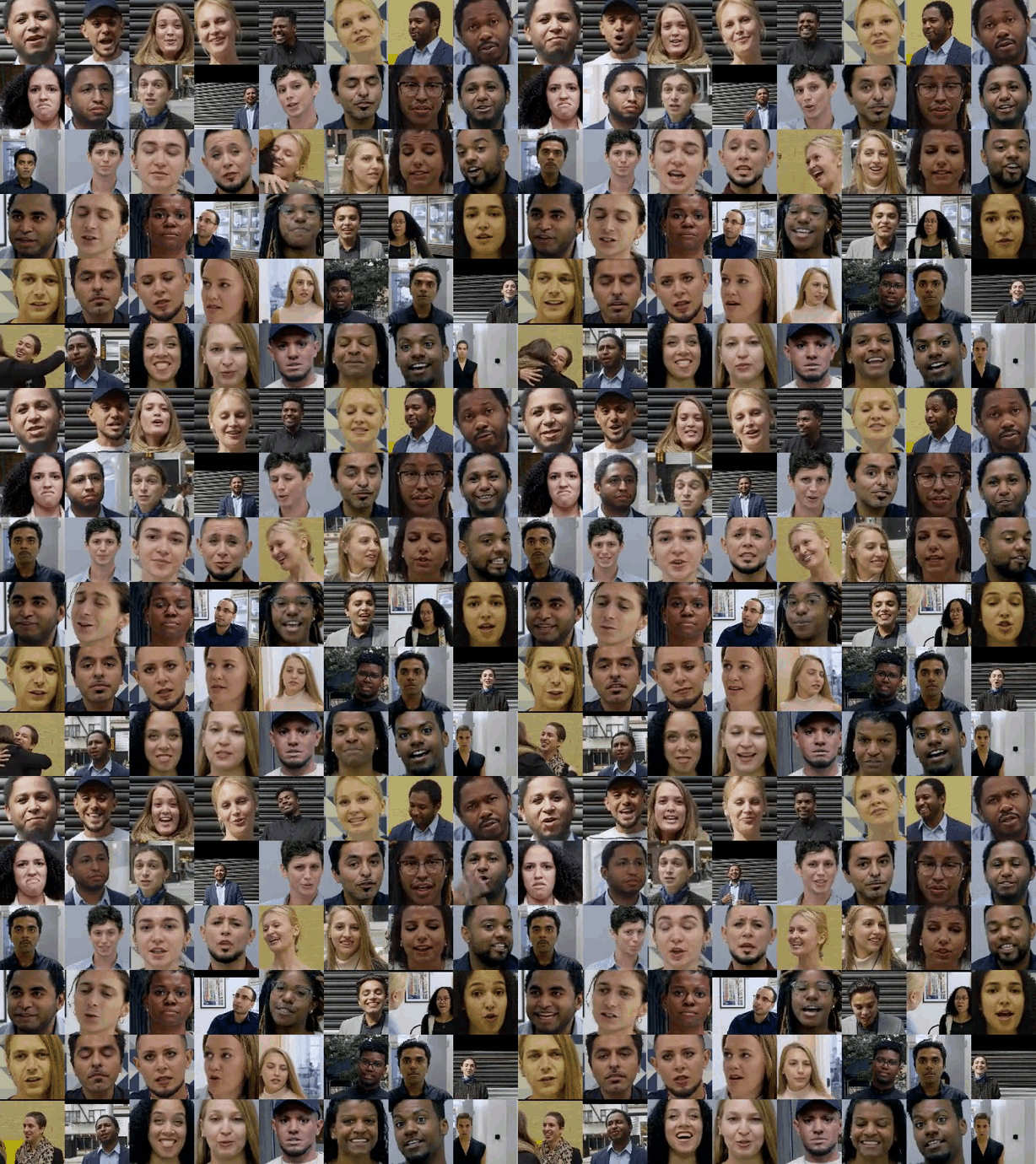
To make this dataset, over the past year we worked with paid and consenting actors to record hundreds of videos. Using publicly available deepfake generation methods, we then created thousands of deepfakes from these videos. The resulting videos, real and fake, comprise our contribution, which we created to directly support deepfake detection efforts. As part of the FaceForensics benchmark, this dataset is now available, free to the research community, for use in developing synthetic video detection methods.

Potentially cool idea:
Onyx puts the world’s smartest trainer in your pocket. With just the camera on your phone it counts your reps, corrects your form, brings tracking to nearly any exercise, and provides audio workouts personalized to your performance in real time.
[YouTube]
Looks fun, though I have no idea how to create these; “open the app to the camera, navigate to the 3D option option in the dropdown menu, and voila:
The Verge writes,
Starting today, people with an iPhone X or newer can use “3D Camera Mode” to capture a selfie and and apply 3D effects, lenses, and filters to it.
Snap first introduced the idea for 3D effects with Snaps when it announced its latest version of Spectacles, which include a second camera to capture depth. The effects and filters add things like confetti, light streaks, and miscellaneous animations.
[YouTube]
Look Ma, no depth sensor required.
People seem endlessly surprised that one is not only allowed to use an iPhone at Google, but that we also build great cross-platform tech for developers (e.g. ML Kit). In that vein I’m delighted to say that my team has now released an iOS version (supporting iPhone 6s and above) of the Augmented Faces tech we first released for ARCore for Android earlier this year:
It provides a high-quality, 468-point 3D mesh that lets users attach fun effects to their faces — all without a depth sensor on their smartphone. With the addition of iOS support rolling out today, developers can now create effects for more than a billion users. We’ve also made the creation process easier for both iOS and Android developers with a new face effects template.
Here’s a quick overview from my teammate Sam:

[YouTube]
Neat idea from El Pollo Loco + Snapchat:
El Pollo Loco… is looking to bring back lost Latino-themed murals in downtown Los Angeles, if only in virtual form. Beginning Sunday, open the Snapchat smartphone app, tap on the background to activate the World Lenses feature, and point the phone at the now blank wall. With that, the old murals come back to life on the screen.


[Via]
I know this will seem like small beans—literally—but over time it’ll be a big deal, and not just because it’s an instance of the engine I’m working to enhance.
Through Lens, you’ll get meal recommendations based on your tastes, dietary preferences, and allergies, along with a personalized score for products like Uncle Ben’s Ready Rice, Flavored Grains, Flavor Infusions, and beans.
VentureBeat goes on to note,
The growing list of things Lens can recognize covers over 1 billion products… The new feature follows a Lens capability that highlights top meals at a restaurant and a partnership with Wescover that supplies information about art and design installations. Lens also recently gained the ability to split a bill or calculate a tip after a meal; [and] to overlay videos atop real-world publications.
Check out the latter, from a couple of months ago. As I say, big things have small beginnings.
Unlock exclusive #NBAFinals content with Google Lens when you scan the Warriors or Raptors logo! Here's how: https://t.co/OOX0ckNy0o pic.twitter.com/fMhkauQcSY
— NBA (@NBA) May 31, 2019
CNET writes
The app, called Notable Women, was developed by Google and former US Treasurer Rosie Rios. It uses augmented reality to let people see what it would look like if women were on US currency. Here’s how it works: Place any US bill in front of your phone’s camera, and the app uses digital filters — like one you’d see on Instagram or Snapchat — to overlay a new portrait on the bill. Users can choose from a database of 100 women, including the civil rights icon Rosa Parks and astronaut Sally Ride.
[YouTube]
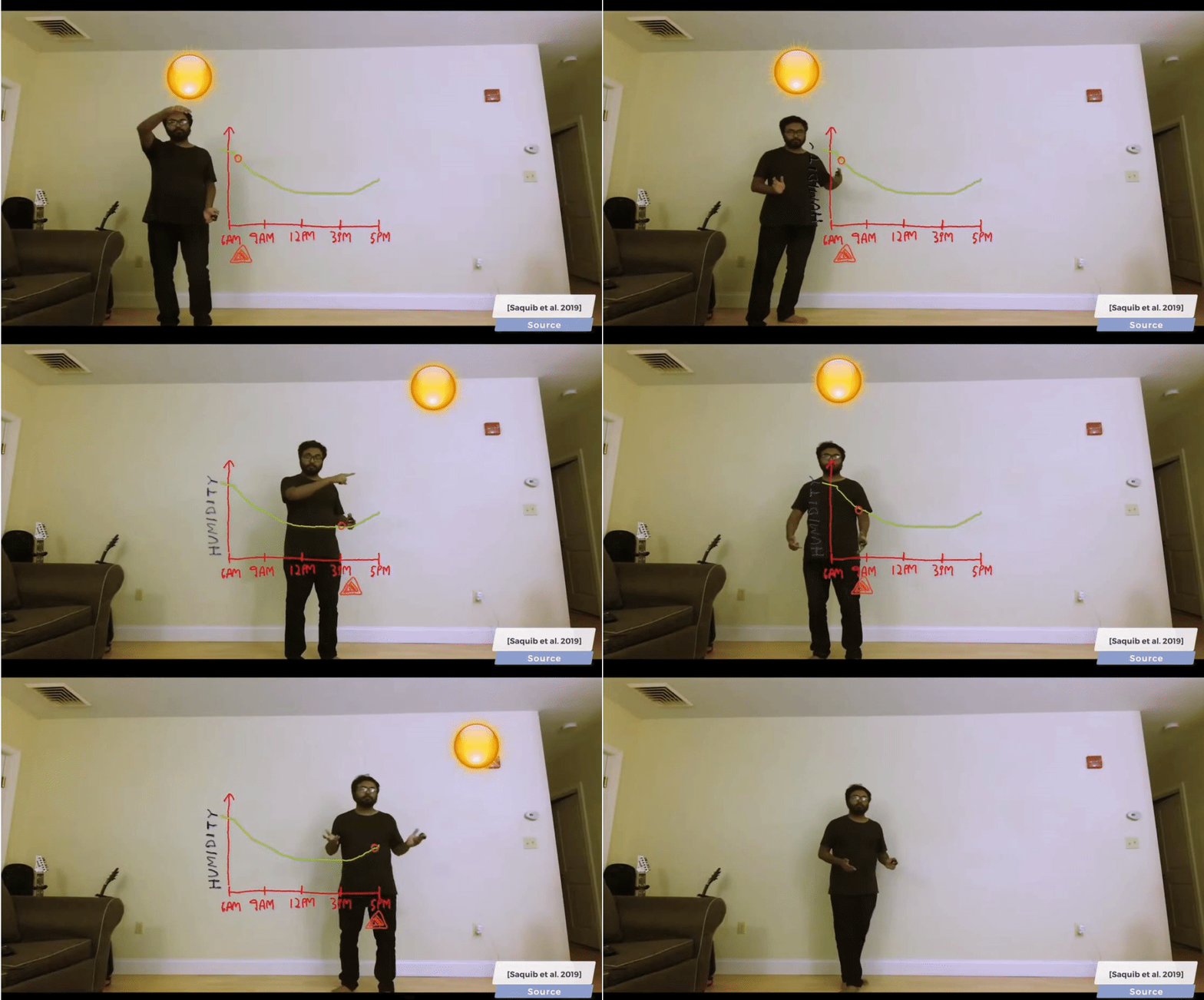
Researchers from MIT Media Lab and Adobe Research recently introduced a real-time interactive augmented video system that enables presenters to use their bodies as storytelling tools by linking gestures to illustrative virtual graphic elements. […]
The speaker, positioned in front of an augmented reality mirror monitor, uses gestures to produce and manipulate the pre-programmed graphical elements.
Will presenters go for it? Will students find it valuable? I have no idea—but props to anyone willing to push some boundaries.

“Why doesn’t it recognize The Finger?!” asks my indignant, mischievous 10-year-old Henry, who with his brother has offered to donate a rich set of training data. 🙃
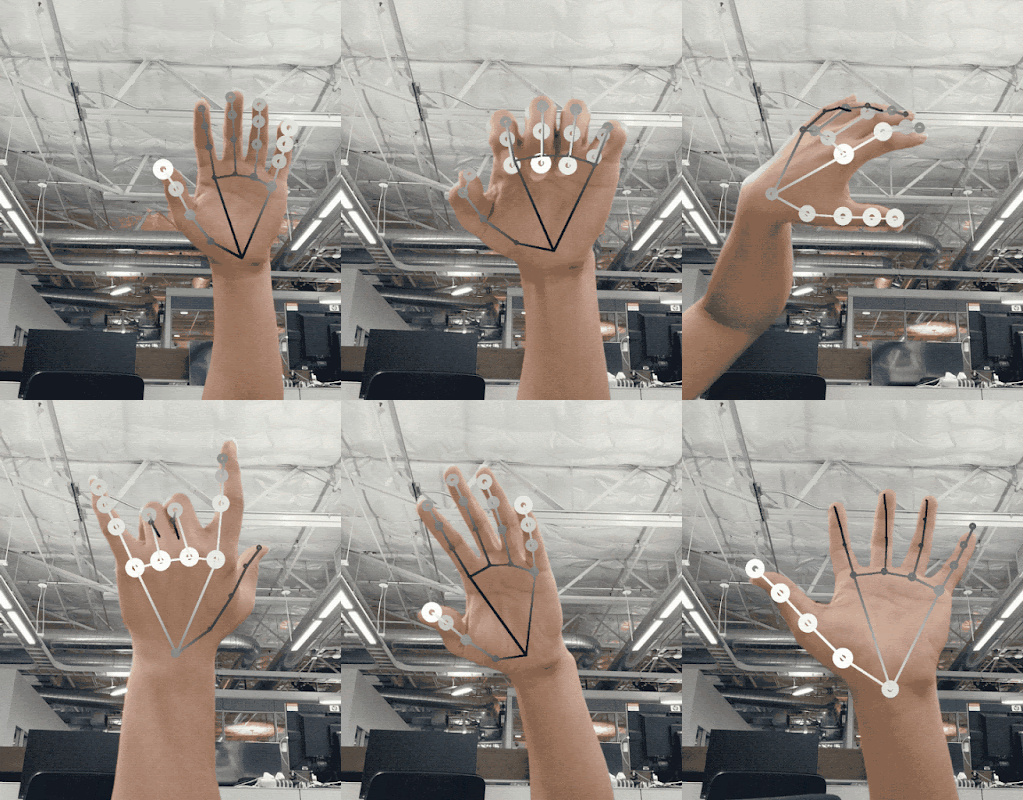
Juvenile amusement notwithstanding, I’m delighted that my teammates have released a badass hand-tracking model, especially handy (oh boy) for use with MediaPipe (see previous), our open-source pipeline for building ML projects.

Today we are announcing the release of a new approach to hand perception, which we previewed CVPR 2019 in June, implemented in MediaPipe—an open source cross platform framework for building pipelines to process perceptual data of different modalities, such as video and audio. This approach provides high-fidelity hand and finger tracking by employing machine learning (ML) to infer 21 3D keypoints of a hand from just a single frame. Whereas current state-of-the-art approaches rely primarily on powerful desktop environments for inference, our method achieves real-time performance on a mobile phone, and even scales to multiple hands. We hope that providing this hand perception functionality to the wider research and development community will result in an emergence of creative use cases, stimulating new applications and new research avenues.
🙌
“This is the strangest life I’ve ever known…” 😌
[YouTube]
I’ve been collaborating with these folks for a few months & am incredibly excited about this feature:
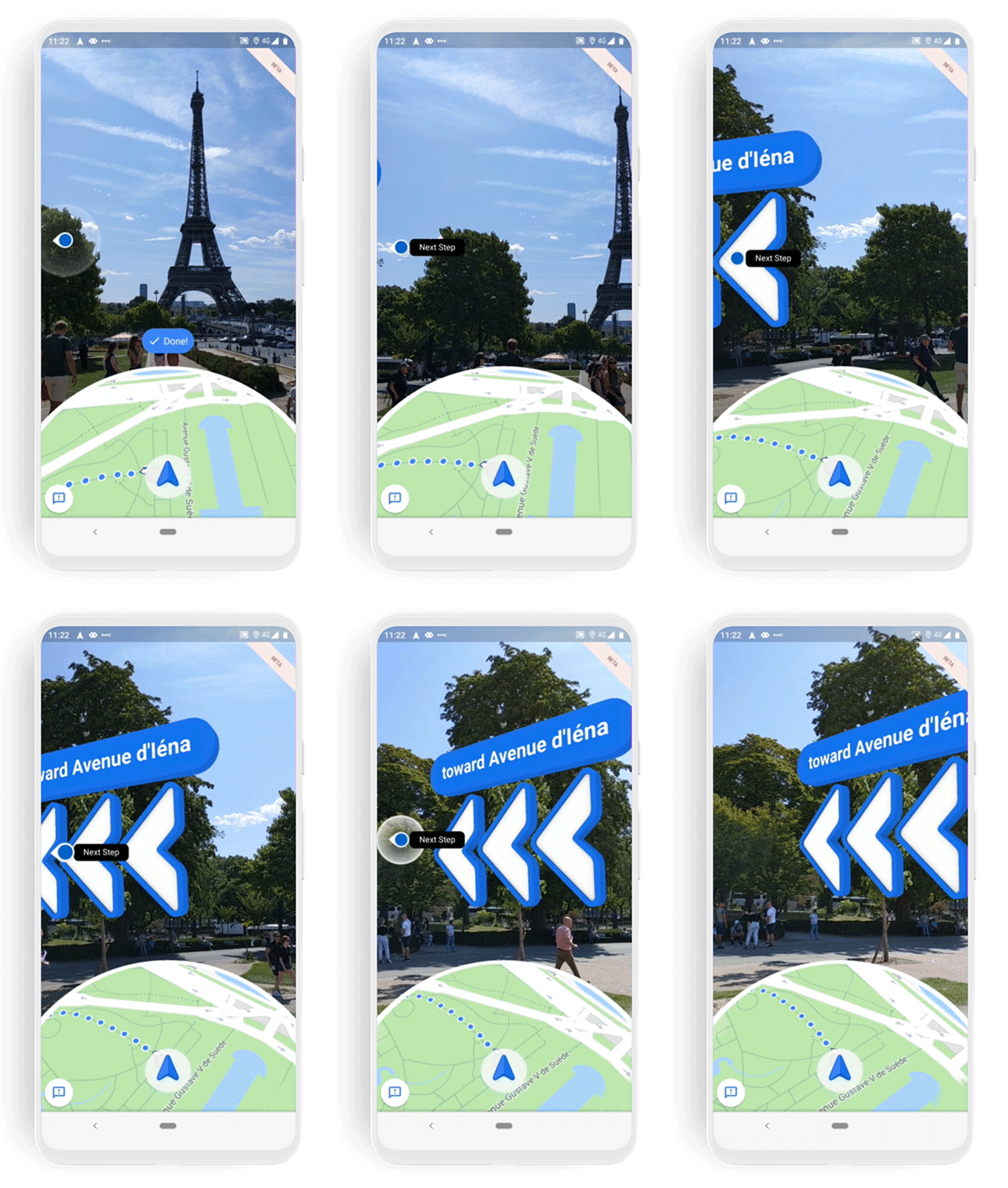
With a beta feature called Live View, you can use augmented reality (AR) to better see which way to walk. Arrows and directions are placed in the real world to guide your way. We’ve tested Live View with the Local Guides and Pixel community over the past few months, and are now expanding the beta to Android and iOS devices that support ARCore and ARKit starting this week.
Like the Dos Equis guy, “I don’t always use augmented reality—but when I do, I navigate in Google Maps.” We’ll look back at these first little steps (no pun intended) as foundational to a pretty amazing new world.

[Via]
And here we worried that AR would be used to identify passersby, rather than obfuscate them… 🙃
ARKitで光学迷彩
Optical camouflage using ARKit3#ARKit #iOS13 #madewithunity pic.twitter.com/niHuhwvrxW— Kitasenju Design (@kitasenjudesign) July 2, 2019
[Via Ben Tan]
You know you’re a thing (I guess?) when you show up in mainstream broadcast commercials:
[YouTube]
In case you’ve ever wondered about the math behind placing, say, virtual spiders on my kid works, wonder no more: my teammates have published lots o’ details.
One of the key challenges in enabling AR features is proper anchoring of the virtual content to the real world, a process referred to as tracking. In this paper, we present a system for motion tracking, which is capable of robustly tracking planar targets and performing relative-scale 6DoF tracking without calibration. Our system runs in real-time on mobile phones and has been deployed in multiple major products on hundreds of millions of devices.
You can play with the feature via Motion Stills for Android and Playground for Pixel phones.


Here’s an… appetizing one? The LA Times is offering “an augmented reality check on our favorite burgers.”

I’ve gotta say, they look pretty gnarly in 3D (below). I wonder whether these creepy photogrammetry(?)-produced results are net-appealing to customers. I have the same question about AR clothing try-on: even if we make it magically super accurate, do I really want to see my imperfect self rocking some blazer or watch, or would I rather see a photo of Daniel Craig doing it & just buy the dream that I’ll look similar?
Fortunately, I found the visual appearance much more pleasing when rendered in AR on my phone vs. when rendered in 3D on my Mac, at least unless I zoomed in excessively.

I am godawful at swimming in a straight line when putting my face in the water, so I’d really appreciate a version of these things that would show an arrow blinking “You’re going the wrong way!!“

[YouTube]
Let’s get upside down, baby. The AR tracking & rendering tech we’ve been making is bringing printed ads to life:
Inside the NYT, readers will find a full page ad in the Main News section and quarter page ads both in Arts and Business sections of the paper with a CTA encouraging readers to scan the ads with Google Lens, where they might find that things are stranger than they seem. 🙃

Tangentially related: this is bonkers:
This is amazing—Stranger Things 3's Starcourt Mall wasn't a sound stage. It was all built inside an actual dying mall in Georgia. And the set designers made more than simple storefronts—they made FULL INTERIORS, even for stores that were never seen on-screen… pic.twitter.com/v5RahFLPeR
— Andy Baio (@waxpancake) July 11, 2019
Clever & dirt simple:
EasyJet has launched a brand new hand luggage app that enables customers to check their bag size before they leave for the airport. The technology offers 3D augmented reality and shows if the baggage will fit the cabin bag dimensions correctly.


[Via Jacob Sharf]
Back in the day I wrote about how Male-pattern baldness -> Great Photoshop feature:
Jeff’s mane is a little thin on top, and Gregg is more folliclularly challenged. So, when Jeff returned from vacation to Taiwan, he was rather unhappy to find that Quick Selection was selecting only his head, missing the wispy bits of hair on top. As he proclaimed while making a quick whiteboard self portrait, “I need to keep all the hair I’ve got!”
Smash-cut forward 13 years (cripes…), and researchers are developing a way to use multiple cameras to capture one’s hair, then reconstruct it in 3D (!). Check it out:
[YouTube]
Here’s an example of what happens when a team leverages deep learning to make light fields practical. It’s gonna be really fun to try enabling these capture & display capabilities to mass scale.
https://twitter.com/bilawalsidhu/status/1144466126643986434
My teammates Tyler & George have released numerous projects made with their body-tracking library PoseNet, and now v2 has been open-sourced for you to use via TensorFlow.js. You can try it out here.
We just released PoseNet 2.0 with TensorFlow.js, including a much more accurate ResNet-based model!
Try the live demo by @tylerzhu3, @oveddan, @greenbeandou, @dsmilkov, @ire_alva, @nsthorat → https://t.co/Dgz0kay40U
Learn more here → https://t.co/JDs5wIeByP pic.twitter.com/MWfadJLk97
— TensorFlow (@TensorFlow) June 21, 2019
From last year (post), here’s an example of the kind of fun stuff you can make using it:
[YouTube]
Zach Lieberman has been on a tear lately with realtime body-segmentation experiments (see his whole recent feed), and now he’ll ghost ya for real:
Hide yourself – arkit testing w @openMolmol_MPS pic.twitter.com/8Xv2VdpD3h
— zach lieberman (@zachlieberman) June 22, 2019
It’s crazy to think that this stuff works in realtime on a telephone, when just 7 years ago here’s how Content-Aware Fill looked when applied to video:
Do I know what the hell is going on here? No, of course not! (Have you ever met me? 😌) But thankfully my colleagues Noah, Richard, and co. do, and it promises a way to capture & display rich, dimensional photos (see interactive example that lets you play with parallax & see depth; more are on the site). Check it out:


[YouTube]
The glue my team developed to connect & coordinate machine learning, computer vision, and other processes is now available for developers:
The main use case for MediaPipe is rapid prototyping of applied machine learning pipelines with inference models and other reusable components. MediaPipe also facilitates the deployment of machine learning technology into demos and applications on a wide variety of different hardware platforms (e.g., Android, iOS, workstations).
If you’ve tried any of the Google AR examples I’ve posted in the last year+ (Playground, Motion Stills, YouTube Stories or ads, etc.), you’ve already used MediaPipe, and now you can use it to remove some drudgery when creating your own apps.
Here’s a whole site full of examples, documentation, a technical white paper, graph visualizer, and more. If you take it for a spin, let us know how it goes!

I’m so pleased to be able to talk about the augmented reality try-on feature we’ve integrated with YouTube, leveraging the face-tracking ML tech we recently made available for iOS & Android:

Today, we’re introducing AR Beauty Try-On, which lets viewers virtually try on makeup while following along with YouTube creators to get tips, product reviews, and more. Thanks to machine learning and AR technology, it offers realistic, virtual product samples that work on a full range of skin tones. Currently in alpha, AR Beauty Try-On is available through FameBit by YouTube, Google’s in-house branded content platform.
M·A·C Cosmetics is the first brand to partner with FameBit to launch an AR Beauty Try-On campaign. Using this new format, brands like M·A·C will be able to tap into YouTube’s vibrant creator community, deploy influencer campaigns to YouTube’s 2 billion monthly active users, and measure their results in real time.
As I noted the other day with AR in Google Lens, big things have small beginnings. Stay tuned!
Hey, I’m as surprised as you probably are. 🙃 And yet here we are:
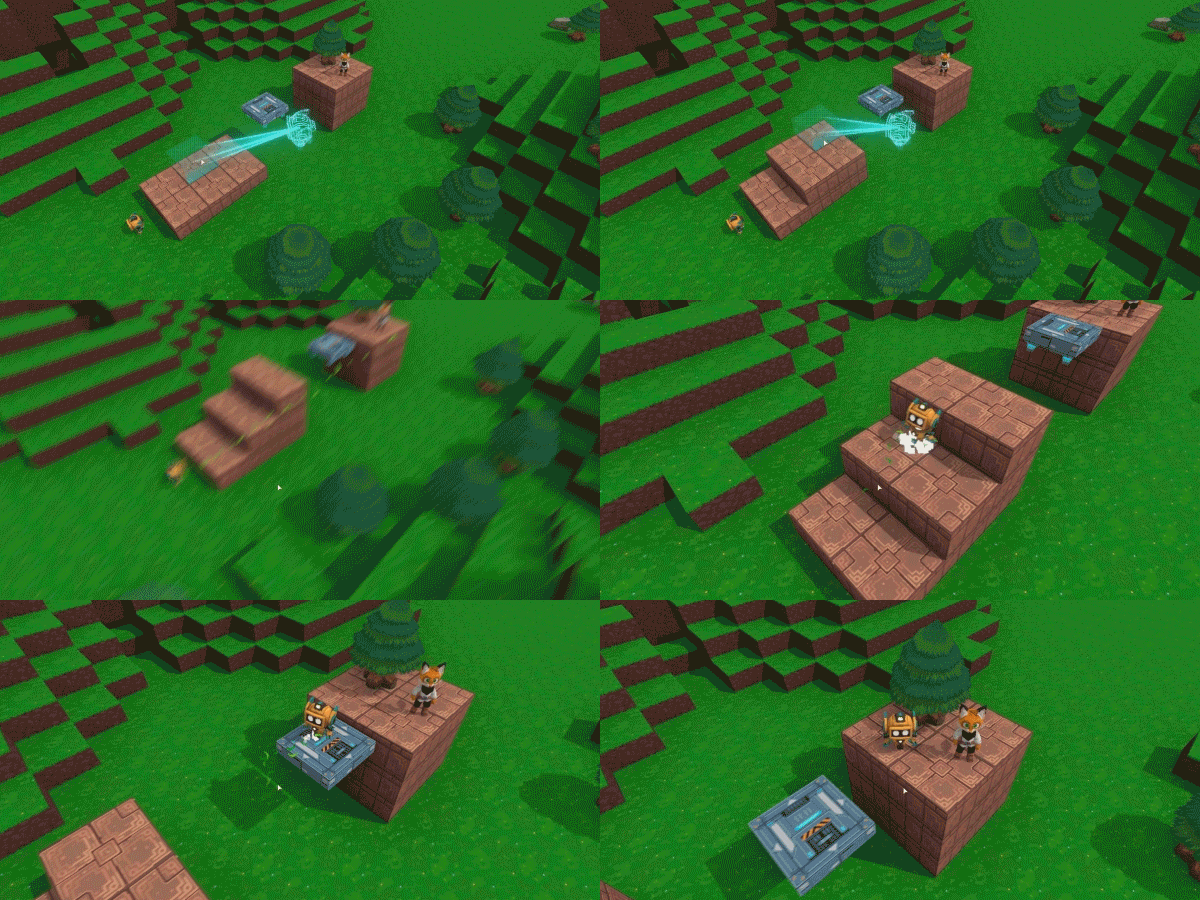
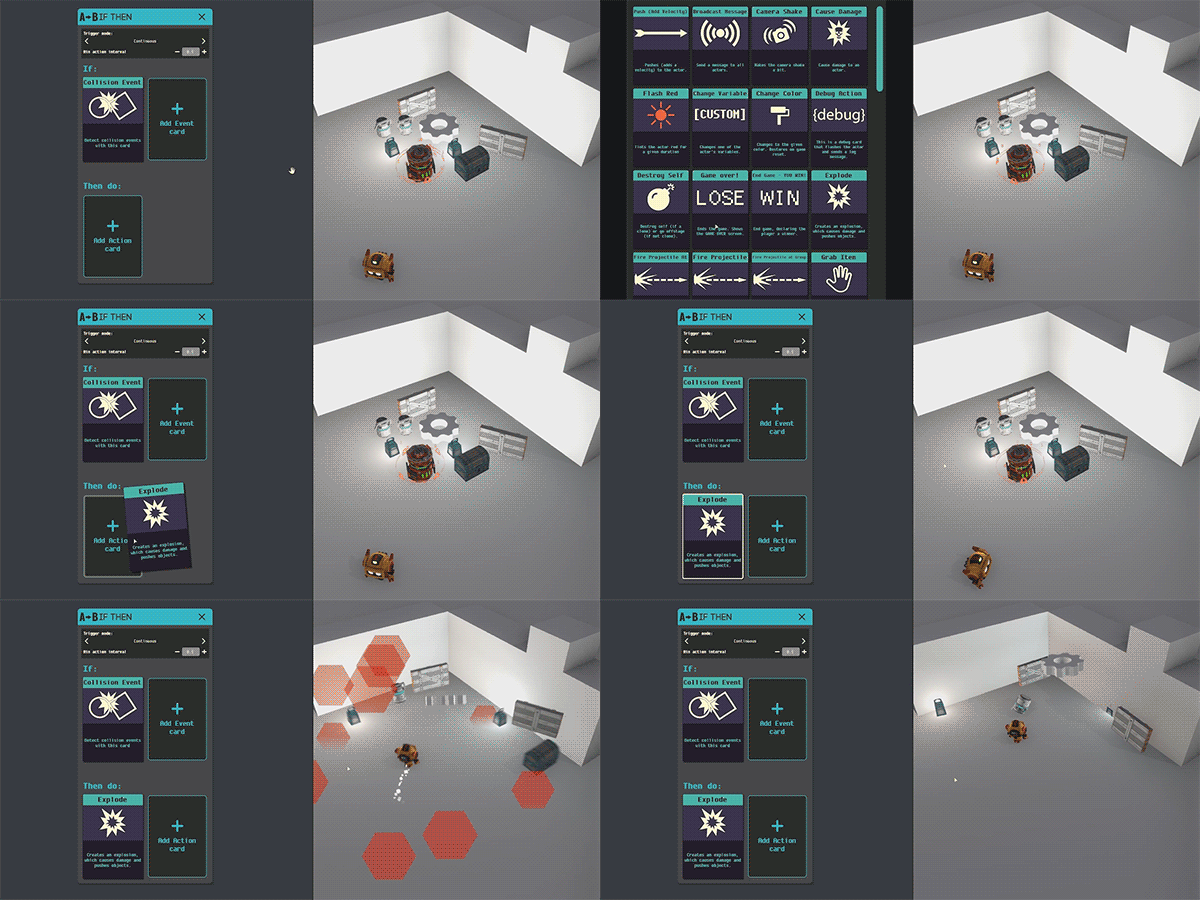
What if creating games could be as easy and fun as playing them? What if you could enter a virtual world with your friends and build a game together in real time? Our team within Area 120, Google’s workshop for experimental projects, took on this challenge. Our prototype is called Game Builder, and it is free on Steam for PC and Mac.
I’m looking forward to taking it for a spin!


Earlier this week I was messing around with Apple’s new Reality Composer tool, thinking about fun Lego-themed interactive scenes I could whip up for the kids. After 10+ fruitless minutes of trying to get off-the-shelf models into USDZ format, however, I punted—at least for the time being. Getting good building blocks into one’s scene can still be a pain.
This new 3D scanner app promises to make the digitization process much easier. I haven’t gotten to try it, but I’d love to take it for a spin:
[YouTube]
Pretty nifty, especially in how it lets you compare item size by, say, dragging backpacks into a tent:
It’s a small step, to be sure, but I’m exited to see that lensing a Raptors or (for good people 🙃) Warriors logo lets you see animated results, scores, stats, and more. Things are gonna get really interesting from here.
Unlock exclusive #NBAFinals content with Google Lens when you scan the Warriors or Raptors logo! Here's how: https://t.co/OOX0ckNy0o pic.twitter.com/fMhkauQcSY
— NBA (@NBA) May 31, 2019
In addition to moving augmented images (see previous), my team’s tracking tech enables object detection & tracking on iOS & Android:
The Object Detection and Tracking API identifies the prominent object in an image and then tracks it in real time. Developers can use this API to create a real-time visual search experience through integration with a product search backend such as Cloud Product Search.
I hope you’ll build some rad stuff with it (e.g. the new Adidas app)!

Who knew that the goofball mannequin challenge could generate a 2000-video dataset that could help train AI to compute depth, segment humans, and (optionally) content-aware fill them out of existence? This new work from Google Research handles scenes where both the camera & human subjects are moving. Check it out:
[YouTube]
Google’s VR painting app Tilt Brush has landed on Oculus Quest!
This is the first time people will be able to use Tilt Brush on a completely wireless VR system. It costs $19.99, though if you previously purchased it on Oculus Home, you’ll have it for free on Oculus Quest.
[YouTube]
The original Glass will be to AR wearables as the Apple Newton was to smartphones—ambitious, groundbreaking, unfocused, premature. After that first… well, learning experience… Google didn’t give up, and folks have cranked away quietly to find product-market fit. Check out the new device—dramatically faster, more extensible, and focused on specific professionals in medicine, manufacturing, and more:

[YouTube]
My team has been collaborating with TensorFlow Lite & researchers working on human-pose estimation (see many previous posts) to accelerate on-device machine learning & enable things like the fun “Dance Like” app on iOS & Android:
[YouTube]
Here’s brave Aussie PM Tim Davis busting the coldest emotes [note to my sons: am I saying this right?] while demoing on stage at Google I/O (starts at timestamp: 42:55] in case the embed gets wonky):

[YouTube]
Hmm… am I a size 10.5 or 11 in this brand? These questions are notoriously tough to answer without trying on physical goods, and cracking the code for reliable size estimation promises to enable more online shoe buying with fewer returns.
Now Nike seems to have cracked said code. The Verge writes,
With this new AR feature, Nike says it can measure each foot individually — the size, shape, and volume — with accuracy within 2 millimeters and then suggest the specific size of Nike shoe for the style that you’re looking at. It does this by matching your measurements to the internal volume already known for each of its shoes, and the purchase data of people with similar-sized feet.
Seems like size estimation could be easily paired with visualization a la Wanna Kicks.

On a semi-related note, Nike has also partnered with Snapchat to enable virtual try-on of soccer jerseys:

Last year my team added fun AR stickers to Motion Stills, and now you can build apps with the same tracking tech. Here’s a demo of Moving Augmented Images, now available in ARCore:
If that’s up your alley, I think you’d enjoy the whole I/O session on what’s new in ARCore.

[YouTube]
My team has been accelerating machine learning on devices and enabling AR face effects for developers (via ARCore & ML Kit). In recent months we’ve worked with Care OS, makers of smart mirror technology, to enable virtual try-ons via their hardware. Here’s a quick demo from Google I/O:

[YouTube]
Weird indeed, but nifty:
TechCrunch notes,
The app consists of two modes — a cutout mode and a collage mode.
The idea is that you should walk around and collect a bunch of different materials from the world in front of your camera’s viewfinder while in the cutout mode. These images are cut into shapes that you then assemble when you switch to collage mode. To do so, you’ll arrange your cutouts in the 3D space by moving and tapping on the phone’s screen.
You can also adjust the shapes while holding down your finger and moving up, down, left and right — for example, if you want to rotate and scale your “weird cuts” collage shapes.

Unrelated (AFAIK), this little app lets you sketch in 2D, then put the results into AR space. (Adobe Capture should do this!)
Cool! Adobe Capture should do this, @ericsnowden.
— John Nack (@jnack) May 5, 2019
[YouTube]
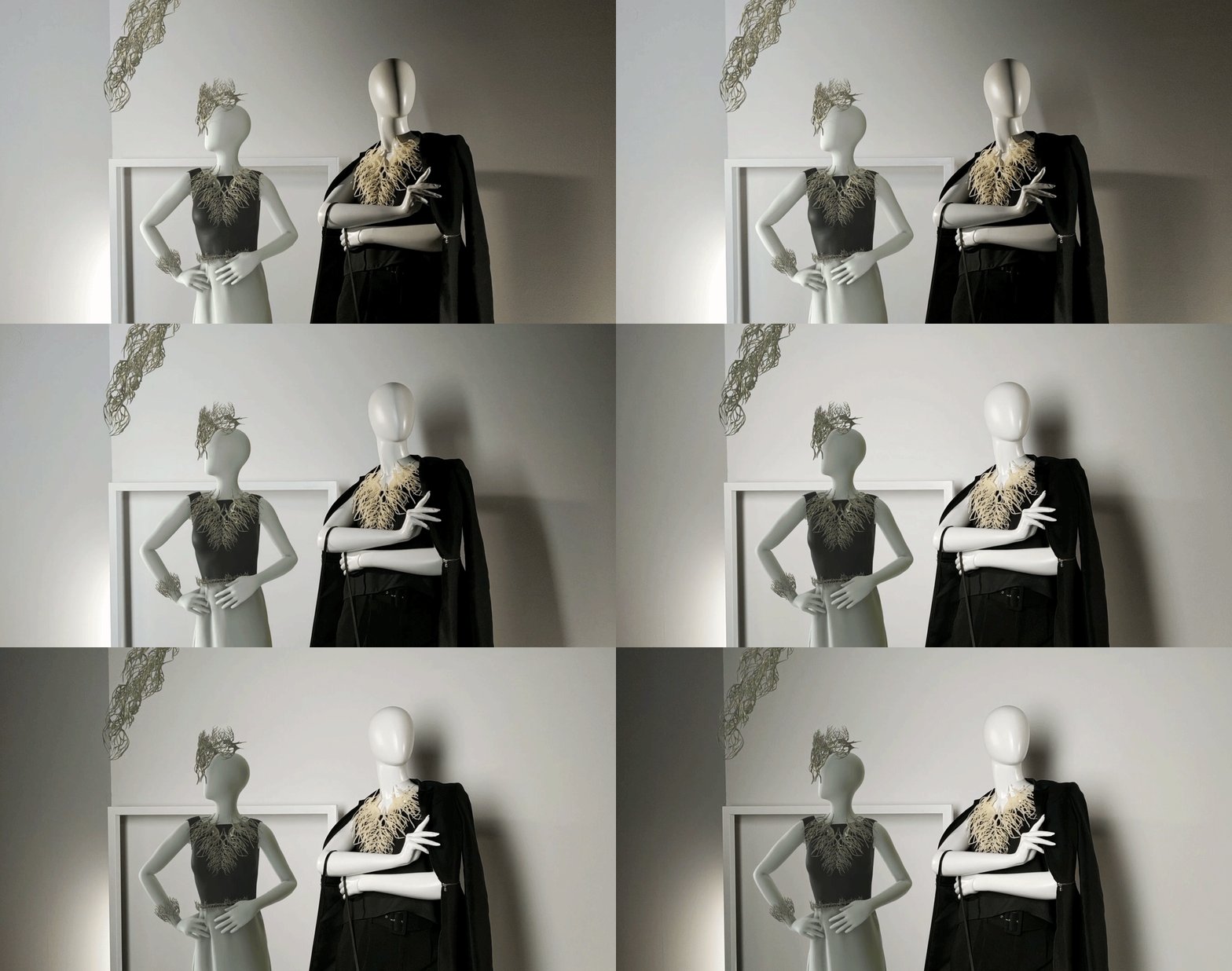
Environmental HDR uses machine learning with a single camera frame to understand high dynamic range illumination in 360°. It takes in available light data, and extends the light into a scene with accurate shadows, highlights, reflections and more. When Environmental HDR is activated, digital objects are lit just like physical objects, so the two blend seamlessly, even when light sources are moving.
Check out the results on a digital mannequin (left) and physical mannequin (right):


So basically:
Dope. Check it out:
[YouTube]
The rockstar crew behind Night Sight have created a neural network that takes a standard RGB image from a cellphone & produces a relit image, displaying the subject as though s/he were illuminated via a different environment map. Check out the results:
I spent years wanting & trying to get capabilities like this into Photoshop—and now it’s close to running in realtime on your telephone (!). Days of miracles and… well, you know.
Our method is trained on a small database of 18 individuals captured under different directional light sources in a controlled light stage setup consisting of a densely sampled sphere of lights. Our proposed technique produces quantitatively superior results on our dataset’s validation set compared to prior works, and produces convincing qualitative relighting results on a dataset of hundreds of real-world cellphone portraits. Because our technique can produce a 640 × 640 image in only 160 milliseconds, it may enable interactive user-facing photographic applications in the future.
[YouTube]